
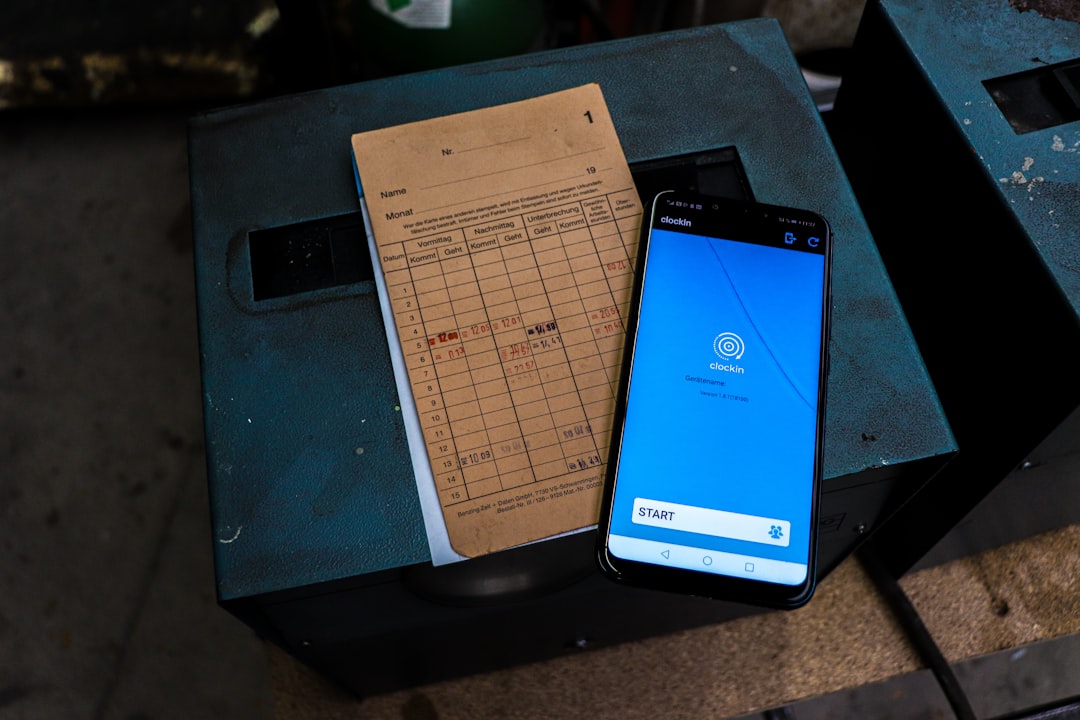

Got a field service team? You know the drill, right? Paperwork, phone calls, missed details, and a lot of head-scratching trying to figure out who’s doing what and where. Cloud-based work order tracking isn’t just a fancy buzzword; it’s practically a life raft for staying afloat and even thriving in that sea of field operations. In short, it brings all your work orders, technician schedules, and customer interactions into one central, accessible place online, making everything run smoother, faster, and with fewer headaches.
Let’s face it, paper-based systems are a relic of the past, and even clunky on-premise software can feel like you’re stuck in neutral. Cloud-based solutions change the game by making information instantly available to everyone who needs it, anytime, anywhere.
The Problem with Traditional Methods
Think about it: a customer calls with an urgent issue. You write it down, maybe on a scrap of paper, then you call a technician, who might be halfway across town. They drive back to the office to pick up the paper order, then head to the customer. After the job, they fill out another paper form, drive it back, and someone else inputs it into a spreadsheet. See the waste?
The Cloud Advantage: Real-Time Access
With a cloud system, that customer service representative enters the work order directly into the software. The nearest available technician gets an alert on their mobile device instantly. They see all the job details, customer history, and even required parts. No office visit needed, no deciphering messy handwriting. It’s all there, in real-time. This isn’t just about saving paper; it’s about eliminating delays and communication breakdowns that cost you time and money.
Core Features That Make a Difference
Not all cloud-based systems are created equal, but a few core features are non-negotiable for streamlining your operations. These are the tools that genuinely impact your day-to-day.
Centralized Work Order Management
This is the heart of it all. Instead of scattered notes and emailed requests, every work order lives in one place.
Creating and Assigning Jobs
Easily create new work orders from various sources – customer calls, emails, or even automated triggers. You can then quickly assign them to available technicians based on skills, location, or current workload. No more sifting through calendars or making multiple phone calls.
Tracking Progress and Status
From “scheduled” to “in progress” to “completed,” you can see the real-time status of every job. This transparency means you can provide accurate updates to customers and better manage technician workload without constant check-ins.
Attaching Relevant Information
Technicians can access everything they need before they even arrive: customer notes, equipment manuals, previous service history, critical safety warnings, and even photos or videos from the customer outlining the issue. This cuts down on confusion and ensures they’re prepared.
Mobile Access for Field Technicians
This is where the rubber meets the road. Your technicians aren’t tethered to a desk, so their tools shouldn’t be either.
On-the-Go Job Details
Technicians receive job assignments and full details directly on their smartphones or tablets. They can view schedules, customer contact information, directions, and anything else pertinent to the job. This minimizes travel time and maximizes productive work hours.
Updating Job Statuses
As they work, technicians can update the job status in real-time – marking arrival, noting progress, and finally, marking completion. This immediately updates the central system, keeping everyone in the loop.
Capturing Data and Signatures
No more clipboards. Technicians can digitally capture signatures for work approval, take photos of completed work or damaged parts, and fill out checklists or forms directly on their device. This creates an unchangeable audit trail and eliminates data entry errors later.
Optimizing Scheduling and Dispatching

Efficient scheduling and dispatching are often the biggest pain points in field operations. Cloud-based solutions can turn this from a complex puzzle into a remarkably smooth process.
Intelligent Scheduling Tools
Forget manually dragging appointments. Modern systems use algorithms to suggest the best technician for a job based on skills, availability, location, and even traffic conditions.
Automated Assignment Logic
Set up rules for how jobs are assigned. For example, prioritize technicians closest to the job site, or those with specific certifications for a particular type of equipment. This reduces travel time and ensures the right person is on the job.
Drag-and-Drop Calendars
For those times when you need manual oversight, intuitive drag-and-drop interfaces allow dispatchers to easily reassign jobs, adjust schedules, and visualize the entire day’s workload at a glance.
Real-Time GPS Tracking
Knowing where your technicians are isn’t about micromanagement; it’s about efficient operations and safety.
Location Visibility
Dispatchers can see the exact location of all field technicians on a map. This is invaluable for routing new urgent jobs to the closest available tech, estimating arrival times for customers, and ensuring technicians are on their assigned routes.
Geofencing for Job Site Arrival/Departure
Some systems allow you to set up geofences around job sites. When a technician enters or leaves this virtual boundary, the system can automatically update their status (e.g., “arrived at site,” “departed site”), providing accurate time tracking without manual input.
Enhancing Customer Experience and Communication
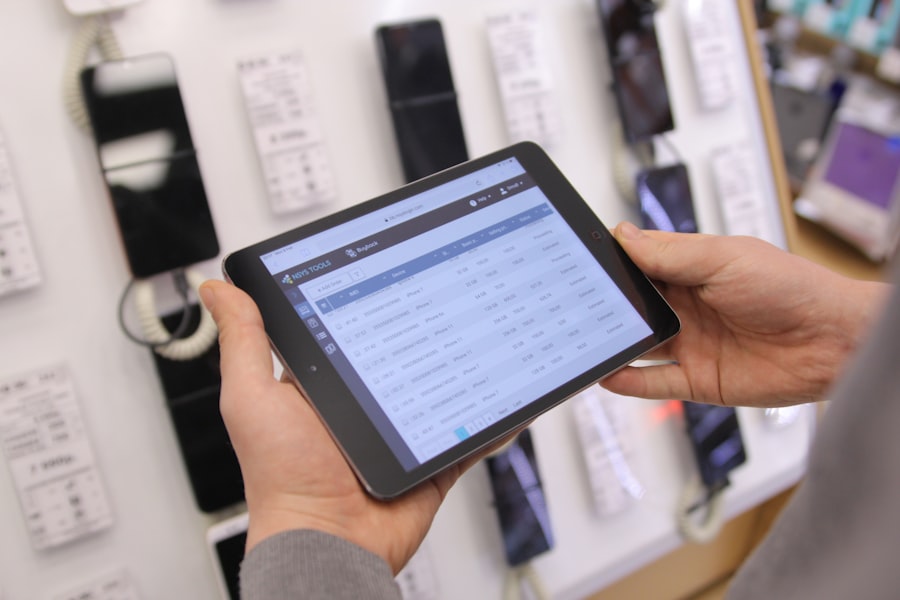
Happy customers are repeat customers. Cloud-based work order tracking doesn’t just improve your internal efficiency; it directly translates to a better experience for your clients.
Proactive Customer Notifications
Keeping customers in the loop reduces their anxiety and improves satisfaction.
Automated SMS/Email Updates
Send automated notifications when a technician is en route, provides an estimated time of arrival, or completes a job. This proactive communication means fewer “where’s my tech?” calls to your office.
Customer Portals
Some systems offer customer portals where clients can log in, view the status of their service request, see past service history, and even schedule new appointments. This self-service option empowers customers and frees up your staff.
Detailed Service History
Having comprehensive records at your fingertips means more informed service and less frustration.
Access to Past Job Information
Before a technician even steps out of the van, they can review all previous service visits for that customer, including notes, parts used, and any recurring issues. This provides context and often helps diagnose problems faster.
Building Customer Profiles
Over time, you build detailed profiles not just of the equipment serviced, but also of customer preferences, special access instructions, or specific points of contact. This personalizes the service experience.
Boosting Business Insights and Reporting
| Metrics | Value |
|---|---|
| Number of field technicians using the system | 100 |
| Response time for work order assignment | 2 hours |
| Percentage of completed work orders on time | 95% |
| Average time to complete a work order | 4 hours |
Beyond the day-to-day, a cloud-based system provides a goldmine of data that can help you make smarter business decisions and continually improve your operations.
Data Collection and Analytics
Every interaction, every completed job, every part used – it’s all data that can be analyzed.
Performance Metrics
Track key performance indicators (KPIs) like first-time fix rates, average time to complete a job, technician utilization rates, and customer satisfaction scores. These metrics are crucial for identifying areas for improvement.
Resource Allocation Insights
Understand which technicians are most productive, which equipment requires the most service, and which types of jobs are most profitable. This informs future hiring, training, and strategic planning.
Automated Reporting
Forget spending hours compiling spreadsheets. The system does the heavy lifting for you.
Custom Report Generation
Generate reports on demand or set them up to be delivered automatically. This could be daily summaries of completed jobs, weekly technician performance reports, or monthly breakdowns of parts inventory usage.
Identifying Trends and Bottlenecks
By analyzing collected data, you can spot trends (e.g., a particular part failing frequently) or bottlenecks in your process (e.g., delays recurring at a specific step in the workflow). Armed with this information, you can make targeted improvements to boost efficiency and profitability. This deeper understanding of your operations allows for continuous improvement and helps refine your service offerings and business strategy over time.
Considerations When Choosing a Solution
Okay, so you’re convinced. But how do you pick the right one? It’s not a one-size-fits-all situation.
Scalability and Integration
Think about your future. Will the system grow with you? Can it talk to your other essential software?
Accommodating Growth
If you plan to expand your team or service area, ensure the solution can handle an increased volume of users and data without a hitch. You don’t want to outgrow your system in a year.
API Integrations
Can it connect with your accounting software (e.g., QuickBooks), CRM (Customer Relationship Management) system, or inventory management tools? Seamless integration avoids duplicate data entry and ensures all your systems are working in concert.
User Friendliness and Support
Even the most powerful system is useless if no one can figure out how to use it.
Intuitive Interface
Look for a clean, logical interface that technicians and dispatchers can quickly learn. Extensive training shouldn’t be a prerequisite for basic use. If it’s clunky or complex, adoption rates will suffer.
Vendor Support and Training
What kind of support does the vendor offer? Is it 24/7? Do they provide good training resources, tutorials, or onboarding assistance? Good support can be the difference between frustration and smooth sailing.
Cost and ROI
Budget is always a factor, but focus on value, not just the sticker price.
Subscription Models
Most cloud-based solutions operate on a monthly or annual subscription model, often per user. Understand what’s included in different tiers and choose what fits your needs and budget.
Measuring Return on Investment (ROI)
Calculate the potential savings from reduced paperwork, decreased drive time, improved first-time fix rates, and increased customer satisfaction. Often, the ROI of a good work order tracking system far outweighs its cost in the long run.
Ultimately, cloud-based work order tracking isn’t about simply digitizing what you already do. It’s about transforming your entire field service operation, making it more agile, efficient, and customer-centric. It puts information where it needs to be, when it needs to be there, freeing up your team to do what they do best: provide excellent service.
