
AutoOps ties field activity, meal/rest acknowledgements, and payroll math together—so “reasonable steps” isn’t a binder of paper logs when you need it.
Secure Your Business Today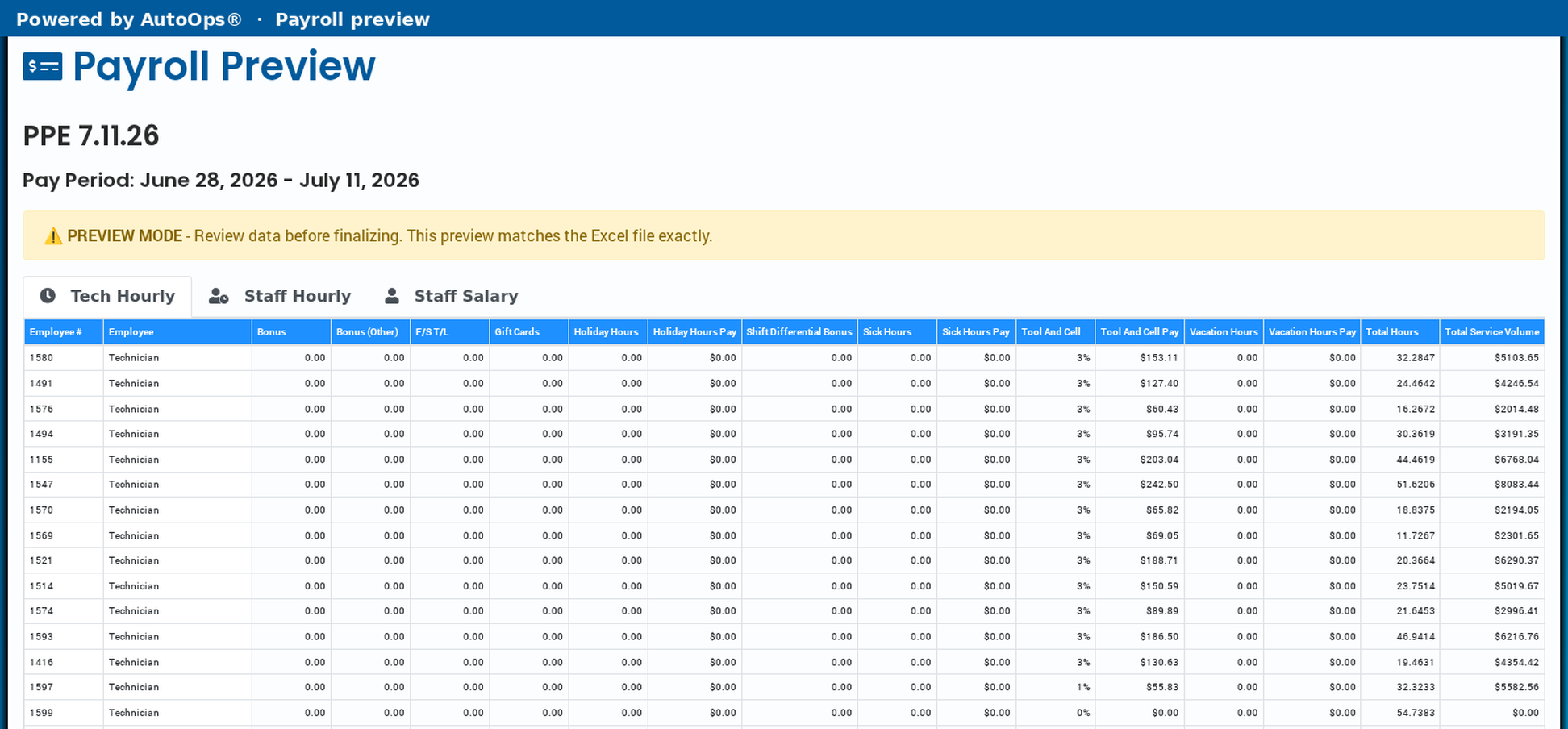
2024 reforms give employers a statutory path toward capped penalty exposure when they can show proactive compliance—or corrective action within 60 days of notice. AutoOps is built to help you document the day-to-day steps behind that story.
Keep ongoing evidence of break acknowledgements, timekeeping, and wage inputs—not a scramble after a letter arrives.
Pull forensic trails quickly: who acknowledged what, when activity happened, and how pay was calculated for the period.
Paper timesheets and “we told them” policies are weak under scrutiny. AutoOps centers tech-initiated activity with timestamps and required acknowledgements.
Drive starts, job starts, and completions create a chronological trail tied to the technician—not a reconstructed spreadsheet.
Digital acknowledgements of mandatory breaks help show the shop took concrete steps—not just posted a policy.
Change history and pay-period previews keep a reviewable chain from field events to the numbers you hand your processor.
Translation support helps crews understand job and compliance instructions in the language they work in.
Not every contractor runs the same clock. AutoOps supports the models California field shops actually use.
Capture standby time when techs aren’t on a fixed clock—so waiting, on-call, and in-between-job time doesn’t disappear into unpaid gray areas.
Work from technician and staff schedules when your operation runs on published shifts—then finalize through pay-period workflows.
Configure allotments to match how you compensate the crew—then preview regular, OT, and DT before you download payroll.
Base hourly with overtime and double-time rates, plus hourly allotments for sick, holiday, vacation, and similar time.
Flat-rate allotments and job-field percentages for piece-style or production pay without rebuilding the math every week.
Net-revenue allotments when pay is tied to job results—kept separate from reimbursements that should stay non-taxable.
Plenty of shops don’t own the trucks. AutoOps tracks miles from field activity and applies your reimbursement rate so personal-vehicle techs aren’t left guessing.
Set the mileage reimbursement rate in payroll settings and keep an audit history of rate changes.
Payroll preview surfaces total miles and mileage pay alongside hourly and other allotments—ready for your processor.
Create a pay period, preview tech hourly / staff hourly / salary views, then hand clean taxable and reimbursement totals to your payroll provider. AutoOps calculates the field inputs—withholdings and filings stay with your processor.
No software replaces counsel. AutoOps gives you structured records and wage inputs so you and your advisors can demonstrate the steps you took.
This article is general information, not legal advice.
© AutoOps® 2026. All rights reserved.
Choose which tools may run on this site. Nothing beyond strictly necessary cookies runs unless you turn it on. Privacy Policy
