


When it comes to field service technician scheduling, the biggest time-saver you can implement is automation. Period. By taking the repetitive, manual tasks out of your hands, you free up your dispatchers to focus on more complex issues, improve response times, and ultimately, keep your customers happier. We’re talking about smart tools that automatically assign jobs, optimize routes, and even predict potential issues, all to make your field operations run smoother.
Before we dive into the solutions, let’s acknowledge why automation is so crucial. Manual scheduling, while seemingly straightforward at first glance, quickly becomes a tangled mess as your business scales.
Time-Consuming and Prone to Errors
Think about it: manually matching technicians to jobs involves considering their skills, availability, location, and the job’s urgency. Each of these factors adds a layer of complexity.
- Human Error: It’s inevitable. A dispatcher, no matter how skilled, can accidentally double-book a technician, overlook a critical skill requirement, or simply misread a calendar. These small errors can cascade into missed appointments, frustrated customers, and costly reworks.
- Slow Response Times: When every new service request requires a dispatcher to mentally juggle all these variables, the process takes time. This delay can be critical for urgent calls, impacting customer satisfaction and potentially leading to lost business.
- Inefficient Resource Allocation: Without a systematic approach, it’s easy to underutilize some technicians while overworking others. Some might spend too much time driving between distant jobs, burning fuel and wasting billable hours.
Lack of Real-Time Visibility
Once a technician is out in the field, tracking their progress and making on-the-fly adjustments with manual methods is incredibly difficult.
- Guesswork, Not Data: Without real-time updates, dispatchers are often operating on incomplete information. Is a technician running ahead of schedule or behind? Are they stuck in traffic? This lack of insight makes proactive problem-solving almost impossible.
- Difficulty with Urgent Changes: When an emergency call comes in, or a technician calls in sick, manually reshuffling schedules in a hurry can be a nightmare. It often leads to a scramble, disrupting other planned jobs.
- No Historical Performance Data: Analyzing past performance to identify trends and areas for improvement is challenging without digital records that can be easily queried and analyzed. This makes it harder to learn from past experiences and optimize future schedules.
Embracing Automation for Smarter Assignments
The heart of streamlined scheduling lies in automated assignment. This isn’t about replacing human intuition entirely, but rather empowering it with data and algorithms.
Skill-Based Matching
Imagine a system that instantly knows which technician has the exact certifications, experiences, and tools needed for a specific job.
- Precision and Efficiency: Instead of a dispatcher scrolling through spreadsheets or relying on memory, the system dynamically matches based on pre-defined skill sets. This ensures the right person is sent to the right job every time, reducing the need for callbacks or unprepared technicians.
- Improved First-Time Fix Rates: When technicians are properly equipped and skilled for the task at hand, they’re much more likely to complete the job on the first visit. This saves your company money and boosts customer satisfaction.
- Optimized Training Opportunities: By tracking skill utilization, you can identify skill gaps within your team and schedule targeted training, ensuring your workforce remains adaptable and proficient.
Geographical Optimization
Minimizing travel time isn’t just about saving fuel; it’s about maximizing wrench time and reducing technician fatigue.
- Route Optimization Software: These tools use advanced algorithms to calculate the most efficient routes between multiple job sites. They consider traffic patterns, road closures, and even technician breaks to create optimal travel plans.
- Dynamic Rescheduling: If a new urgent job comes in, the system can quickly re-evaluate routes for nearby technicians, identifying who can take the new call with minimal disruption to their existing schedule.
- Reduced Fuel Costs and Wear & Tear: Less driving means lower operational costs for your vehicle fleet and prolonged vehicle lifespan. It’s a win-win for your bottom line.
Balancing Workload and Availability
Automation can help distribute tasks fairly and prevent burnout, leading to a happier, more productive workforce.
- Fair Task Distribution: The system can track technician workload and distribute new assignments accordingly, preventing some technicians from being constantly overloaded while others have lighter schedules.
- Integrated Calendar Management: This allows for seamless integration with technician calendars, automatically blocking out times for appointments, training, or personal leave, ensuring they are only scheduled when genuinely available.
- Predictive Scheduling: By analyzing historical data, some advanced systems can even predict demand spikes or technician availability, allowing you to proactively adjust staffing levels.
Real-Time Visibility and Dynamic Adjustments
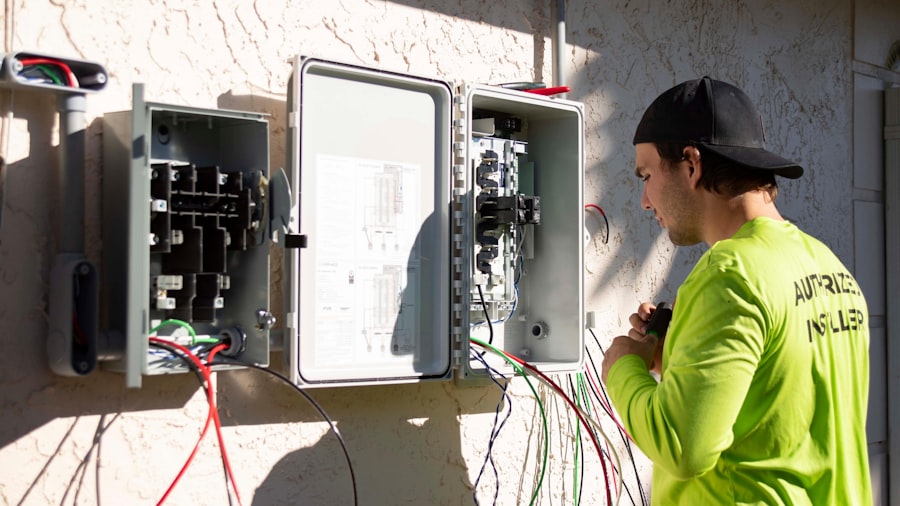
Automation doesn’t just stop at initial assignment; it provides the eyes and ears you need to manage your field operations as they unfold.
Live Technician Tracking
Knowing where your technicians are and their progress is invaluable for effective management.
- GPS and Geofencing: Most modern field service software integrates with GPS to show the real-time location of your technicians. Geofencing can even trigger automatic alerts when a technician arrives at or leaves a job site.
- Instant Status Updates: Technicians can update their job status (e.g., “en route,” “on site,” “job completed”) directly from their mobile device. This provides dispatchers with an accurate, up-to-the-minute overview.
- Improved Communication: With live tracking, dispatchers can provide customers with accurate ETAs, improving transparency and reducing frustrating “where’s my technician?” calls.
On-the-Fly Reassignments
Unexpected situations are par for the course in field service. Automation helps you adapt quickly.
- Emergency Job Prioritization: When an urgent call comes in, the system can quickly identify the closest, most qualified technician with minimal disruption to other schedules, potentially overriding existing assignments if necessary.
- Technician Unavailability Handling: If a technician calls in sick or has an unexpected issue, the system can automatically reassign their pending jobs to other suitable technicians, preventing service disruptions.
- Optimized Spillover Management: For larger organizations, if one team’s schedule is completely full, the system can automatically route new jobs to other available teams or technicians effectively.
Proactive Problem Solving
Moving from reactive problem-solving to proactive intervention makes a huge difference.
- Automated Alerts: Set up notifications for when a technician is running behind schedule, nearing overtime, or encountering a specific issue. This allows dispatchers to intervene before a problem escalates.
- Resource Forecasting: By analyzing current job queues, average job durations, and technician availability, automated systems can help forecast future resource needs, helping you avoid understaffing or overbooking.
- Data-Driven Decision Making: Every update, every assignment change, and every job completion feeds into a comprehensive dataset. This data can then be analyzed to identify recurring issues, optimize processes, and improve overall efficiency.
Empowering Technicians with Mobile Tools

Automation isn’t just for dispatchers; it’s a powerful ally for your field technicians too.
Mobile Access to Schedules and Job Details
No more printing out paper schedules or calling dispatch for every little detail.
- Instant Updates: Technicians receive real-time updates to their schedules directly on their mobile device, preventing confusion and ensuring they always have the most current information.
- Comprehensive Job Information: Directly from their device, technicians can access customer details, site history, equipment manuals, service checklists, and even previous service reports, empowering them to arrive prepared.
- Navigation Integration: Most mobile field service apps integrate seamlessly with mapping applications, providing turn-by-turn directions to job sites and helping technicians avoid traffic.
In-Field Data Collection and Reporting
Digital tools dramatically simplify the administrative burden on technicians.
- Digital Checklists and Forms: Replace paper forms with digital checklists that guide technicians through the service process, ensuring consistency and compliance. These can include mandatory fields and photo/video upload capabilities.
- Electronic Signature Capture: Customers can sign off on completed work directly on the technician’s device, streamlining the invoicing process and providing proof of service.
- On-Site Quoting and Invoicing: Technicians can generate quotes for additional work or even process payments directly from the field, accelerating the sales cycle and improving cash flow.
Communication Made Seamless
Better communication between technicians, dispatch, and customers leads to fewer misunderstandings.
- In-App Messaging: Technicians can communicate directly with dispatchers through secure in-app messaging, reducing reliance on phone calls and keeping all communication logged.
- Customer Communication Tools: Some apps allow technicians to send automated arrival notifications or direct messages to customers, improving the customer experience.
- Photo and Video Documentation: Technicians can easily document issues, repairs, and completed work with photos and videos, providing visual evidence and supporting detailed reports.
Getting Started with Scheduling Automation
| Metrics | Data |
|---|---|
| Number of field service technicians | 50 |
| Number of service requests per day | 100 |
| Response time to service requests | 2 hours |
| Technician utilization rate | 80% |
| Number of scheduling conflicts | 10 per week |
Diving into automation might seem overwhelming, but breaking it down into manageable steps makes the process smooth.
Assess Your Current Workflow
Before you can automate, you need to understand what you’re currently doing and where the biggest pain points are.
- Map Existing Processes: Document every step of your current scheduling and dispatching process. Who does what? What tools are used? How long does each step take?
- Identify Bottlenecks and Manual Labor: Where do delays occur? Which tasks are repetitive, error-prone, or consume the most time? These are your prime candidates for automation.
- Gather Stakeholder Input: Talk to your dispatchers and technicians. They’re on the front lines and can offer invaluable insights into what works well and what truly hinders their productivity.
Choose the Right Field Service Management (FSM) Software
This is the central piece of your automation strategy. Don’t rush this decision.
- List Your Requirements: Based on your workflow assessment, create a comprehensive list of features you absolutely need and those that would be “nice-to-haves.” Think about scalability; you’ll want software that can grow with you.
- Research and Demo: Explore various FSM software solutions available. Schedule demos with multiple vendors to see the software in action and ask specific questions about how it handles your unique scenarios.
- Consider Integrations: Will the software integrate with your existing CRM, accounting software, or inventory management system? Seamless integration minimizes data silos and improves overall efficiency.
Start Small and Scale Up
You don’t need to automate everything overnight. Phased implementation reduces risk and allows for quicker adoption.
- Pilot Program: Start with a small group of dispatchers and technicians for initial testing. This allows you to iron out kinks and gather feedback without disrupting your entire operation.
- Gradual Rollout: Once the pilot is successful, gradually roll out the new system to more teams. Provide thorough training and ongoing support.
- Continuous Improvement: Automation isn’t a one-and-done deal. Regularly review your automated processes, collect feedback, and look for further optimization opportunities. Technology evolves, and so should your strategy.
Automating your field service scheduling isn’t just about making things a bit easier; it’s about fundamentally transforming your operations. It leads to happier customers who get faster, more reliable service, more efficient technicians who spend less time driving and more time on tasks, and a more profitable business that runs like a well-oiled machine. Take the leap – your future self will thank you.
