
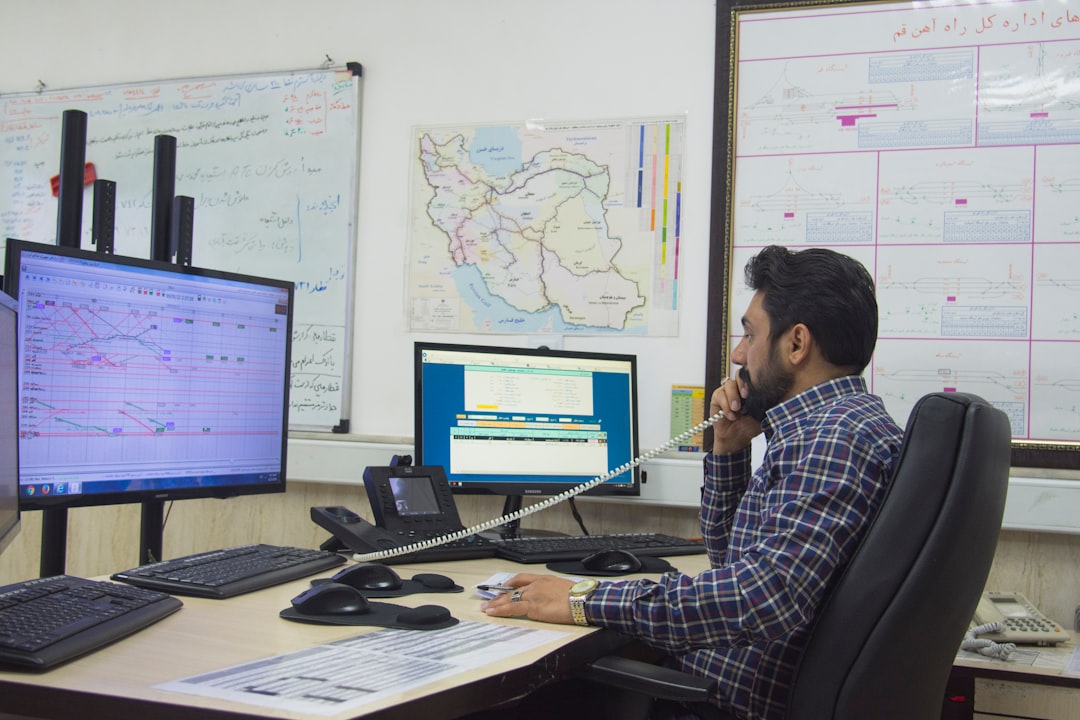

You’re probably wondering how to get your commercial HVAC service calls out the door faster and more efficiently. The good news is, there’s a pretty straightforward answer: software. Specifically, dispatch software designed for the unique needs of commercial HVAC businesses. It’s not about magic buttons; it’s about organizing your operations so everything flows smoothly, from the moment a customer calls to the moment a technician marks a job complete. Think of it as giving your dispatchers superpowers, but instead of capes, they get better information, faster communication, and less stress.
Let’s be real, dispatching commercial HVAC jobs can be chaotic. You’ve got technicians out in the field, some with urgent calls, others with routine maintenance. Customers are calling with emergencies, and you’re trying to juggle it all with phone calls, texts, spreadsheets, maybe even a whiteboard. It’s a recipe for mistakes, delays, and frustrated staff on both ends of the line.
The Paper Trail Problem
Remember the days of paper work orders? Even if you’ve moved beyond that, are you still relying on manual data entry or disparate systems? This creates information silos. A technician might have notes on their phone, the office has a job scheduled in a calendar, and the customer’s history is in a separate filing cabinet (or digital folder). This constant back-and-forth to find crucial information slows everything down. Trying to match a technician’s skills to a specific job requirement can feel like a treasure hunt.
Communication Breakdowns
When communication is primarily through voice or text, details get lost. A missed call, a garbled message, or a forgotten detail about a client’s specific equipment can lead to a technician showing up unprepared. This means wasted trips, extra downtime, and unhappy customers. For commercial clients, this can be particularly damaging to your reputation. They expect professionalism and efficiency, not “Oops, I forgot to tell them it has a 3-phase motor.”
Lack of Real-Time Visibility
Without a centralized system, you have no idea where your technicians are, what they’re working on, or when they’ll be free. This makes it impossible to accurately estimate arrival times for new calls or to effectively re-route technicians when unexpected emergencies pop up. You’re essentially flying blind, making reactive decisions instead of proactive ones.
Introducing the Dispatch Software Solution
So, what’s the fix? Commercial HVAC dispatch software. It’s built to address these very pain points. It’s not just a glorified calendar; it’s a command center for your entire service operation. The core idea is to bring all your service-related information into one place and automate many of the manual tasks that bog down your team.
Centralized Job Management
This is the heart of it. All incoming service requests, from phone calls to online submissions, can be logged and tracked within the software. This includes all the critical details: customer information, location, equipment specifics, service history, urgency, and assigned technician. No more scattered notes or forgotten details.
Optimized Scheduling and Routing
This is where the “streamline” really kicks in. The software can help you see technician availability at a glance. Many systems offer features that suggest the best technician for a job based on skills, location, and current workload. Some even have GPS integration to optimize routes, saving drive time and fuel. This is a huge deal for commercial clients who are often dealing with multiple locations or critical operational systems. Minimizing downtime is paramount.
Enhanced Communication Tools
Modern dispatch software facilitates seamless communication. Technicians receive job details directly on their mobile devices, and they can update job status, add notes, and even capture photos right from the field. This information is instantly visible to the dispatch team. It also allows for direct in-app messaging, reducing the need for constant phone calls. Think about it: a technician can confirm they’ve arrived, provide a quick update on progress, or ask a clarifying question without interrupting their work or needing to find a phone.
Key Features That Make a Difference

It’s not just about having software; it’s about having the right software with features that actually address your specific commercial HVAC needs. Here are some of the most impactful ones to look for:
Real-Time Technician Tracking and Status Updates
Imagine being able to see exactly where each of your technicians is on a map. That’s what GPS tracking offers. More importantly, it allows technicians to update their status (e.g., en route, on-site, job complete, needs follow-up). This provides dispatchers and even customers (through a portal) with accurate, up-to-the-minute information. For commercial clients, knowing when a technician is on-site and roughly how long they’ll be there can be crucial for their own operational planning. It also helps you manage your team effectively, ensuring no one is left waiting or idle.
Skill-Based Technician Assignment
Commercial HVAC work is diverse. You have routine maintenance, emergency repairs, installations, and specialized equipment like chillers or VRF systems. Sending a generalist to a complex job requiring specific expertise is a recipe for failure. Dispatch software can store technician skill sets and certifications, allowing you to intelligently assign jobs to the most qualified person. This means jobs get done right the first time, reducing callbacks and improving customer satisfaction. It also helps in training and development, highlighting areas where technicians excel or might need more specialized training.
Mobile Accessibility for Field Technicians
This is non-negotiable for any modern dispatch system. Your technicians need to access job details, update statuses, record notes, and even access equipment manuals or past service records from their tablets or smartphones. A robust mobile app ensures that information flows seamlessly between the field and the office, eliminating the need for them to return to the office to fill out paperwork or get new assignments. This significantly reduces travel time spent on administrative tasks.
Automated Work Order Generation and Management
When a new service request comes in, the software can automatically generate a work order. This ensures no detail is missed and that all necessary information is captured electronically. From there, the work order tracks the job’s progress, allows for notes and photos to be added, and can even be used to create invoices. This greatly reduces the administrative burden on your dispatchers and office staff.
Customer Database and Service History
Having a comprehensive customer database integrated with the dispatch system is invaluable. You can quickly pull up a client’s contact information, address, account history, and – most importantly – their equipment and service history. This allows for more personalized service and faster problem-solving. When a customer calls with an issue, the dispatcher can instantly see what work has been done previously, what equipment is involved, and any recurring problems. This level of preparedness is a significant differentiator in the commercial sector.
Reporting and Analytics for Performance Improvement
Good dispatch software doesn’t just help you do the job; it helps you improve how you do it. Look for systems that offer reporting features. You can track key metrics like:
- Average response time: How quickly are you getting to new calls?
- Job completion rates: Are technicians finishing jobs efficiently?
- Technician utilization: How busy are your technicians? Are there opportunities for better scheduling?
- Callback rates: Are jobs being completed correctly the first time?
- Parts usage: What parts are being used most frequently? This can inform inventory management.
These insights are crucial for identifying bottlenecks, optimizing resource allocation, and making informed decisions to enhance your overall efficiency and profitability. For commercial clients, demonstrating consistent performance through data can be a powerful selling point.
Streamlining Your Workflow: From Call to Close

Let’s walk through a typical commercial HVAC service scenario and see how dispatch software transforms it.
The Initial Call or Request
A commercial property manager calls your office. Instead of frantically searching through a rolodex or a messy spreadsheet, your dispatcher opens the dispatch software. They quickly pull up the client’s record, see their account history, and note any specific building systems or previous issues. A new service request is created, tagged with relevant details: HVAC system type, problem description, urgency level, and the contact person at the site. If the customer has a portal, they might have even submitted the request themselves, pre-populating much of this information.
Intelligent Job Assignment
The software analyzes the request. It checks which technicians are available, closest to the job location, and possess the necessary skills (e.g., expertise with rooftop units, chillers, or a specific brand). It might even consider which technician last serviced that particular equipment, ensuring continuity of knowledge. The dispatcher assigns the job with a few clicks.
Real-Time Updates for Everyone
The assigned technician receives a push notification on their mobile device with all the job details. They accept the assignment, and their status updates to “En Route.” The dispatcher can see this on their dashboard. Once on-site, the technician updates their status to “On-Site.” They can now access all relevant job information, including schematics, service manuals, and past work orders. If they encounter unexpected issues or need specific parts, they can communicate this directly through the app, attaching photos or notes.
Efficient Job Completion and Data Capture
As the technician works, they record their findings, parts used, labor hours, and any recommendations for future service. They can capture photos of the issue or the completed work. Once the job is finished, they mark it as “Complete” in the app. This status change is immediately reflected in the office.
Seamless Invoicing and Follow-Up
With the job marked as complete and all the necessary data captured electronically, the dispatch software can integrate with your accounting system or directly generate an invoice based on the work performed, parts used, and agreed-upon rates. This dramatically speeds up your billing process. Furthermore, the system can schedule follow-up reminders for preventative maintenance based on service history, ensuring you stay proactive with your commercial clients and secure recurring revenue.
Choosing the Right Software: What to Look For
| Metrics | Data |
|---|---|
| Number of dispatches per month | 150 |
| Response time for dispatches | 2 hours |
| Customer satisfaction rate | 90% |
| Technician utilization rate | 80% |
Not all dispatch software is created equal, and the commercial HVAC space has unique demands. When you’re evaluating options, keep these practical considerations in mind:
Industry-Specific Functionality
Does the software understand the nuances of HVAC? For example, does it have fields to track equipment types, serial numbers, warranty information, or specific compliance requirements often found in commercial settings? Generic field service software might not be granular enough. Look for platforms that have a track record in the HVAC industry.
Scalability and Integration
Your business might start small but has aspirations to grow. Can the software handle an increasing number of technicians, jobs, and customers? Crucially, can it integrate with your existing accounting software, CRM, or other business tools? Seamless integration prevents data duplication and streamlines your entire operational ecosystem.
Ease of Use for Both Office and Field
If the software is too complicated, your team won’t use it effectively. Test out the interface. Is it intuitive for dispatchers to navigate? Is the mobile app straightforward for technicians working in challenging conditions? Training should be efficient, not a multi-week endeavor.
Robust Reporting and Analytics
As mentioned before, without data, you’re guessing. Prioritize software that offers customizable reports and dashboards to track the metrics that matter most to your business’s performance and profitability, especially regarding commercial client service levels.
Customer Support and Reliability
What kind of support does the vendor offer? Are they responsive? What’s their uptime record? For a mission-critical system like dispatch, you need a reliable partner who can help you when you need it. Get references or read reviews specifically about their support.
Overcoming Common Objections: “It’s Too Expensive” or “My Team Won’t Adapt”
These are valid concerns, but often rooted in a misunderstanding of the long-term benefits and implementation.
The True Cost of “Free” or Manual Systems
While free spreadsheets or purely manual processes might seem cost-effective upfront, consider the hidden costs: lost revenue from missed appointments or inefficient scheduling, increased fuel costs from poor routing, the cost of errors leading to callbacks, and the time wasted by staff on administrative tasks. Dispatch software is an investment that pays for itself through increased efficiency, reduced operational costs, and improved customer retention. Think about the ROI in terms of saved hours, fewer wasted trips, and happier clients who are more likely to renew contracts.
Navigating the Change Management Process
Introducing new software often sparks anxiety about learning curves. The key to successful adoption is a phased approach and consistent communication.
- Start with a pilot program: Roll out the software to a small group of early adopters or a less busy team to work out kinks.
- Provide thorough training: Offer hands-on training sessions and create accessible training materials (videos, guides).
- Highlight benefits for the user: Show technicians how the software makes their job easier (e.g., less paperwork, clearer job details, no more chasing dispatchers).
- Get buy-in from leadership: Ensure everyone understands the importance of the new system and the company’s commitment to its success.
- Offer ongoing support: Let your team know that help is available as they get accustomed to the new tools.
Many modern systems are designed with user-friendliness in mind, and the benefits of having all your information at your fingertips far outweigh the initial adjustment period.
The Bottom Line: Efficiency is King in Commercial HVAC
In the competitive world of commercial HVAC, efficiency isn’t just a buzzword; it’s a core business driver. Dispatch software is the most practical tool available today to transform how you manage your service operations. It moves you from a reactive, often chaotic approach to a proactive, organized, and data-driven one.
By centralizing information, optimizing scheduling, enhancing communication, and providing valuable insights, this technology empowers your dispatchers, frees up your technicians, and ultimately delivers a superior service experience to your commercial clients. This translates to stronger client relationships, increased profitability, and a more sustainable, streamlined business. It’s about having a clear view of your operations and the ability to act decisively, ensuring your clients’ essential systems stay running smoothly.
