
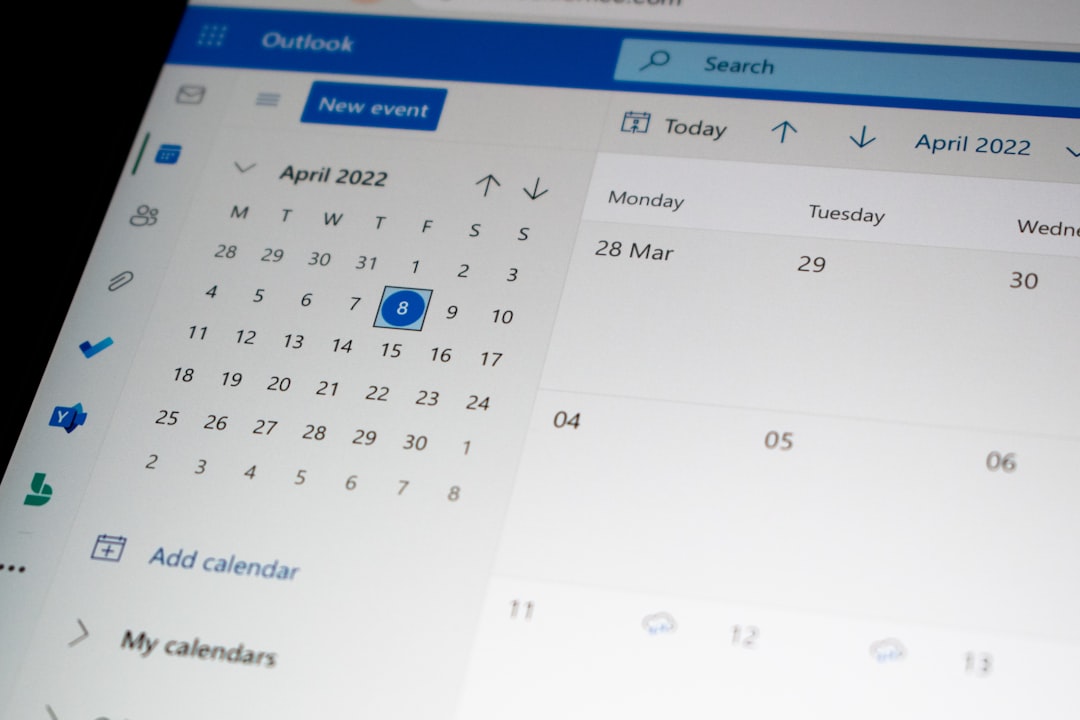

Absolutely! Let’s dive into how software can make subcontractor scheduling a whole lot less of a headache.
Ever feel like juggling subcontractor schedules is a constant game of Tetris, with pieces constantly falling out of place? You’re not alone. Manual scheduling often means endless phone calls, confusing spreadsheets, and the nagging fear of double bookings or missed deadlines. The good news? There’s a better way. Software is no longer just for the big players; it’s genuinely transforming how smaller teams and individual contractors manage their fieldwork. By embracing the right tools, you can move from reactive chaos to proactive control, saving time, money, and a good deal of stress.
The Core Problem with Manual Scheduling
Let’s be honest, manual scheduling is a grind. It involves a lot of “who’s available when?” and hoping that the information you have is up-to-date.
Communication Breakdowns
Think about it: a subcontractor tells you they’re free on Tuesday. Then, things shift, and you forget to update them. By the time Tuesday rolls around, they’re already on another job. That missed communication loop? It’s a classic source of delays and frustration.
Spreadsheet Nightmares
Spreadsheets are powerful, but when it comes to dynamic scheduling, they can quickly become unwieldy. Every change requires manual entry, and if formulas get tinkered with or data is entered incorrectly, you can end up with a mess that’s hard to untangle. Plus, sharing real-time updates with your subcontractors via spreadsheets is practically impossible.
Overbooking and Underutilization
The flip side of missed communication is overbooking. You’ve got two teams scheduled for the same address or the same task. Or, conversely, you’ve got skilled people sitting around with nothing to do because the schedule wasn’t optimized efficiently. Both scenarios bleed money and resources.
How Software Solves These Pains
Software essentially automates the tedious bits and provides a centralized, dynamic hub for all your scheduling needs. It’s about having a clear, visible, and easily adjustable plan.
Centralized Information Hub
Instead of scattered notes, emails, and mental reminders, all your subcontractor information, availability, skills, and assigned jobs live in one place. This means anyone who needs access can quickly see what’s happening.
Real-time Updates and Visibility
The biggest game-changer is real-time updates. When a job is rescheduled, or a subcontractor’s availability changes, it’s updated instantly. This visibility is crucial for preventing conflicts before they even happen.
Automated Alerts and Notifications
Many platforms can send automated reminders to both your team and your subcontractors. Think daily summaries, upcoming job notifications, or even alerts if a schedule conflict is detected. This cuts down on the need for constant follow-ups.
Key Software Features for Subcontractor Scheduling
When you’re looking at software, it’s not about having every bell and whistle. It’s about finding tools that directly address the practicalities of managing a mobile workforce.
Job Management and Dispatch
This is the heart of any scheduling software for field services. It’s where you create, assign, and track jobs from start to finish.
Creating and Assigning Jobs
You need a straightforward way to input job details: client information, location, task description, required skills, estimated duration, and any specific notes. Then, assigning this to the right subcontractor should be intuitive. The best systems will suggest available and appropriately skilled individuals.
Real-time Job Tracking
Once a job is assigned, you need to know its status. Is it scheduled, in progress, completed, or delayed? This provides accountability and allows for immediate adjustments if something goes wrong. Features like check-in/check-out functions can be very useful here.
Availability Management
Knowing who can work when is fundamental. Software makes this a much more systematic process.
Subcontractor Self-Service Portals
This is a fantastic feature. Subcontractors can log in and update their own availability, block out times they’re unavailable, and sometimes even view available jobs they can pick up. This shifts some of the administrative burden and ensures you’re working with the most current information.
Skill and Certification Tracking
In many trades, specific skills or certifications are required for certain jobs. Good scheduling software allows you to tag subcontractors with their relevant skills and certifications, making it easier to filter and assign jobs to the most qualified individuals.
Communication Tools
Effective communication prevents a million small problems. Software can streamline this significantly.
In-App Messaging
Instead of relying on external apps or phone calls, team and subcontractor communication can happen directly within the scheduling platform. This keeps all job-related conversations in one place, easily accessible.
Automated Notifications and Reminders
As mentioned, automated notifications for new jobs, upcoming shifts, or schedule changes are invaluable. These can be sent via email, SMS, or push notifications to the app, ensuring everyone is kept in the loop.
Reporting and Analytics
Understanding your performance is key to improvement. This is where good scheduling software shines.
Workload Analysis
See which subcontractors are consistently busy and which might have capacity. This helps in balancing workloads and identifying potential burnout or underutilization.
Job Completion Times
Track how long jobs actually take compared to estimates. This data is gold for improving future quoting and scheduling accuracy.
Cost Tracking for Subcontractors
Some software allows you to associate costs with subcontractor hours, giving you a clear overview of labor expenses for specific jobs or projects.
Choosing the Right Software: Practical Considerations

Not all scheduling software is created equal, and what works for a large construction firm might be overkill for a smaller landscaping business. Here’s what to think about when making your choice.
User-Friendliness is Paramount
If the software is clunky or difficult to learn, your subcontractors (and your team) won’t use it. This defeats the purpose entirely. Look for an intuitive interface that doesn’t require a steep learning curve.
Testing the Interface
Spend time clicking around. Can you easily find the features you need? Is the layout logical?
Subcontractor Onboarding
How easy is it for your subcontractors to get set up? Do they need extensive training, or can they pick it up quickly?
Mobile Accessibility
For field services, mobile access is non-negotiable. Your subcontractors and field team need to be able to access and update schedules on the go.
Dedicated Mobile App
A well-designed, dedicated mobile app for both iOS and Android is ideal. It should be responsive and offer most of the core functionalities available on the desktop version.
Offline Capabilities
Consider if the app needs to function in areas with poor or no internet connectivity. Some apps offer limited offline capabilities, allowing users to work and sync data later.
Integration Capabilities
Think about your existing tools. Does the scheduling software need to connect with your accounting software, CRM, or project management tools?
Seamless Data Flow
Look for software that offers integrations with other popular business applications. This prevents duplicate data entry and ensures a smoother workflow.
API Access
For more custom needs, check if the software provides an API (Application Programming Interface), which allows for custom integrations if needed down the line.
Scalability and Pricing
As your business grows, your needs will evolve. Choose software that can grow with you and fits your budget.
Tiered Pricing Models
Many platforms offer different pricing tiers based on the number of users, features, or jobs managed. Understand what you’re paying for and if it aligns with your current needs and future projections.
Hidden Costs
Be aware of potential hidden costs like setup fees, training fees, or charges for additional features or support.
Implementing Software for Maximum Impact

Simply buying software isn’t enough. Successful implementation requires a thoughtful approach to ensure adoption and leverage its full potential.
Training and Support
You and your subcontractors will need some initial training. Don’t underestimate the importance of good support.
Comprehensive Training Sessions
Offer clear, concise training sessions tailored to different user roles. Provide resources that users can refer back to, such as video tutorials or user guides.
Accessible Support Channels
Ensure there are clear channels for getting help when issues arise. This could be email, phone, or a ticketing system. Prompt and helpful support is crucial for user confidence.
Phased Rollout
Don’t try to switch everyone over at once if you have a large team. A phased approach can make the transition smoother.
Pilot Group
Start with a small, enthusiastic group of subcontractors or team members to test the system and provide feedback. This helps iron out any kinks before a wider rollout.
Gradual Expansion
Once the pilot group is comfortable, gradually introduce the software to more users, building on the successful implementation with the initial group.
Gather Feedback and Iterate
The software is a tool, and like any tool, it can be improved. Regularly solicit feedback and be willing to make adjustments.
Regular Check-ins
Schedule regular check-ins with your team and key subcontractors to discuss their experience with the software, any challenges they’re facing, and suggestions for improvement.
Continuous Improvement
Use the feedback to refine your processes, configure the software settings to better suit your needs, or even request feature updates from the software provider.
Beyond Basic Scheduling: Advanced Features to Consider
| Features | Benefits |
|---|---|
| Automated scheduling | Efficiently assign tasks to subcontractors |
| Real-time updates | Stay informed about project progress |
| Communication tools | Facilitate collaboration between team members |
| Resource management | Optimize resource allocation for better productivity |
Once you’ve got the core scheduling sorted, some software offers features that can really elevate your operations and efficiency.
Route Optimization
For businesses with multiple jobs spread across different locations, optimizing travel routes can save significant time and fuel costs.
Smart Routing Engines
These systems calculate the most efficient route to visit multiple job sites, factoring in traffic conditions and job durations. This ensures your teams are spending more time on-site and less time in transit.
Time-Saving Benefits
Beyond just fuel, optimized routes mean less wasted labor time, faster job completion rates, and the ability to potentially fit more jobs into a day.
Customer Communication Automation
Keeping clients informed is crucial for client satisfaction. Some software can automate these updates.
Automated Status Updates
When a job status changes (e.g., “en route,” “on-site,” “completed”), the client can automatically receive an email or SMS notification. This reduces inbound calls asking for updates.
Appointment Confirmations and Reminders
The system can send out automatic confirmation messages when an appointment is booked and reminders closer to the date, reducing no-shows.
Time and Attendance Tracking
Many scheduling platforms integrate seamlessly with time-tracking features.
Clocking In and Out
Subcontractors can clock in and out of jobs directly through the mobile app, providing accurate records of their working hours.
Payroll Integration
This data can often be directly fed into your payroll system, significantly streamlining the process of paying your subcontractors and reducing errors.
Invoicing and Payment Processing
Some advanced platforms can even help with the financial side of things.
Automated Invoicing
Based on completed job data and agreed-upon rates, the system can generate invoices automatically.
Online Payment Options
Offering clients the ability to pay invoices online can speed up payments and improve cash flow.
The Bottom Line: Reclaim Your Time and Sanity
Migrating from manual processes to a dedicated scheduling software isn’t just about adopting new technology; it’s about fundamentally changing how you operate. It’s about freeing yourself from the daily grind of micromanagement and gaining the strategic overview you need to grow your business. The initial investment of time and effort to select and implement the right software will pay dividends in reduced errors, improved efficiency, happier subcontractors, and ultimately, a more profitable and less stressful operation. If you’re still wrestling with spreadsheets and endless phone tag, it’s probably time to explore how software can bring order to your subcontracting chaos.
