


Alright, let’s cut to the chase. What do field service technicians actually need from their mobile app? It’s not about bells and whistles; it’s about making their day-to-day job smoother, faster, and less of a headache.
Think about it. When a technician is out in the field, they’re juggling a lot. They’re on the move, often dealing with unpredictable situations, and they need tools that help them, not hinder them. A good mobile app should feel like a helpful co-pilot, not another burden.
Real-Time Information, No Waiting Around
The biggest win? Having the right information, right when they need it. No more digging through binders, calling the office for a forgotten detail, or guessing.
Customer History at a Glance
Imagine showing up to a customer’s house and instantly seeing a history of past service calls, what was done, and by whom. This isn’t just convenient; it allows for better diagnosis and can even prevent redundant work. It shows the customer you’re prepared and that you value their time. Knowing if there were recurring issues or specific equipment installed previously can shave significant time off the initial assessment.
Part Numbers and Inventory Checks
Need a specific part? The app should tell them if it’s in their van, at the warehouse, or if it needs to be ordered. This avoids frustrating trips back to the depot or waiting days for a replacement. Being able to scan a part or look it up by description and see its availability is a game-changer.
Equipment Schematics and Manuals
For complex machinery or new installations, having access to up-to-date schematics and user manuals directly on their device can be invaluable. No more blurry photocopies or outdated paper versions. This is crucial for accurate repairs and ensuring safety protocols are followed.
Streamlined Workflows, Not More Paperwork
The goal of a mobile app should be to simplify processes, not just digitize existing paper forms. It needs to make sense in a dynamic field environment.
Digital Work Orders and Checklists
Filling out digital work orders should be intuitive. This means pre-populated fields where possible, clear sections for notes, and easy ways to add photos or videos. Checklists for routine maintenance or safety inspections should be built-in, guiding them through the process and ensuring nothing is missed. This also means less time spent deciphering handwritten notes later.
Signature Capture and Approval
Getting customer sign-off is essential, and doing it digitally on the app is much cleaner and faster than passing around a clipboard. It’s also instantly linked to the job record, reducing the chance of lost paperwork. The ability to have the customer review the work completed before signing off can also prevent disputes later.
Time Tracking That’s Actually Easy
No one enjoys manually logging every minute. The app should ideally offer features like one-tap start/stop for job duration, travel time tracking that’s mostly automatic, and easy ways to add time spent on specific tasks. This accuracy benefits both the technician and the company. It takes the burden of meticulous record-keeping off their shoulders.
Communication That Actually Works
Field service is all about being out on your own, but you’re still part of a team. The app needs to facilitate effective communication without being intrusive.
Connecting With the Office and Colleagues
When a technician encounters a problem they can’t solve, or needs clarification, they need a quick and reliable way to get help.
Direct Messaging and Photo Sharing
Being able to send a quick message to dispatch or a senior technician, complete with a photo of the issue, can solve problems in minutes, not hours. This cuts down on phone tag and provides context that words alone might not.
Real-Time Location Updates (When Needed)
For dispatchers to efficiently manage routes and assign jobs, knowing where technicians are is important. However, this needs to be done with privacy in mind and should be a feature that benefits the technician by allowing for better job allocation and estimated arrival times.
Keeping Customers Informed
Happy customers are repeat customers. The app can help keep them in the loop.
Automated Appointment Confirmations and Updates
Sending automated notifications about upcoming appointments, technician ETAs, and job completion provides a professional touch and reduces customer anxiety. This can also decrease the number of “where are you?” calls the technician receives.
Service History Access for Customers
In some cases, allowing customers limited access to their service history or work order summaries through a portal linked to the app can foster transparency and trust.
Data That Matters, Not Just More Data

Collecting information is important, but it’s how that information is used that truly matters. The app should capture data that’s actionable.
Capturing Key Job Details
Every job generates data. The app should make it easy to capture what’s important.
Equipment Details and Serial Numbers
When servicing equipment, capturing make, model, and serial numbers is vital for tracking assets, warranty claims, and future maintenance planning. This avoids misidentification and ensures accurate records.
Photo and Video Evidence
Being able to attach photos or short videos of the problem, the completed work, or the installation environment is invaluable for documentation, dispute resolution, and training. A picture truly is worth a thousand words in this context.
Notes and Observations
Allowing for free-text notes is crucial, but the app should also prompt for specific observations based on the type of job or equipment. This guides the technician to record relevant details they might otherwise overlook.
Seamless Data Synchronization
The information captured in the field needs to get back to the office without a hitch.
Offline Capabilities and Auto-Sync
Service can happen in areas with poor or no cell signal. The app needs to allow technicians to work offline, saving their data, and then automatically sync it once a connection is re-established. This prevents data loss and frustration.
Integration with Other Systems
Ideally, the app should integrate with existing CRM, ERP, or accounting systems. This means data flows smoothly, reducing manual data entry and creating a single source of truth for the business.
Usability: If It’s Not Easy, It Won’t Be Used
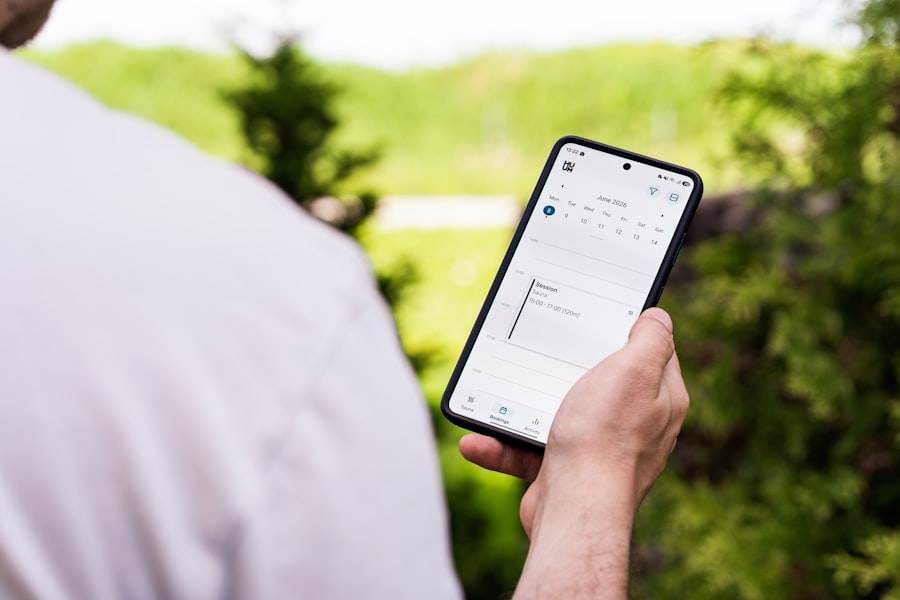
This is perhaps the most critical factor. If an app is clunky, confusing, or slow, technicians simply won’t use it, no matter how many features it boasts.
Intuitive Navigation and Design
The interface needs to be clean, uncluttered, and easy to navigate, even with gloves on or in bright sunlight. Large buttons and clear labels are essential.
Quick Access to Frequently Used Features
Technicians have certain tasks they perform constantly. The app should allow for quick access to these features, whether it’s starting a job, accessing a customer record, or clocking out.
Minimal Tapping and Typing
Every tap and every keystroke adds time. The app should be designed to minimize unnecessary interaction. Predictive text, dropdown menus, and pre-filled fields go a long way.
Performance and Reliability
A slow or crashing app is worse than no app at all.
Fast Load Times
Technicians are often in a hurry. They don’t have time to wait for screens to load. The app needs to be snappy and responsive.
Stable and Bug-Free Operation
Frequent crashes or errors are not only frustrating but can lead to lost data and missed appointments. Rigorous testing and regular updates are key.
Customization and Flexibility
| Needs | Importance |
|---|---|
| Real-time access to customer information | High |
| Offline access to work orders and manuals | High |
| GPS navigation to customer locations | Medium |
| Ability to capture and upload photos | High |
| Integration with inventory management | High |
| Electronic signature capture for work completion | Medium |
Every business is different, and so are the needs of its field service teams. A one-size-fits-all approach rarely works.
Tailoring the App to Specific Roles
Not all technicians do the same job. The app should be adaptable to different roles, showing only the information and features relevant to their specific tasks.
Configurable Fields and Forms
The ability to add custom fields to work orders or customer records, or to adjust checklists, allows businesses to capture the data that is unique to their operations.
User Permissions and Access Levels
Controlling who can see and do what within the app is important for data security and operational integrity. This ensures sensitive information is protected.
Evolving Needs
As businesses grow and processes change, the app needs to be able to keep up.
Scalability for Future Growth
The app should be able to handle an increasing number of users, jobs, and data without performance degradation.
Regular Updates and Feature Enhancements
A good mobile app isn’t static. Companies need to see ongoing development and improvements based on user feedback and evolving industry needs.
In short, technicians need a mobile app that’s a genuine tool for their job – one that’s easy to use, provides them with the information they need, simplifies their administrative tasks, and helps them communicate effectively. It’s about empowering them to do their best work, out there in the field.
