


I remember the days when my operations felt like a juggling act performed blindfolded. Dispatching technicians, managing routes, tracking progress – it was a constant whirlwind of phone calls, scribbled notes, and crossed fingers. We were getting by, yes, but “efficient” was a word I rarely associated with our daily workflow. Then I discovered dispatch management software, and it wasn’t just an improvement; it was a revolution for me and my business.
Before I implemented dispatch management software, my days were often defined by reactive problem-solving. Every morning felt like stepping onto a battlefield, armed with nothing but a notepad and a perpetually ringing phone.
The Morning Rush: A Symphony of Stress
The start of each day was a race against the clock. I’d be meticulously reviewing service requests from the previous night, trying to fit them into an already tight schedule. This involved:
- Manual Assignment: I’d allocate jobs to technicians based on their known skills and my best guess of their current location. There was no real-time GPS tracking then, so it was all based on recollection and hope.
- Paperwork Mountain: Every job required a physical work order. Printing, filling out details, and then making sure the right technician got the right pile of papers was a significant time sink. Errors were frequent, leading to delays and frustrated customers.
- Communication Breakdown: Technicians would call in for updates, clarifications, or to report an unexpected delay. These calls constantly interrupted my other tasks, fragmenting my focus and extending the time it took to complete even simple administrative duties.
The Mid-Day Mire: Dealing with the Unexpected
The moment I thought I had everything under control, something unexpected would inevitably happen. A technician calling in sick, a critical part failing, or an urgent customer request – these were all regular occurrences that sent my meticulously crafted schedule into disarray.
- Rerouting Nightmares: If a technician was delayed, I’d have to scramble to reassign their subsequent jobs. This meant more phone calls, more paperwork, and often, unhappy customers whose appointments had to be pushed back. There was no easy way to see who was closest or most available; it was pure guesswork.
- Customer Service Headaches: Handling customer inquiries about their service times was a constant drain. Without real-time updates, I could only provide vague estimates, leading to frustration and often, a second call from the same customer asking for a more precise time. My customer service ratings, while not terrible, certainly weren’t stellar.
- Invisible Technicians: Once a technician left the office, they were largely invisible to me until they called in. I had no idea if they were stuck in traffic, had finished a job early, or were having an unexpected problem. This lack of visibility made it impossible to proactively manage their day.
End-of-Day Exhaustion: The Data Entry Grind
The evening wasn’t a time for relaxation; it was often another surge of activity.
- Manual Data Entry: Work orders, once completed, would need to be manually entered into our billing and inventory systems. This was a tedious, error-prone task that often kept me at the office long after everyone else had gone home.
- Missing Information: Sometimes, critical details would be missing from work orders, leading to follow-up calls with technicians who had already moved on to the next day’s tasks.
- Lack of Performance Insights: While I had a general sense of how busy certain technicians were, I lacked any concrete data to analyze performance, identify bottlenecks, or make informed decisions about resource allocation. It was all gut feeling, which, while sometimes accurate, was not scalable or reliable.
This chaotic environment wasn’t just stressful for me; it impacted my team, our customers, and ultimately, our bottom line. I knew there had to be a better way.
Embracing the Change: The Promise of Software
When I first started researching dispatch management software, I was cautiously optimistic. The features advertised seemed almost too good to be true, promising solutions to nearly every pain point I was experiencing. I knew it would be an investment both in terms of money and time, but I also knew that staying with the status quo was no longer an option for me.
The Initial Research: What Features Mattered Most
My first step was to thoroughly research the market. I spent evenings diving into different platforms, comparing features, reading reviews, and watching countless demo videos. My primary focus was on features that would directly address my biggest operational challenges:
- Real-time Tracking: This was non-negotiable. The ability to see where my technicians were at any given moment felt like a superpower.
- Automated Scheduling and Optimization: The idea of the software handling the complex task of route planning and job assignment was incredibly appealing. I envisioned fewer manual errors and more efficient use of my team’s time.
- Mobile Access for Technicians: I wanted a solution that would empower my technicians in the field, reducing their reliance on paper and constant phone calls.
- Integrated Communication: A unified platform for communication between me, my office staff, and the field technicians was crucial to reducing miscommunications.
- Reporting and Analytics: I longed for data-driven insights into our operations, something that was virtually impossible with my old manual system.
The Implementation Phase: A Gradual Transition
I opted for a solution that offered a relatively smooth onboarding process. I started with a small pilot group of technicians to test the waters before rolling it out to the entire team. This allowed me to:
- Gather Feedback: I actively solicited input from the pilot group, understanding their challenges and successes with the new system. This feedback was invaluable in fine-tuning our processes.
- Address Training Needs: I quickly realized that while the software was intuitive for me, not everyone on my team was as tech-savvy. I dedicated significant time to training, ensuring everyone felt comfortable and confident using the new tools.
- System Integration: I worked closely with the software provider to ensure the dispatch management system could integrate with our existing CRM and accounting software, minimizing redundant data entry and creating a more holistic operational view.
Overcoming Resistance: The Human Element
Not everyone on my team was immediately enthusiastic about the change. Some were comfortable with the old ways, even with their inefficiencies. I encountered understandable resistance:
- Fear of the Unknown: Some technicians worried about being constantly monitored, or about adapting to new technology.
- Perceived Loss of Control: A few felt that the software would micromanage them, rather than empowering them.
I addressed these concerns head-on. I emphasized how the software would make their jobs easier, reduce their paperwork, and ultimately lead to more organized and less stressful workdays. I demonstrated how it wasn’t about surveillance, but about efficiency and shared information. I was transparent about the benefits for everyone, not just for me. This open communication was key to fostering acceptance and eventually, enthusiasm.
The Pillars of Streamlined Operations: How Software Transforms My Day

The impact of dispatch management software on my daily operations has been nothing short of transformative. It fundamentally changed how I approach my work, moving me from a reactive manager to a proactive leader.
Automated Scheduling & Route Optimization: The End of Guesswork
This is arguably the most impactful feature for me. The software takes multiple variables into account, doing in seconds what used to take me hours.
- Intelligent Job Assignment: I input the service requests, and the system considers factors like technician skill sets, availability, current location, estimated job duration, and even traffic conditions. It then suggests the most optimal technician for each job. This has drastically reduced misassignments and ensured the right person is always sent to the right place.
- Dynamic Route Planning: No more manual plotting on a map! The software generates the most efficient routes, minimizing travel time and fuel costs. If a new urgent job comes in, it recalculates routes on the fly, seamlessly integrating the new task without disrupting the entire schedule. This has been a huge boost to our overall productivity and customer satisfaction.
- Time Slot Management: I can now offer customers precise time windows for service, rather than wide, vague estimates. This improves their experience and reduces the need for them to call us for updates.
Real-Time Visibility & Communication: No More Blind Spots
The ability to see what’s happening in the field at all times has completely changed my stress levels and capacity for proactive management.
- GPS Tracking and Status Updates: I can see every technician’s current location on a map, their progress through their assigned jobs, and their estimated arrival times for upcoming appointments. This allows me to anticipate potential delays and proactively communicate with customers.
- Instant Communication Channels: The software includes built-in messaging features, allowing me to communicate directly with individual technicians or the entire team. This has significantly reduced the number of phone calls and miscommunications. Technicians can send photos, ask questions, or report issues directly through the app, saving valuable time.
- Emergency Response Capability: If an urgent call comes in, I can quickly identify the closest available technician and dispatch them efficiently, without having to make a dozen frantic phone calls. This enhanced responsiveness has been a game-changer for critical service calls.
Enhanced Mobile Access for Field Teams: Empowering My Technicians
My technicians are no longer bogged down by paper or constantly calling the office. The mobile app has transformed their workday.
- Digital Work Orders: All job details, customer information, and service histories are accessible on their mobile devices. They can update job status, add notes, capture photos, and even collect customer signatures digitally. This has eliminated paperwork errors and accelerated the billing cycle.
- Inventory Management at Their Fingertips: Technicians can view available parts inventory, check stock levels, and even request new parts directly from the field. This reduces the need for them to return to the office for supplies and ensures they have what they need to complete the job.
- Customer Communication Tools: Some solutions even allow technicians to send automated arrival notifications to customers, further enhancing the customer experience and managing expectations.
Data-Driven Insights & Reporting: Unleashing the Power of Information
This is where I truly feel the shift from reactive to proactive. The software collects vast amounts of data, which I can then leverage to make informed business decisions.
- Performance Metrics: I can generate reports on individual technician performance, job completion rates, average service times, first-time fix rates, and more. This data allows me to identify high performers, provide targeted training to those who need it, and set realistic performance goals.
- Operational Bottleneck Identification: By analyzing route efficiency, travel times, and job durations, I can pinpoint areas where we’re losing time or resources. This allows me to refine our processes and improve overall efficiency.
- Forecasting and Resource Planning: Historical data helps me understand demand patterns, allowing me to better forecast future needs and optimize staffing levels. I can see trends in service requests and proactively adjust our technician availability.
- Cost Analysis: I can track fuel consumption, labor costs per job, and other operational expenses with greater accuracy. This provides me with a clearer picture of profitability and helps me identify areas for cost reduction.
The comprehensive nature of these features has not only streamlined my daily tasks but has also empowered me to run my business with a level of control and insight I never thought possible.
Beyond Efficiency: The Ripple Effect
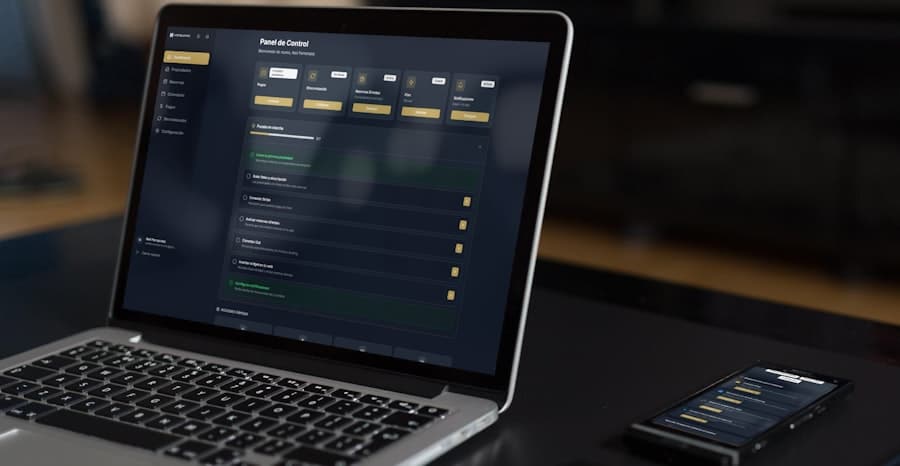
While the primary goal of implementing dispatch management software was to streamline our operations, I’ve been pleasantly surprised by the wider positive impact it has had on my business and my team. It wasn’t just about ticking boxes; it was about elevating our entire ecosystem.
Enhanced Customer Satisfaction: Happy Customers, Repeat Business
One of the most noticeable ripple effects has been the significant improvement in customer satisfaction.
- Accurate ETAs: Customers appreciate receiving precise arrival times and proactive notifications about their service. This reduces anxiety and demonstrates our professionalism.
- Faster Service: Optimized routes and efficient dispatching mean technicians arrive faster and can complete more jobs in a day, leading to quicker resolution of customer issues.
- Improved Communication: If a delay occurs, I can immediately inform the customer why and provide an updated ETA, rather than leaving them in the dark. This transparency builds trust.
- Professional Image: Our digital work orders, seamless processes, and quick response times project a much more professional image, which in turn leads to stronger customer loyalty and positive word-of-mouth referrals. I’ve seen a noticeable uptick in our online reviews.
Boosting Employee Morale & Productivity: A Happier Workforce
My team, once wary of the change, has now become the biggest advocate for the software.
- Reduced Stress for Technicians: No more frantic phone calls, less paperwork, and clearly optimized routes mean less driving and more time focused on the job. They appreciate not having to manually figure out their day.
- Empowerment: Having all job details, customer history, and communication tools on their mobile device makes them feel more empowered and in control of their workday. They can troubleshoot more effectively and respond to customer needs more proactively.
- Fairer Workload Distribution: The software ensures that workloads are distributed more evenly based on skill and availability, preventing burnout for some and underutilization for others.
- Focus on Core Tasks: By automating administrative tasks, technicians can spend more of their time doing what they do best – servicing customers – rather than dealing with paperwork and logistical headaches. I’ve noticed a significant reduction in overtime and a general improvement in their work-life balance.
Cost Savings & Revenue Growth: A Healthier Bottom Line
The financial benefits have also been substantial, directly impacting my company’s profitability.
- Reduced Fuel Costs: Optimized routing has significantly cut down on unnecessary driving and idling time, leading to tangible savings on fuel.
- Increased Job Capacity: By making our operations more efficient, we can complete more jobs in a day with the same number of technicians, directly boosting our revenue-generating potential.
- Minimized Administrative Overhead: The reduction in manual data entry, phone calls, and paperwork has freed up my time and the time of my office staff, allowing us to focus on more strategic tasks rather than operational firefighting.
- Fewer Errors and Reworks: Digital work orders and clear communication reduce errors, leading to fewer revisits and wasted resources.
- Faster Billing Cycles: With digital signatures and immediate job closure, invoices can be sent out much quicker, improving cash flow.
Scalability and Growth: Ready for the Future
Perhaps most importantly, the software has provided me with the infrastructure to scale my business effectively.
- Easy Onboarding of New Technicians: Training new hires on the system is straightforward, ensuring they can become productive quickly.
- Efficient Expansion into New Territories: As we consider expanding, the software allows us to manage a larger service area and a greater volume of jobs without a proportional increase in administrative staff.
- Adaptability: The data allows me to identify emerging trends and adapt my services and resource allocation accordingly, ensuring we remain competitive and responsive to market changes.
The ripple effect of dispatch management software has extended far beyond mere operational efficiency. It has fostered a more positive work environment, cultivated stronger customer relationships, and positioned my business for sustainable growth. It wasn’t just an expense; it was an investment in the future of my company.
My Journey Forward: Continuous Optimization and Future Possibilities
| Feature | Description |
|---|---|
| Real-time tracking | Allows users to track the location of vehicles and resources in real-time |
| Route optimization | Helps in finding the most efficient routes for vehicles to save time and fuel |
| Dispatch scheduling | Enables users to schedule and assign dispatch tasks to drivers and resources |
| Communication tools | Provides tools for communication between dispatchers and drivers |
| Reporting and analytics | Generates reports and provides analytics on dispatch operations for performance evaluation |
My journey with dispatch management software isn’t over; it’s an ongoing process of optimization, learning, and leveraging its full potential. I’ve seen firsthand how powerful this technology can be, and I am always looking for ways to further integrate it into our operations and push the boundaries of what we can achieve.
Fine-Tuning Workflows: The Details Matter
Even after significant improvements, I regularly review our workflows to identify areas for further refinement.
- Feedback Loops: I maintain an open channel for feedback from my technicians and office staff. They are on the front lines and often have the best insights into minor inefficiencies or opportunities for improvement within the software.
- Customization and Configuration: We periodically revisit the software’s settings and customization options. As our business evolves, so do our needs, and I ensure the software is configured to best support our current operations. This might involve refining our service request categories, tweaking routing parameters, or adjusting notification settings.
- Integration with New Tools: I’m always on the lookout for other technologies that can seamlessly integrate with our dispatch system. For example, exploring more advanced inventory management modules that are directly linked, or investigating drone technology for inspection services that could feed directly into job orders.
Advanced Analytics and Predictive Maintenance: Looking Ahead
The wealth of data the software provides has opened my eyes to possibilities I never considered before.
- Predictive Maintenance Scheduling: By analyzing historical service data, device uptime, and potential failure points, I’m starting to explore how we can move from reactive repairs to predictive maintenance. This would allow us to proactively schedule service visits, prevent costly breakdowns for our customers, and ensure more consistent revenue streams for us.
- Demand Forecasting Refinement: I’m working to get even more precise with our demand forecasting, using granular data to anticipate peak periods and allocate resources even more optimally. This means knowing exactly how many technicians we’ll need on a given day, down to the hour.
- Customer Behavior Analysis: The software gives me insights into customer service preferences, common issues, and repeat business patterns. I plan to use this data to tailor our service offerings, improve marketing strategies, and build even stronger customer relationships.
Expanding Mobile Capabilities: Empowering the Edge
I believe the mobile app for technicians is still an area with immense potential for growth.
- Augmented Reality (AR) Tools: I’m keenly watching the development of AR solutions that could overlay diagnostic information or repair instructions directly onto a technician’s mobile screen, providing real-time guidance in complex situations.
- Enhanced Reporting from the Field: Further streamlining the ability for technicians to capture even richer data from the field – more detailed photos, videos, and audio notes – directly into the work order for comprehensive record-keeping.
- Offline Functionality: Ensuring robust offline capabilities for areas with poor connectivity is a continuous focus, guaranteeing technicians can always access and update crucial job information.
Training and Development: Investing in My Team
I recognize that the software is only as good as the people using it. Continued investment in my team’s skills is paramount.
- Advanced Training Modules: Moving beyond basic usage, I plan to offer more advanced training on utilizing specific features, data analysis, and best practices within the dispatch system.
- Cross-Training: Encouraging team members to understand different aspects of the software, even those not directly related to their daily tasks, can foster a more holistic understanding and improve collaboration.
- Embracing New Features: As the software vendor releases updates and new features, I ensure my team is informed and trained on how to leverage these additions.
My experience with dispatch management software has been a pivotal moment for my business. What once felt like an overwhelming burden of managing disparate parts has coalesced into a streamlined, data-driven operation. I went from juggling blindly to conducting an orchestra, and the harmony of efficiency, customer satisfaction, and team morale has been truly inspiring. I am confident that by continuing to embrace and optimize this technology, my business will not only meet the challenges of tomorrow but thrive in exciting new ways. The future is connected, efficient, and for me, it looks incredibly promising.
