
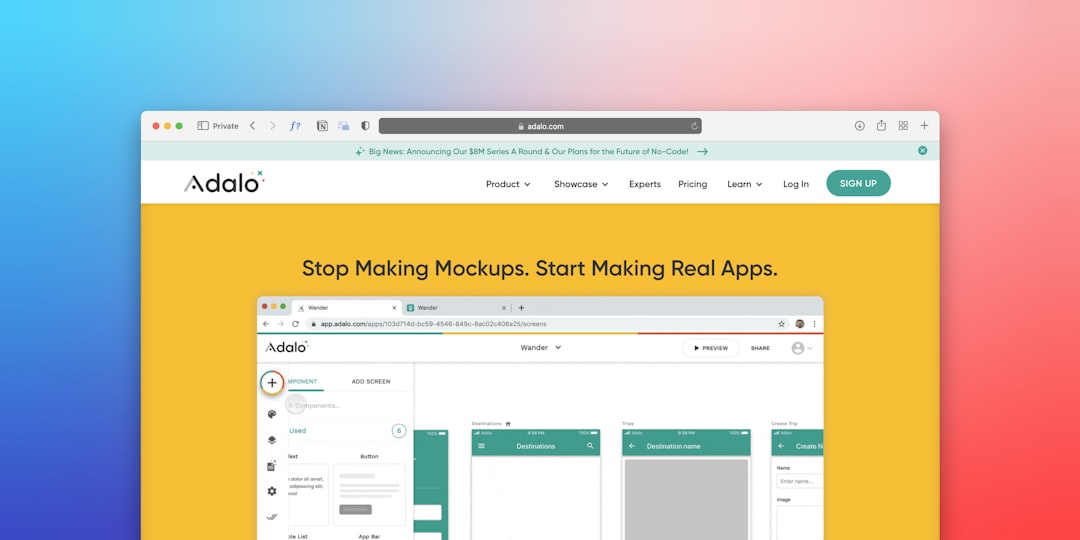

Running an electrical business can feel like juggling a dozen live wires at once. From managing schedules and dispatches to tracking inventory and invoicing, there’s a lot to keep straight. That’s where electrician job tracking software comes in – it’s designed to bring order to the chaos, making your operations smoother and more efficient. In essence, this software helps you manage every aspect of a job, from the moment a customer calls to the final payment, all in one place.
Let’s be honest, change can be a pain. Maybe you’ve always done things with spreadsheets, phone calls, and a good old-fashioned whiteboard. And you know what? That can work for a while. But as your business grows, or even if you just want to take some of the stress out of your day, those traditional methods start showing their cracks.
Keeping Tabs on Everything
Trying to remember who’s on which job, what parts they need, and when they’re supposed to be there can get overwhelmingly complex. Without a central system, things get missed. Maybe a technician shows up without the right wire, leading to a frustrated customer and a wasted trip. Or perhaps a job gets delayed because a part wasn’t ordered on time. These little hiccups add up, costing you time, money, and reputation.
The Paper Trail Nightmare
Ever felt like you’re drowning in paperwork? Work orders, invoices, inspection forms, safety checklists – it’s a lot. And trying to find a specific document from six months ago can feel like a treasure hunt with no map. Job tracking software digitizes all this, making it searchable and accessible with a few clicks. No more overflowing filing cabinets or misplaced forms.
Knowing Your Numbers
How profitable are your jobs, really? Are certain types of electrical work consistently more lucrative than others? Without proper tracking, it’s hard to get a clear picture. The software helps you track labor costs, material expenses, and revenue for each job, giving you real insights into your financial health. This isn’t about guessing; it’s about making informed decisions.
What Does This Software Actually Do for Electricians?
Okay, so we know why it’s helpful. But what are the concrete features that make an electrician’s life easier? It’s more than just a glorified calendar; it’s a comprehensive tool designed for the specific needs of electrical contractors.
Streamlined Scheduling and Dispatching
This is often one of the biggest pain points. Getting the right technician to the right place at the right time, with the right information, is critical.
Drag-and-Drop Scheduling
Imagine looking at a visual calendar and simply dragging a job request onto an available technician’s schedule. That’s what many of these systems offer. You can see your entire team’s availability at a glance, making it easy to slot in new appointments or adjust existing ones.
Real-time Technician Tracking
No more calling technicians to ask where they are. Many platforms integrate with GPS, allowing you to see your team’s location in real-time. This is incredibly useful for dispatching the closest available technician to emergency calls, improving response times, and keeping customers informed.
Job Details at Their Fingertips
When a technician is dispatched, all relevant job information – customer contact details, site address, job description, past service notes, even photos – is sent directly to their mobile device. They arrive prepared, reducing questions and speeding up the diagnostic and repair process.
Enhanced Customer Management (CRM)
Your customers are the lifeblood of your business. Keeping them happy and organized is crucial for repeat business and referrals.
Centralized Customer Database
No more digging through old invoices or spreadsheets to find a customer’s history. A good CRM within the software keeps all client information in one place. This includes contact details, service history, equipment installed, maintenance schedules, and even communication logs.
Communication Tools
Many platforms allow for automated customer communication. Think appointment reminders, service updates, and follow-up surveys, all sent via SMS or email. This keeps customers in the loop, reduces no-shows, and builds trust.
Estimating and Quoting
Generating professional-looking estimates quickly can set you apart. The software helps you pull in pricing for parts and labor, create clear line-item estimates, and even allows customers to approve quotes digitally.
Managing the Job On-Site and Beyond
The work doesn’t stop when the technician leaves the shop. The software continues to provide value throughout the entire job lifecycle.
Digital Work Orders and Forms
Forget carbon copies and messy handwriting. Technicians can complete work orders directly on their tablets or smartphones.
Customizable Forms
Need a specific safety checklist for certain jobs? Or a detailed inspection report? You can often customize forms within the software to match your exact business needs, ensuring consistency and compliance.
Photo and Signature Capture
Evidence of work done, before-and-after photos, and customer signatures for approval or completion can all be captured digitally. This provides a clear record, protects you from disputes, and is invaluable for quality control.
Access to Technical Diagrams and Manuals
Some advanced systems allow technicians to access a library of technical diagrams, wiring schematics, and equipment manuals directly from their mobile device. Troubleshooting becomes faster and more accurate, reducing callbacks.
Inventory and Parts Management
Running out of critical parts mid-job is a significant time and money drain.
Real-time Stock Levels
Track what parts you have in stock, what’s on order, and what’s assigned to specific jobs or vans. This helps you avoid overstocking or understocking and ensures technicians have what they need.
Purchase Order Generation
Automatically generate purchase orders for depleted stock directly from the software, streamlining your procurement process.
Van Stock Management
Assign specific inventory to individual technician vans. This makes it easy to track what’s on each vehicle, reducing loss and making inventory counts faster.
The Business End: Invoicing, Payments, and Reporting

Once the work is done, getting paid and understanding your business performance are the next crucial steps. This is where the software really shines in improving your cash flow and decision-making.
Simplified Invoicing and Payment Processing
Creating invoices shouldn’t be a chore. With job tracking software, it’s often a one-click process based on the completed work order.
Automated Invoice Generation
Once a job is marked complete, an invoice can be automatically generated, pulling in all labor hours, parts used, and agreed-upon service charges. This cuts down on administrative time significantly.
Multiple Payment Options
Offer customers the convenience of paying on-site via credit card, mobile payment apps, or sending payment links via email. This speeds up your payment cycle and improves customer satisfaction.
Integration with Accounting Software
Many systems integrate seamlessly with popular accounting software like QuickBooks or Xero. This means you don’t have to manually re-enter data, reducing errors and saving hours of administrative work.
Powerful Reporting and Analytics
This is where you gain real insight into your business’s performance. Stop guessing and start making data-driven decisions.
Job Profitability Reports
Understand which services or types of jobs are most profitable for your business. This helps you focus your efforts and pricing strategies.
Technician Performance Metrics
Track individual technician performance – job completion rates, time spent per job, customer satisfaction ratings, and even parts usage. This helps identify training needs or recognize top performers.
Customer History and Trends
Identify your most loyal customers, understand peak service times, and spot recurring issues. This allows for targeted marketing and proactive service offerings.
Financial Overviews
Get a clear picture of your revenue, expenses, outstanding invoices, and overall financial health without having to manually crunch numbers or wait for month-end reports from your accountant.
Choosing the Right Software: Not All Tools Are Created Equal
| Feature | Description |
|---|---|
| Job Scheduling | Ability to schedule and assign jobs to electricians |
| Client Management | Keep track of client information and history of work done |
| Inventory Management | Track and manage inventory of electrical supplies and equipment |
| Invoicing and Billing | Generate invoices and track payments for completed jobs |
| Mobile Access | Ability to access and update job information on mobile devices |
There are many electrician job tracking software options out there, from simple budget-friendly tools to comprehensive enterprise solutions. Here’s a brief look at what to consider.
Consider Your Business Size and Needs
Are you a solo electrician, a small team, or a large company with multiple crews? Basic scheduling and invoicing might be enough for a small operation, while larger businesses will need more robust features like advanced inventory management and detailed reporting. Don’t pay for features you won’t use, but also don’t hamstring yourself by choosing something too limited.
Mobile Accessibility is Key
Your technicians are on the go. The software must have a strong, user-friendly mobile app that works reliably on both iOS and Android devices, even in areas with spotty internet connectivity (offline mode is a huge plus). Ease of use for your field team is paramount – if it’s clunky, they won’t use it.
Integration Capabilities
How well does it play with your existing tools? Does it integrate with your accounting software (QuickBooks, Xero)? Can it connect to your CRM if you have a separate one? Seamless integrations reduce data duplication and streamline your workflows.
User Friendliness and Support
Even the most feature-rich software is useless if it’s too complicated to use. Look for an intuitive interface. Also, check out their customer support. Do they offer training? Is their support responsive and helpful when you run into problems? Good support can save you a lot of headaches in the long run.
Pricing Structure
Software typically comes with monthly or annual subscriptions. Understand what’s included in each tier. Some charge per user, per truck, or based on the number of jobs. Make sure the pricing model aligns with your budget and anticipated growth.
Adopting electrician job tracking software isn’t just about getting a new tool; it’s about making a strategic investment in your business’s future. It’s about spending less time on administrative tasks and more time on the electrical work you do best, serving your customers, and growing your company. It brings efficiency, clarity, and control to an often-complex operation, helping you navigate the twists and turns of your electrical business with confidence.
