
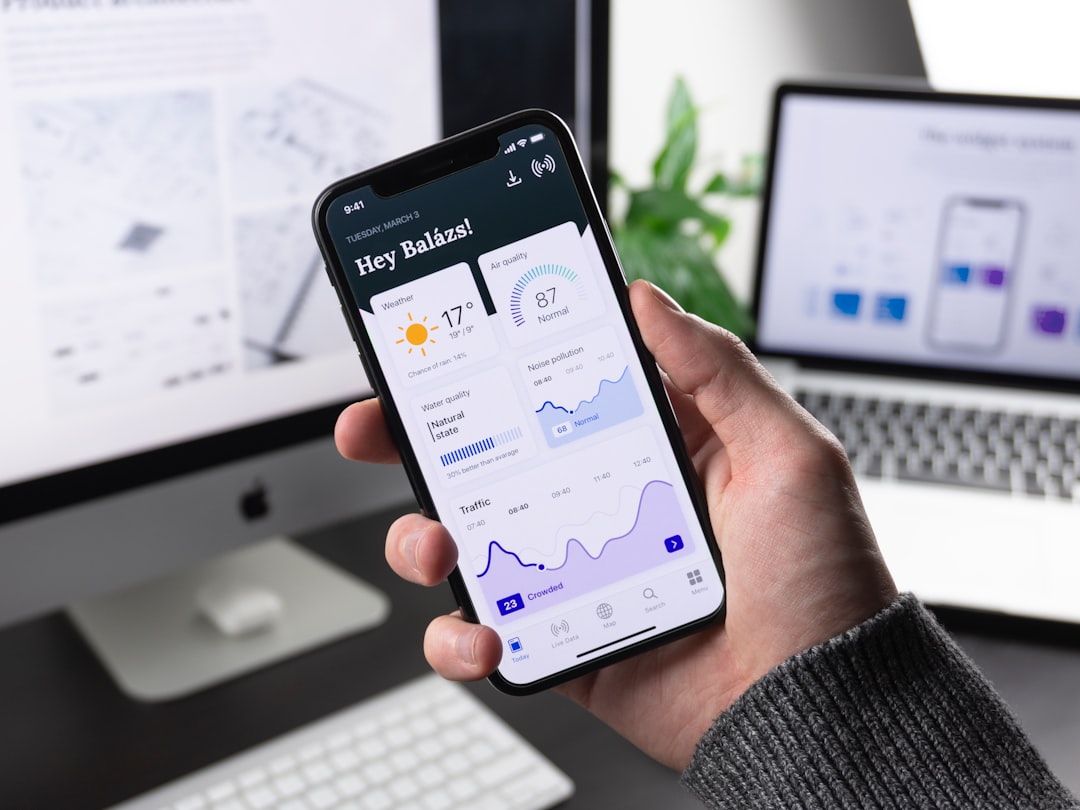

So, you’re juggling a mobile workforce spread across different locations? The short answer to optimizing this is an integrated approach that leverages technology for real-time visibility, streamlined communication, and effective scheduling, all while keeping your team’s unique needs in mind. It’s about making sure everyone, no matter where they are, feels connected and supported, leading to better productivity and happier staff.
Managing a team that isn’t all under one roof, or even in one city, brings its own specific set of hurdles. It’s not just about a few extra phone calls; it’s a whole new ballgame.
Communication Breakdown
When your team is scattered, the informal “water cooler” chats that often solve small issues before they become big ones simply don’t happen. This can lead to misinterpretations, duplicated efforts, and a general feeling of being out of the loop. Relying solely on email can be slow and impersonal, while constant individual calls can be inefficient. The goal here is to bridge those communication gaps effectively, ensuring everyone is on the same page without feeling overloaded.
Lack of Real-time Visibility
It’s tough to know what’s happening on the ground when you’re not there. Are projects on track? Are your field agents facing unexpected delays? Without real-time updates, you’re often operating on outdated information, which can lead to poor decision-making, missed deadlines, and customer dissatisfaction. This lack of transparency can be a major stressor for both managers and employees alike.
Inconsistent Operations
Different locations often develop their own ways of doing things. While some local adaptation can be a good thing, major inconsistencies in processes, quality control, or safety protocols can lead to confusion, inefficiency, and even compliance issues across the board. Establishing a baseline of consistent operations is key to maintaining quality and brand integrity.
Scheduling Complexities
Trying to schedule a diverse team across multiple time zones, with varying skill sets and local regulations, is a logistical puzzle. Manual scheduling quickly becomes a nightmare, leading to overscheduling, underscheduling, and overall inefficiency. This can result in burnout for some, and boredom for others, hindering overall productivity.
Training and Onboarding Hurdles
Bringing new team members up to speed, or even providing ongoing training for existing staff in different locations, presents its own challenges. Sending trainers to every location can be costly and time-inefficient, and relying solely on self-guided materials might not provide the personalized support needed for effective learning. Ensuring consistent, high-quality training across all locations is crucial for maintaining skill levels and operational standards.
Leveraging Technology for Seamless Operations
Technology isn’t just a nice-to-have; it’s the backbone of effective multi-location mobile workforce management. The right tools can turn chaos into order.
Integrated Workforce Management Platforms
Think of these platforms as your central command center. They bring together scheduling, time tracking, task management, and communication into one unified system. This means fewer disparate tools and a clearer overview of your operations. Instead of constantly switching between apps, everything you need is right there.
Scheduling and Dispatch Tools
These are crucial for optimizing your field team’s time. They allow you to create dynamic schedules based on location, staff availability, skill sets, and customer needs. When a new job comes in, you can quickly see who’s closest and most qualified, then dispatch them with all the necessary job details directly to their mobile device. This reduces travel time, improves response rates, and ensures the right person is always on the job.
Time and Attendance Tracking
No more paper timesheets or fudged hours. GPS-enabled time tracking ensures accuracy and transparency. Employees can clock in and out from their mobile devices, and managers get real-time data on who’s working where and when. This not only streamlines payroll but also helps identify potential late arrivals or early departures, allowing for immediate corrective action.
Task Management and Reporting
Assign tasks, set deadlines, and track progress all within the same platform. Employees can update their task status from the field, upload photos of completed work, and note any issues they encounter. This provides managers with a clear, live snapshot of project progress, helping them anticipate problems before they escalate and generate comprehensive reports for analysis.
Communication and Collaboration Tools
Keeping everyone connected is paramount. These tools bridge geographical gaps and foster a sense of team unity.
Instant Messaging and Group Chats
Beyond traditional email, real-time messaging apps allow for quick questions, urgent updates, and informal team banter. Create specific channels for different projects, locations, or teams to keep conversations focused and relevant. This can significantly reduce the back-and-forth of emails and make collaboration more immediate.
Video Conferencing for Virtual Meetings
For more complex discussions or team meetings, video conferencing is invaluable. It allows for face-to-face interaction, which can build stronger relationships and improve understanding. Regularly scheduled video calls can replace in-person meetings, saving travel time and costs while maintaining a personal touch.
Centralized Knowledge Base
A digital library of resources, FAQs, training materials, and company policies ensures that everyone has access to the information they need, no matter their location. This reduces repetitive questions to managers and empowers employees to find solutions independently, promoting self-sufficiency and consistent information sharing.
Standardizing Processes and Training

Consistency isn’t about stifling creativity; it’s about setting a baseline for quality and efficiency. When everyone follows a similar playbook, things run much smoother.
Developing Clear Standard Operating Procedures (SOPs)
Documenting every key process, from how a service call is handled to how equipment is maintained, is critical. These SOPs act as a clear guide for all team members, ensuring that tasks are performed consistently and to a high standard, regardless of who is doing the work or where they are located.
Accessible Digital Manuals
Once your SOPs are developed, make them easily accessible through your workforce management platform or a dedicated knowledge base. This means employees can quickly reference procedures on their mobile devices when they’re in the field, eliminating the need to carry bulky manuals and ensuring they always have the latest version.
Regular Review and Updates
Don’t let your SOPs gather digital dust. Operations evolve, and so should your procedures. Schedule regular reviews to ensure they remain relevant, efficient, and reflect current best practices. Involve frontline staff in this process; they often have valuable insights on how to improve workflows.
Comprehensive Remote Training and Onboarding
Getting new hires up to speed effectively, even when they’re not in the same room, is essential for their success and for the overall productivity of your team.
E-learning Modules and Virtual Workshops
Leverage online learning platforms to deliver training modules that new hires can complete at their own pace. Supplement these with virtual workshops led by experienced trainers to provide interactive learning and answer questions in real-time. This blend offers flexibility and personal connection.
Mentorship Programs and Peer Support
Pair new hires with experienced team members, even if they are in different locations. Virtual mentorship can provide guidance, support, and a sense of belonging. Encourage peer-to-peer discussion forums or chat groups where new hires can ask questions and get advice from their colleagues.
Gamification for Engagement
To make training more engaging and memorable, consider incorporating gamification elements. Quizzes, challenges, and leaderboards can motivate team members to complete modules, reinforce learning, and even foster healthy competition among different locations.
Fostering a Cohesive Team Culture
A scattered workforce doesn’t mean a disconnected workforce. Intentional efforts to build culture are even more important when people aren’t regularly sharing a physical space.
Building Relationships Across Distances
It’s easy for team members to feel isolated when they aren’t interacting face-to-face. Managers need to be proactive in fostering connections and team spirit.
Virtual Team Building Activities
Think outside the box for activities that can bring people together virtually. Online escape rooms, trivia nights, coffee breaks over video calls, or even shared fitness challenges can help team members bond, understand each other outside of work tasks, and reduce feelings of isolation.
Regular Check-ins and Feedback Loops
Beyond performance reviews, schedule regular informal check-ins – one-on-one video calls – to see how your team members are doing, both professionally and personally. Create avenues for consistent feedback, encouraging open communication about challenges and successes. This demonstrates that you value their well-being and input.
Recognizing and Rewarding Performance
Acknowledging good work is always important, but it needs to be more deliberate when you don’t have the spontaneous opportunities that an office environment provides.
Public Recognition Platforms
Use your internal communication channels to publicly celebrate individual and team achievements. A simple shout-out in a group chat, an announcement during a virtual team meeting, or a dedicated “employee spotlight” section in an internal newsletter can go a long way.
Performance-Based Incentives
Implement clear, transparent incentive programs that reward high performance. These could be tied to client satisfaction scores, project completion rates, or efficiency metrics. Ensure that the criteria are fair and applicable across all locations and roles.
Personalized Recognition
Beyond monetary rewards, consider personalized forms of recognition. A handwritten note (even if sent by mail), a thoughtful gift card specific to the employee’s interests, or extra time off can show that you truly see and appreciate their individual contributions.
Ensuring Compliance and Data Security
| Features | Benefits |
|---|---|
| Real-time location tracking | Improved visibility and accountability |
| Task assignment and scheduling | Efficient allocation of resources |
| Mobile communication | Enhanced collaboration and coordination |
| Performance analytics | Insights for continuous improvement |
With field teams and sensitive data, staying on the right side of regulations and keeping information safe is non-negotiable. This is an area where proactive measures can save you a lot of headaches down the line.
Adhering to Local Regulations and Labor Laws
Operating across different geographical locations often means navigating a complex web of varying laws. What’s legal in one state or country might not be in another.
Regional Compliance Tracking
Implement systems that help you track and categorize the specific labor laws, health and safety regulations, and industry-specific compliance requirements for each location where you operate. This might involve setting up alerts for changes in regulations.
Localized Policy Implementation
Your HR and operations policies need to be flexible enough to accommodate local nuances. For example, holiday schedules, overtime rules, and even breaks might differ significantly from one region to another. Ensure your workforce management system can handle these variations without breaking your core operational framework.
Legal Counsel Engagement
When expanding into new regions or facing significant regulatory changes, it’s prudent to consult with legal experts who specialize in local labor law. Don’t guess; get professional advice to avoid costly non-compliance penalties – ignorance is rarely an excuse in the eyes of the law.
Protecting Sensitive Data and Devices
Your mobile workforce operates outside the traditional secure office network, meaning data security needs extra attention.
Device Management and Security Protocols
All company-issued devices (smartphones, tablets, laptops) should be equipped with robust security software, including anti-malware, firewalls, and encryption. Implement Mobile Device Management (MDM) solutions to remotely configure, update, and wipe devices if they are lost or stolen – this is a crucial safety net for data breaches.
Data Encryption and Secure Access
Ensure that all data transmitted from the field to your central systems is encrypted. Use secure VPNs (Virtual Private Networks) for accessing company resources and implement strong password policies, multi-factor authentication (MFA), and role-based access controls to limit who can access sensitive information.
Regular Security Training
Even the best technology can be undermined by human error. Provide ongoing training to your mobile workforce on best practices for data security, recognizing phishing attempts, and proper device handling. Empower them to be the first line of defense against cyber threats. Make it clear what to do if they suspect a security breach.
