
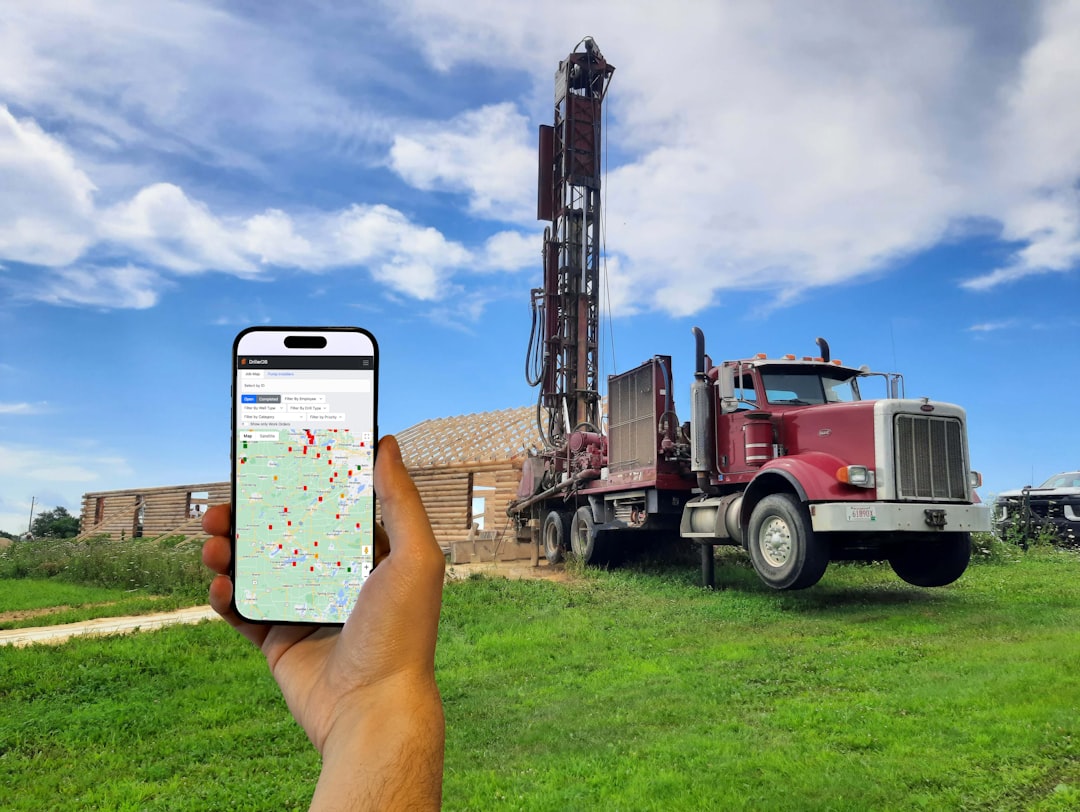

My journey into the world of field service operations began almost two decades ago. I remember vividly the chaotic days of manual dispatches, the frustrated calls from customers, and the constant scramble to keep track of my technicians. The whiteboard in our office was a canvas of scribbled assignments, smeared with erasures, and perpetually outdated. Every time a new urgent job came in, it felt like throwing a monkey wrench into an already delicate machine. My team and I grappled with schedule conflicts, wasted travel time, and a distinct lack of real-time visibility into what was happening out in the field. It was inefficient, stressful, and, frankly, unsustainable.
Then, about ten years ago, I started hearing whispers about “dispatch software.” Initially, I was skeptical. Another tech solution promising the moon, I thought. But as the problems I faced continued to mount, I began to delve deeper, and what I discovered revolutionized my approach to managing field service. This article is my personal account of how embracing dispatch software utterly transformed my company, and how I believe it can do the same for yours.
Before implementing specialized software, my field service operations were a textbook example of how not to run things. I relied heavily on manual processes, which, while seemingly straightforward at first glance, quickly became bottlenecks as my business grew.
The Pain of Manual Scheduling and Its Ripple Effects
- The Whiteboard and Paper Trails: My central scheduling hub was a large whiteboard, adorned with colored markers. Each technician had a column, and jobs were scrawled in. When a technician called in sick or a customer rescheduled, the erasing and rewriting began. Essential details were often missing, leading to follow-up calls and delays. Paper job orders, often coffee-stained and crumpled, were passed around, creating an additional layer of potential miscommunication.
- Overbooking and Under-utilization: Without a clear, real-time overview of my technicians’ capacities, I frequently faced the dilemma of overbooking some technicians while others were underutilized. This wasn’t because I intentionally tried to overload anyone, but rather due to the inherent difficulty of accurately tracking ongoing job durations and travel times across multiple technicians simultaneously.
- Customer Dissatisfaction Due to Delays: My customers often bore the brunt of these inefficiencies. Missed appointment windows and unexpected delays were common, leading to frustrated calls and a dent in our reputation. I felt the weight of their dissatisfaction personally. My team worked hard, but our antiquated systems made it feel like we were constantly letting people down.
The “Dark Ages” of Communication and Data Management
- Phone Tag and Radio Silence: My communication with field technicians was primarily via phone calls or two-way radios, often requiring multiple attempts to reach them. Once a technician left for a job, they entered a kind of “dark zone.” I had no real-time updates on their progress, their estimated time of arrival at the next job, or if they encountered any unforeseen issues. This lack of visibility left me feeling constantly out of control.
- Lost or Incomplete Job Data: Post-job, technicians would return with stacks of paper forms – work orders, inspection checklists, invoices. These would then need to be manually entered into our billing system. This process was not only time-consuming but also prone to errors, with lost forms or illegible handwriting leading to countless hours of follow-up and rectification. My technicians, understandably, hated the paperwork.
The Financial Drain of Inefficiency
- Excessive Fuel Costs and Travel Time: Without optimized routing, my technicians often took sub-optimal paths to their various job sites. They might drive past a customer to reach another further away, only to drive back past the first customer later in the day. This resulted in wasted fuel and unnecessary mileage, directly impacting my bottom line.
- Overtime and Unproductive Hours: The scheduling chaos often led to technicians working unpaid overtime to finish jobs that ran late or, conversely, having significant idle time between jobs because of poor routing or scheduling. My operational costs were higher than they needed to be, and I knew it.
My Transition to Dispatch Software: A Phased Approach
The decision to invest in dispatch software wasn’t made lightly. It involved research, internal discussions, and a bit of a leap of faith. I understood that implementing new technology would require training and adaptation, but I was convinced the benefits would outweigh the initial hurdles.
Identifying My Core Needs and Software Features
- Real-time Tracking and Visibility: My absolute top priority was knowing where my technicians were and what they were doing at any given moment. I wanted to see their job status, their location on a map, and their estimated completion times.
- Intelligent Scheduling and Routing: I needed a system that could automatically optimize schedules and routes, taking into account traffic, technician skills, and customer preferences. Reducing travel time and ensuring efficient allocation of resources was crucial.
- Mobile Access for Technicians: I recognized that my field team needed to be empowered. Mobile apps for job details, updates, and data collection were non-negotiable.
- Integrated Communication: I wanted streamlined communication channels between dispatchers, technicians, and even customers, eliminating endless phone calls and voicemails.
- Data Capture and Reporting: The ability to digitally capture job data, generate reports, and integrate with my existing billing system was essential for reducing administrative overhead and gaining business insights.
Selecting the Right System for My Business
- Vendor Research and Demos: I spent a considerable amount of time researching various dispatch software providers. I participated in numerous online demos, asking specific questions about features, scalability, and integration capabilities. I looked for user-friendly interfaces and robust support.
- Phased Implementation and Training: Once I selected a system, I opted for a phased implementation. We started with a small pilot group of technicians and dispatchers to iron out any kinks. Comprehensive training sessions were crucial, not just on how to use the software, but on why we were using it and how it would benefit everyone. I emphasized the benefits to my technicians – less paperwork, clearer instructions, and optimized routes.
The Transformative Power of Real-time Visibility and GPS Tracking

Perhaps the single biggest game-changer for me was the introduction of real-time visibility. It felt like I was given a superpower – the ability to see everything happening in my field operations from a single dashboard.
No More Guessing Games: Knowing Where Everyone Is
- GPS Tracking for Enhanced Accountability: With GPS tracking integrated into the software, I could see the exact location of each technician on a map. This not only improved accountability but also provided invaluable data for route optimization and performance analysis. I could instantly see if a technician was stuck in traffic or nearing a job site.
- Live Status Updates and Progress Monitoring: Technicians could update their job status (en route, on-site, job complete) directly through their mobile devices. This constant flow of information meant my dispatchers and I always knew the current state of every job, eliminating the need for constant check-in calls.
Enhanced Customer Service Through Transparency
- Accurate ETAs and Proactive Communication: With real-time data, I could provide customers with highly accurate estimated times of arrival. Some dispatch software even allowed me to send customers automated notifications when a technician was en route, complete with a link to track their technician’s location. This level of transparency dramatically improved customer satisfaction.
- Faster Response to Emergencies: When an urgent call came in, I could instantly identify the closest available technician with the right skill set, re-route them if necessary, and dispatch them to the emergency with minimal delay. This agility was impossible in my old system.
My Efficiency Gains Through Smart Scheduling and Route Optimization

The manual guesswork involved in scheduling was a perpetual headache. Dispatch software, with its intelligent algorithms, became my silent, super-efficient co-pilot.
Automated and Optimized Scheduling
- Drag-and-Drop Clarity: My dispatchers could now manage schedules with an intuitive drag-and-drop interface. They could see technician availability, skill sets, and current workload at a glance. Scheduling conflicts became a rarity, not a norm.
- Skill-Based Dispatching: The software allowed me to tag technicians with specific skills (e.g., HVAC repair, electrical, plumbing). When a job came in requiring a particular expertise, the system would suggest or automatically assign the most qualified and available technician. This ensured the right person was always sent to the right job, reducing repeat visits and improving first-time fix rates.
- Preventing Over-scheduling and Burnout: By clearly visualizing each technician’s workload and job durations, I could ensure that no one was consistently overloaded, leading to more sustainable work-life balance for my team and reduced burnout.
Cutting Down on Travel Time and Fuel Costs
- Dynamic Route Optimization: This was a significant cost-saver. The software would automatically calculate the most efficient routes between multiple job sites, taking into account real-time traffic conditions. This drastically reduced drive time and, consequently, fuel consumption. My technicians were spending more time working and less time driving.
- Geospatial Insights: I could gain insights into technician travel patterns and identify areas where clustering jobs in specific geographic zones could further optimize routes, leading to even greater efficiency.
Empowering My Field Technicians and Streamlining Workflows
| Feature | Description |
|---|---|
| Real-time scheduling | Allows dispatchers to schedule and assign jobs to field technicians in real-time |
| Mobile access | Enables field technicians to access job details, customer information, and navigation on their mobile devices |
| Route optimization | Helps in finding the most efficient routes for field technicians to reach their destinations |
| Work order management | Tracks and manages work orders, including status updates and completion notifications |
| Customer communication | Facilitates communication between dispatchers, field technicians, and customers through notifications and updates |
My technicians were initially apprehensive about the new technology, fearing it would be another layer of cumbersome bureaucracy. However, once they saw how it simplified their work, they became its biggest advocates.
The Revolution of Mobile Field Service Apps
- Paperless Workflows: The mobile app on their tablets or smartphones became their ultimate tool. They received job details digitally, including customer information, site history, and required tasks. No more lost paper orders or illegible handwriting.
- On-site Data Capture and Checklists: Technicians could complete digital checklists, take photos (documenting before/after conditions or issues), capture customer signatures, and record notes directly in the app. This ensured comprehensive and accurate data collection for every job.
- Access to Knowledge Base: Many systems allowed technicians to access a knowledge base or technical manuals directly from their app, empowering them to troubleshoot complex issues on the spot without needing to call for support.
Billing, Invoicing, and Inventory Management from the Field
- Instant Invoicing and Payments: Upon job completion, technicians could generate invoices directly from their app, detailing services rendered and parts used. Customers could then sign off and even make payments on the spot, improving cash flow significantly.
- Real-time Inventory Updates: When parts were used from their truck stock, technicians could update inventory levels in real-time. This helped me keep better track of my stock, minimize stockouts, and manage reordering more effectively. It eliminated the dreaded “where’s that part?” phone calls.
My Enhanced Business Intelligence and Future-Proofing Efforts
Beyond the immediate operational improvements, dispatch software provided me with a wealth of data that I never had access to before. This data became invaluable for strategic decision-making and future growth.
Gaining Deeper Insights into My Operations
- Performance Metrics and Reporting: I could generate detailed reports on technician performance (e.g., average job duration, first-time fix rates), customer satisfaction, service call trends, and revenue generation. These insights allowed me to identify areas for improvement and reward top performers.
- Identifying Bottlenecks and Opportunities: By analyzing historical data, I could pinpoint recurring issues, identify peak service times, and understand which services were most profitable. This information was crucial for optimizing my service offerings and resource allocation.
- Predictive Maintenance and Scheduling: With enough historical data, some advanced systems even allowed me to move towards predictive maintenance scheduling, identifying equipment that might need servicing before it fails, turning reactive services into proactive ones.
Scalability and Adapting to Change
- Seamless Growth: As my business grew, adding new technicians and managing an increased volume of jobs became much easier. The software scaled with me, preventing the operational chaos I experienced before.
- Adaptability to Market Demands: The insights gained from the software allowed me to be more agile in responding to changing market demands. I could quickly adjust my service offerings, pricing, and resource deployment based on real data, rather than gut feelings.
- Competitive Advantage: Implementing sophisticated dispatch software gave me a significant competitive edge. My efficiency, professionalism, and enhanced customer service differentiated me from competitors who were still struggling with outdated, manual methods.
In conclusion, my journey from a manually-driven, chaotic field service operation to a streamlined, data-powered system has been nothing short of transformative. Embracing dispatch software wasn’t just an upgrade; it was a fundamental shift in how I perceived and managed my business. It didn’t just solve immediate problems; it provided a foundation for growth, efficiency, and unparalleled customer satisfaction. For any field service business owner still wrestling with whiteboards and paper trails, I personally urge you to explore the possibilities of dispatch software. It’s an investment that truly pays for itself, many times over, and it has undoubtedly secured the future of my operations.
