


When I first started my lawn care business, I operated with a simple approach: a notepad, a pen, and a basic understanding of my service area. This method, while functional for a small operation, quickly became a bottleneck as my client base expanded. I found myself juggling appointments, struggling to track inventory, and often working late into the night compiling invoices. This unsustainable model led me to explore a more sophisticated solution: management software designed specifically for my industry. My journey into optimizing my operations has shown me the undeniable benefits of integrating such technology.
One of the most immediate and significant improvements I experienced was in managing my schedule and routes. Before software, I used a physical calendar, relying on memory and handwritten notes. This was prone to errors and inefficiencies.
Centralized Appointment Management
My old system involved calling clients, writing down their requests, and then manually fitting them into my availability. This was time-consuming and often resulted in double-bookings or missed opportunities. With management software, I now have a centralized platform. I can see all my scheduled jobs at a glance, along with client contact information and specific service requests. When a client calls, I can immediately check my team’s availability and assign the job without flipping through pages or making multiple calls to my crew. This automated process minimizes human error and significantly reduces the time I spend on administrative tasks. I can also set recurring appointments with ease, which is a major benefit for my regular maintenance clients. This systematic approach ensures that no client is forgotten and that my team’s time is used optimally.
Optimized Routing for Efficiency
Initially, I planned my routes based on my familiarity with neighborhoods. This often led to extensive travel time between jobs, wasting fuel and valuable work hours. The software I use now incorporates route optimization features. It takes into account the location of each job, traffic patterns, and the availability of my technicians, then proposes the most efficient sequence of stops.
Dynamic Route Adjustments
Weather conditions or unexpected client requests can necessitate changes to my daily schedule. Pre-software, this meant frantic phone calls and a complete re-drawing of my daily plan. Now, I can make dynamic adjustments through the software. If a client cancels last-minute or if there is a weather delay, I can re-route my team in real-time, minimizing downtime and ensuring productivity. This adaptability is invaluable when managing external variables that are beyond my control. It allows me to pivot quickly and maintain a consistent workflow.
Fuel Cost Reduction
By integrating optimized routing, I have observed a measurable reduction in my fuel expenses. Driving fewer miles between jobs directly translates to lower operational costs. This seemingly small improvement accumulates over time, contributing substantially to my bottom line. It allows me to allocate resources to other areas of my business, rather than squandering them on inefficient travel. This economic benefit alone justified the initial investment in the software.
Enhancing Client Relationship Management (CRM)
Building and maintaining strong relationships with my clients is fundamental to the longevity of my business. Before management software, my client information was scattered across various notepads and spreadsheets. This fragmented approach hindered my ability to provide personalized service.
Centralized Client Database
My old system involved separate records for contact information, service history, and communication logs. Consolidating this information into a single client database within the software has been transformative. I can access a client’s complete profile, including their preferred services, past issues, and any specific notes about their property, in a matter of seconds.
Personalized Service Delivery
Access to a comprehensive client history allows me to tailor my services and communication. If I know a client prefers organic treatments or has a particular concern about a specific area of their lawn, I can ensure my team is aware of these nuances. This attention to detail elevates the client experience and demonstrates my commitment to their satisfaction. It moves beyond generic service to a more individualized approach.
Targeted Communication Campaigns
With the software, I can segment my client base based on various criteria, such as the services they receive or their geographic location. This enables me to conduct targeted communication campaigns. Instead of sending generic newsletters, I can send specific promotions relevant to a particular group of clients, increasing the likelihood of engagement and additional service bookings. This targeted approach has proven more effective than a blanket marketing strategy.
Automated Communication Features
Before the software, I spent considerable time sending manual reminders for upcoming appointments or follow-up messages after service completion. This was a tedious and often overlooked task.
Appointment Reminders
The software automates appointment reminders, sending them to clients via email or SMS a specified number of days beforehand. This has significantly reduced no-shows and last-minute cancellations, which previously disrupted my schedule and cost me potential revenue. It ensures both my clients and I are aware of upcoming services.
Follow-up Messages and Feedback Requests
After a service is completed, the software can automatically send a follow-up message, checking in with the client and requesting feedback. This not only demonstrates my professionalism and commitment to quality but also provides valuable insights into areas where I can improve. Gathering feedback systematically allows me to continuously refine my operations.
Improving Financial Tracking and Invoicing

Financial management is a critical aspect of any business, and mine was no exception. I previously relied on manual bookkeeping, which was prone to errors and made it difficult to gain a clear picture of my financial health.
Automated Invoicing and Billing
Creating invoices manually was a time-consuming process that often delayed billing. The software has automated this entire process.
Professional Invoice Generation
Immediately after a service is completed, I can generate a professional, itemized invoice with a few clicks. The software automatically pulls in the service details, pricing, and client information, eliminating the need for manual data entry. This ensures accuracy and consistency in my billing.
Payment Tracking and Reminders
Tracking payments was another area where I encountered difficulties. I often had to manually reconcile payments against invoices. The software now allows me to track payment statuses in real-time. I can see which invoices are outstanding, overdue, or paid, providing a clear overview of my accounts receivable. It can also send automated payment reminders to clients, reducing the time I spend chasing overdue payments.
Expense Tracking and Reporting
Before the software, my expense tracking was rudimentary, involving receipts stuffed into folders and manual entries into a spreadsheet. This made it challenging to accurately assess my profitability.
Categorized Expense Management
The software allows me to categorize and log all my business expenses, from fuel costs to equipment repairs. This organized approach provides a clear breakdown of where my money is being spent. It aids in budgeting and identifying areas where I can potentially reduce costs.
Financial Performance Reports
With all my financial data centralized, the software can generate various reports, such as profit and loss statements, revenue breakdowns by service, and expense summaries. These reports provide valuable insights into my business’s financial performance, enabling me to make informed decisions about pricing, service offerings, and overall strategy. I can identify peak seasons, analyze profitability of different services, and gauge my quarterly growth.
Optimizing Equipment and Inventory Management
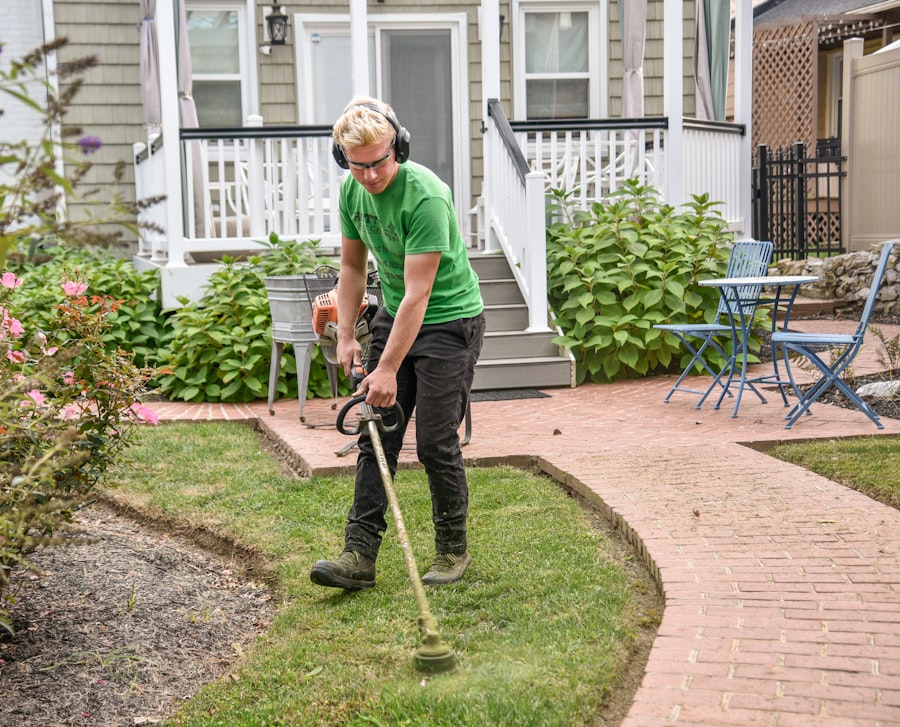
Managing my equipment and inventory was a constant challenge. I often found myself running out of essential supplies or struggling to locate a specific piece of equipment when it was needed.
Centralized Equipment Tracking
Before the software, I relied on mental notes or rudimentary spreadsheets to keep track of my mowers, trimmers, and other tools. This often led to confusion and inefficient use of my assets.
Maintenance Scheduling and Alerts
The software allows me to log each piece of equipment, including its purchase date, warranty information, and a schedule for routine maintenance. It can even generate automated alerts when maintenance is due, ensuring that my equipment remains in optimal working condition. This proactive approach minimizes breakdowns and extends the lifespan of my tools, reducing repair costs and downtime.
Location and Usage Monitoring
For my larger and more expensive equipment, the software provides the capability to track its location and usage. This is particularly beneficial when I have multiple crews operating simultaneously. I can see which equipment is assigned to which team, ensuring accountability and preventing misplacement. This oversight provides me with peace of mind.
Inventory Management for Supplies
Running out of essential supplies, like fertilizer or weed killer, often disrupted my operations and required last-minute trips to the supplier. This was both inconvenient and inefficient.
Stock Level Monitoring
The software allows me to input my inventory levels for all my supplies. It can then alert me when stock levels fall below a predetermined threshold, prompting me to reorder before I run out. This proactive inventory management ensures that I always have the necessary materials on hand to complete my jobs. It reduces service delays and improves client satisfaction.
Supplier Management
I can also store information about my various suppliers within the software, including contact details, pricing agreements, and lead times for delivery. This streamlines the reordering process and helps me maintain positive relationships with my vendors. Having this information readily accessible saves time and effort.
Empowering My Team and Enhancing Communication
| Feature | Description |
|---|---|
| Customer Management | Track customer information, service history, and communication |
| Job Scheduling | Efficiently schedule and assign jobs to your team |
| Invoicing and Billing | Create and send invoices, track payments, and manage billing |
| Route Optimization | Plan the most efficient routes for your team to minimize travel time |
| Inventory Management | Track and manage inventory of supplies and equipment |
| Reporting and Analytics | Generate reports on business performance and analyze key metrics |
Effective internal communication and empowering my team are crucial for smooth operations. Before the software, communication relied heavily on phone calls and handwritten notes, which often led to misunderstandings.
Centralized Job Information for Technicians
My old method of sharing job details with my team involved printed work orders or verbal instructions, which were often incomplete or misplaced.
Access to Job Details and Notes
With the software, each technician has access to their daily schedule through a mobile app. They can view all the details for each job, including client contact information, specific service requests, and any relevant notes about the property. This ensures that everyone is on the same page and reduces the need for constant communication with me.
On-site Data Collection
Technicians can use the app to check in and out of jobs, record the time spent, and make notes about the services performed or any issues they encountered. This real-time data collection provides valuable insights into job progress and potential challenges. It eliminates the need for manual time sheets and provides accurate records.
Streamlined Internal Communication
Before the software, communicating updates or changes to my team involved individual phone calls or group texts, which could be cumbersome.
In-App Messaging
The software includes an in-app messaging feature, allowing me to communicate with individual technicians or the entire team instantly. I can send important updates, share last-minute changes, or address questions without disrupting their workflow with phone calls. This centralized communication hub ensures that everyone receives the same information simultaneously.
Task Assignment and Delegation
I can assign specific tasks to individual team members or delegate responsibilities for particular jobs directly through the software. This clarifies roles, ensures accountability, and streamlines workflow management. It reduces ambiguity in who is responsible for what.
In conclusion, my transition to using management software has transformed my lawn care business. It has moved me from a reactive, often chaotic, operational model to a proactive, organized, and efficient one. The benefits extend beyond mere time-saving; they encompass improved client satisfaction, enhanced financial control, and a more empowered and productive team. While the initial investment and learning curve required effort, the long-term gains in operational efficiency and profitability have unequivocally justified the decision. I now operate with a level of control and insight that was previously unattainable, allowing me to focus on growing my business rather than getting bogged down in administrative minutiae.
