


Trying to figure out how to squeeze more productivity out of your field service team? A good field service dispatch app with route optimization is often the magic bullet you’re looking for. It helps you get more jobs done, quicker, and with less hassle, by smartly planning the most efficient routes and managing your technicians on the go.
Let’s be real, running a field service operation isn’t getting any easier. Fuel costs fluctuate, customers expect rapid responses, and finding skilled technicians can be a challenge. Simply telling your team where to go next isn’t cutting it anymore. You need a smarter approach.
The Hidden Costs of Poor Routing
Think about how much time your technicians spend in traffic or driving backtracking unnecessarily. It’s not just wasted fuel; it’s also lost productive hours they could be spending on customer sites. Add to that the wear and tear on vehicles and the frustration of late arrivals, and you’ve got a pretty clear picture of the financial and operational drain of inefficient routing. Poor routing can also lead to:
- Increased fuel consumption: More miles driven means more trips to the pump.
- Reduced job capacity: Fewer jobs completed per day means less revenue.
- Higher labor costs: Technicians spend more time driving than working.
- Vehicle wear and tear: Extra miles mean faster depreciation and increased maintenance.
- Customer dissatisfaction: Late arrivals and missed ETAs damage your reputation.
- Technician frustration: Being stuck in traffic or driving inefficiently is demoralizing.
Beyond Just “Shortest Distance”
Modern route optimization isn’t just about finding the shortest path from A to B. It’s about a complex calculation that considers multiple factors:
- Traffic conditions (real-time and historical): Avoiding rush hour bottlenecks or known problem areas.
- Technician skills and certifications: Assigning the right person for the right job.
- Tool and part availability: Ensuring the technician has everything they need.
- Customer preferences and urgency: Prioritizing critical jobs or meeting specific appointment windows.
- Service level agreements (SLAs): Ensuring compliance with contractual obligations.
- Load capacity (for deliveries/pickups): Optimizing routes based on vehicle space.
- Break times and shift adherence: Ensuring compliance with labor laws and preventing burnout.
Considering these elements dramatically changes how productive your team can be.
Core Features of a Top-Tier Dispatch App
A dispatch app is more than just a map. It’s your central command for field operations. Here are the key features that make a real difference:
Intuitive Dispatch Board
This is where the magic happens. A good dispatch board should give you a bird’s-eye view of your entire operation, updating in real-time.
- Drag-and-drop scheduling: Easily reassign jobs, adjust schedules, and respond to last-minute changes.
- Color-coded job statuses: Quickly see which jobs are pending, in progress, completed, or delayed.
- Technician availability and location: Know exactly where everyone is and who’s free.
- Job status updates: Get instant notifications as technicians start or finish jobs.
- Filtering and searching: Quickly find specific jobs or technicians based on various criteria.
Dynamic Route Optimization Engine
This is the brain of the operation, constantly crunching numbers to find the best routes.
- Automatic route generation: The system suggests the most efficient routes based on chosen parameters.
- Multi-stop optimization: Not just one job at a time, but a full day’s worth of stops optimized together.
- Real-time re-optimization: If a job gets canceled or a new emergency comes in, the route dynamically adjusts.
- Geographical zones: Assigning technicians to specific areas for better local knowledge and efficiency.
- Capacity planning: Ensuring that resources are not over or under-utilized.
Mobile App for Technicians
Your technicians are on the front lines, and their mobile app needs to be robust and easy to use.
- Turn-by-turn navigation: Direct guidance to job sites, often integrated with popular navigation apps.
- Job details at their fingertips: Access to customer information, job description, equipment history, and required parts.
- Check-in/check-out functionality: Accurate time tracking for billing and payroll.
- Photo and video capture: Documenting work, before-and-after conditions, or issues.
- Digital forms and checklists: Ensuring compliance and accurate data collection on-site.
- Customer signature capture: For job completion, approvals, or waivers.
- Invoice generation and payment processing: Streamlining the billing cycle directly from the field.
- Communication tools: In-app messaging with dispatch or other technicians.
Customer Communication Tools
Keeping customers in the loop is critical for satisfaction and reducing inbound calls.
- Automated notifications: SMS or email alerts for appointment confirmations, technician ETA, and job completion.
- Technician tracking link: Allowing customers to see their technician’s live location on a map.
- Feedback collection: Post-service surveys to gauge satisfaction and identify areas for improvement.
- Self-service portals: Empowering customers to schedule appointments, view service history, or manage their profile.
Reporting and Analytics
You can’t improve what you don’t measure. Solid reporting gives you the insights you need.
- Performance metrics: Track job completion rates, first-time fix rates, travel time vs. work time, and more.
- Fuel consumption analysis: Identify opportunities to reduce costs.
- Technician productivity reports: Understand individual and team performance.
- Customer satisfaction trends: Spot patterns and address recurring issues.
- Route efficiency reports: Analyze planned vs. actual routes to refine future planning.
- Resource utilization: Identify if you have too many or too few technicians for current demand.
Implementing a New System: What to Consider

Bringing in a new system can feel like a big undertaking. It doesn’t have to be, but a little planning goes a long way.
Define Your Goals Clearly
Before you even start looking at software, clearly articulate what problems you’re trying to solve and what success looks like.
- Reduce operational costs: By how much? (e.g., “15% reduction in fuel costs”).
- Improve customer satisfaction: How will you measure this? (e.g., “Increase positive feedback by 10%”).
- Increase job capacity: By how many jobs per day/week?
- Improve first-time fix rates: What’s your target?
- Streamline internal communication: How will this manifest?
Having concrete goals will guide your decision-making and help you evaluate potential solutions.
Integration with Existing Software
You likely have other systems in place, like CRM, accounting software, or inventory management. Ensure your new dispatch app can talk to them.
- CRM (Customer Relationship Management): Automatically pull customer data and push service history.
- Accounting/ERP (Enterprise Resource Planning): Seamlessly generate invoices and track revenue.
- Inventory Management: Track parts used on jobs and trigger reorders.
- Payroll: Accurate time tracking feeds directly into payroll processing.
Seamless integration prevents data silos and redundant data entry, saving a ton of time and reducing errors.
Training and Adoption
Technology is only as good as its users. Don’t skimp on training.
- Phased rollout: Start with a pilot group of technicians and dispatchers.
- Comprehensive training: Provide hands-on sessions, user manuals, and video tutorials.
- Ongoing support: Designate internal champions or provide clear channels for questions and assistance.
- Feedback loop: Encourage users to provide feedback and make adjustments where necessary.
- Highlight benefits: Consistently communicate how the new system will make work easier for everyone, not just for management.
Remember, technicians are busy and might be resistant to change. Show them how the app simplifies their day, reduces stress, and helps them get home faster.
The ROI: What to Expect from Route Optimization
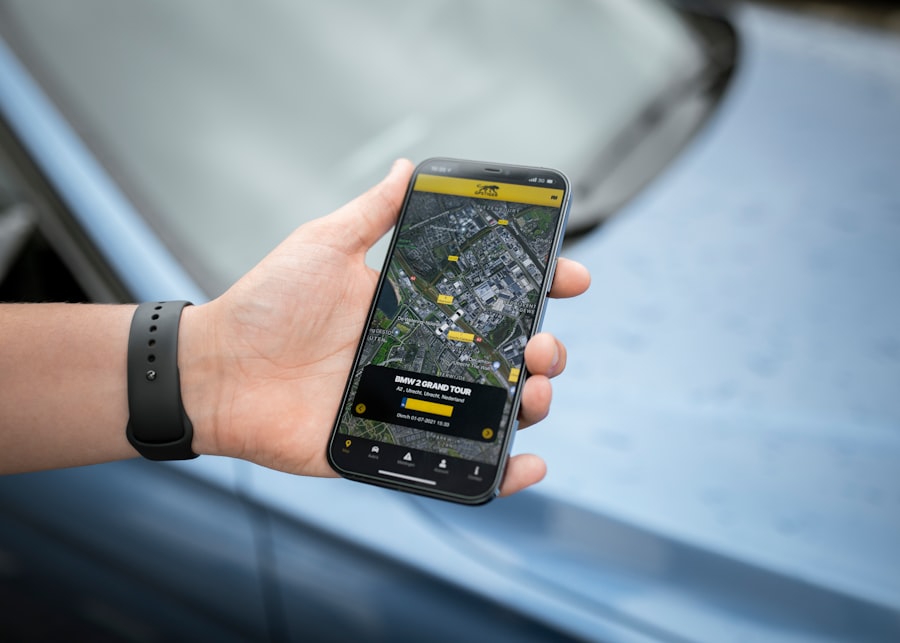
Choosing the right system means expecting a measurable return on your investment. This isn’t just about cutting costs; it’s about growing your business.
Increased Service Call Capacity
When routes are optimized, technicians spend less time driving and more time working. This directly translates to more completed jobs per day, increasing your revenue potential without needing to hire more staff. You might find you can squeeze in an extra job or two per technician, per day. That adds up quickly.
Significant Reduction in Fuel Costs
This is often one of the most immediate and visible benefits. Shorter, more efficient routes mean less fuel burned. Even a small percentage reduction across your entire fleet can lead to substantial savings over a year. Think not just about the direct dollar amount, but also the environmental impact of a smaller carbon footprint.
Improved Customer Satisfaction
Customers love predictability. With accurate ETAs, real-time tracking, and proactive communication, you can drastically improve their experience. Fewer missed appointments, faster response times, and a professional, organized service experience build trust and loyalty. Happy customers are repeat customers, and they’re also more likely to refer your business.
Enhanced Technician Productivity and Morale
When technicians have a clear, optimized schedule, all the job details readily available, and intuitive navigation, their day flows much smoother. Less stress from traffic, fewer last-minute scrambles, and reliable support from dispatch translate into higher job satisfaction and better performance. A better work-life balance for your technicians reduces turnover and makes your company a more attractive place to work.
Better Data-Driven Decisions
With all the reporting and analytics features, you’re no longer guessing. You have concrete data to back up your decisions about everything from staffing levels to service area expansion. This kind of insight is invaluable for strategic planning and continuous improvement. You can pinpoint bottlenecks, identify high-performing technicians, and understand demand patterns more accurately.
Looking Ahead: The Future of Field Service
| Metrics | Value |
|---|---|
| Number of field service requests | 1000 |
| Number of optimized routes | 50 |
| Reduction in travel time | 30% |
| Improvement in fuel efficiency | 25% |
The field service landscape is always evolving. Dispatch apps with route optimization are becoming more sophisticated, incorporating new technologies to push efficiency even further.
Predictive Analytics
Imagine a system that not only plans routes but also predicts potential equipment failures, allowing for proactive maintenance rather than reactive repairs. This type of predictive capability, driven by IoT devices and AI, will minimize downtime and extend asset life.
Augmented Reality (AR) for Technicians
AR overlays digital information onto the real world. For technicians, this could mean virtual step-by-step repair guides displayed directly on the equipment they’re servicing, or remote expert assistance projected onto their field of view, drastically improving first-time fix rates and reducing training time.
Drones and Autonomous Vehicles (Eventually)
While still futuristic for most, elements like using drones for initial site assessments in hard-to-reach areas, or eventually, autonomous vehicles handling routine deliveries of parts to job sites, could further optimize logistics and reduce manual labor.
The investment in a robust field service dispatch app with route optimization isn’t just about streamlining your current operations; it’s about positioning your business for future growth and staying competitive in a rapidly changing market. It’s a tool that pays dividends across your entire operation, making your team more effective, your customers happier, and your bottom line healthier.
