
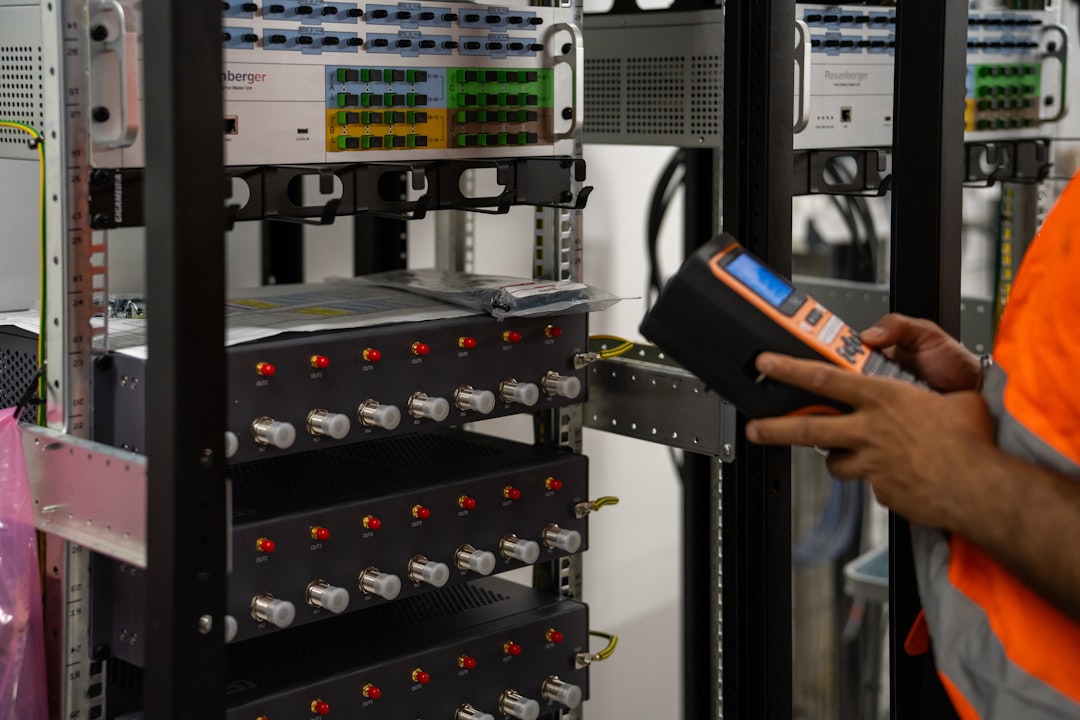

So, you’re an electrician, and you’re probably wondering if field service software is actually worth your time and money. The short answer? Yes, absolutely. In today’s competitive and fast-paced world, relying on manual processes for scheduling, invoicing, and job management is a surefire way to get bogged down. Field service software can streamline your operations, improve customer satisfaction, and ultimately, boost your bottom line. It’s not just a fancy gadget; it’s a practical tool that can genuinely make your life easier and your business more efficient. Think of it as your digital assistant, handling all the nitty-gritty so you can focus on what you do best: electrical work.
Why Electricians Need Field Service Software
Let’s be real, your day is already packed. From emergency call-outs to planned installations, managing your workload, your team, and your paperwork can feel like a juggling act. This software isn’t just about going paperless; it’s about creating a smarter, more responsive, and more profitable business.
Ditch the Clipboard, Embrace Efficiency
Remember those days of scribbled notes, lost invoices, and endless phone calls to dispatch? This software virtually eliminates all that. You get real-time updates, clear communication, and a much smoother workflow.
Boost Customer Satisfaction
Happy customers are repeat customers. With better scheduling, faster responses, and clearer communication, you’ll naturally improve their experience. No more missed appointments or confusing billing.
Improve Your Bottom Line
Time is money, and by saving time on administrative tasks, you free up more time for billable work. Plus, accurate invoicing and better tracking of materials mean less revenue leakage.
Key Features to Prioritize
When you’re sifting through all the options out there, it can feel overwhelming. What really matters for an electrician? Let’s break down the core features that will give you the most bang for your buck.
Scheduling and Dispatch
This is often the heart of any field service software. For electricians, having a robust scheduling system is crucial for managing daily jobs and emergency calls.
Real-time Scheduling and Drag-and-Drop Interface
You need to be able to see your team’s availability and ongoing jobs at a glance. A drag-and-drop feature makes rescheduling or assigning new jobs incredibly simple. If a technician finishes early or an urgent job comes in, you can quickly reallocate resources without a headache. This real-time view also helps prevent overbooking or under-utilizing your team.
Automated Job Assignment
Some software can intelligently suggest the best technician for a job based on their location, skills, and availability. This is a game-changer, especially for larger teams or specialized electrical work, ensuring the right person with the right tools is dispatched every time.
GPS Tracking and Route Optimization
Knowing where your technicians are and optimizing their routes can save significant time and fuel costs. This feature isn’t just about efficiency; it also helps you provide accurate ETAs to customers, which is a big win for customer satisfaction. You can also quickly see who is closest to an emergency job.
Job Management
Once a job is scheduled, you need tools to manage it effectively from start to finish.
Digital Work Orders and Checklists
Say goodbye to paper forms. Digital work orders can be accessed on a tablet or smartphone, updated in real-time, and include everything from job descriptions to safety checklists. This ensures consistency and compliance, especially vital for electrical safety standards. Technicians can also add notes, photos, and signatures directly to the digital record.
Asset and Equipment Tracking
For recurring jobs or maintaining specific electrical systems, tracking assets and their service history is invaluable. This includes everything from the serial number of a circuit breaker to the last inspection date of a commercial electrical panel. It helps you provide better service and plan for preventative maintenance.
Photo and Video Capture
A picture is worth a thousand words, especially when documenting the state of an electrical system before and after work. This is fantastic for proving work completion, justifying additional repairs, and resolving disputes. Technicians can snap photos directly from their mobile device and attach them to the job.
Customer Relationship Management (CRM)
Your customers are your lifeline. Good software helps you keep them happy and organized.
Centralized Customer Database
All customer information – contact details, service history, installed equipment, billing preferences – should be in one easy-to-access place. This means any technician can quickly get up to speed on a customer’s needs without having to dig through old files. It helps you offer a more personalized and informed service experience.
Communication Tools (SMS, Email)
Automated notifications for appointment confirmations, technician arrival times, and job completion can significantly improve customer satisfaction. Being proactive with communication reduces inbound calls and keeps customers informed every step of the way. Some systems even allow for direct messaging between customers and technicians.
Customer Portals
While not always essential for smaller operations, a customer portal can allow clients to request services, view past invoices, or check job statuses. This self-service option can be a real convenience for larger commercial clients or those who prefer to manage things online.
Financial Management
Money matters. This section is all about ensuring you get paid accurately and efficiently.
Invoicing and Billing
Streamlining your invoicing process is crucial for cash flow.
Mobile Invoicing and Payment Processing
Your technicians should be able to create and send invoices directly from the job site. This dramatically speeds up the billing cycle. Furthermore, integrated payment processing allows them to accept credit card payments on the spot, improving your chances of getting paid immediately. No more waiting for checks in the mail.
Automated Quotes and Estimates
Generating professional-looking quotes and estimates quickly and accurately is key to winning bids. Software can help you pull pricing for parts and labor, ensuring consistency and reducing errors. This also allows for on-site quoting, which can close deals faster.
Integration with Accounting Software
This is a big one. Your field service software should seamlessly integrate with your existing accounting platform (like QuickBooks, Xero, etc.). This eliminates manual data entry, reduces errors, and ensures your financial records are always up-to-date. Without this, you’re essentially doing double the work.
Inventory Management
Keeping track of your parts and materials is essential for electricians.
Real-time Inventory Tracking
Knowing what parts you have in stock, where they are (in the warehouse or on a truck), and when you need to reorder prevents delays and costly revisits. This feature can save you money by preventing overstocking and ensuring you have the right components for the job.
Purchase Order Management
Generate purchase orders directly from the software when stock levels are low. Some systems can even automate this based on predefined reorder points, ensuring you never run out of critical parts.
Truck Stock Management
Your service vehicles are essentially mobile warehouses. Tracking the inventory on each truck ensures technicians have what they need before heading to a job, reducing trips back to the shop and improving first-time fix rates.
Reporting and Analytics
Data isn’t just for big corporations. Understanding your own operations can reveal powerful insights.
Performance Metrics
Knowing how your business is performing is crucial for growth.
Technician Performance Tracking
Monitor key metrics like job completion rates, average job time, first-time fix rates, and customer feedback for individual technicians. This helps identify training needs, reward top performers, and optimize your team’s efficiency. It’s not about micromanaging, but about empowering your team to be their best.
Job Profitability Analysis
Understand which types of jobs are most profitable for your business. This allows you to focus on high-margin work and adjust pricing for less profitable services, ensuring your time is well spent. You can see the actual cost of materials and labor versus the revenue generated.
Service History and Trends
Identifying common equipment failures, peak service times, or recurring issues helps you anticipate customer needs and improve your service offerings. For example, if you see a trend in HVAC fan motor failures during certain months, you can proactively offer preventative maintenance services.
Business Insights
Beyond individual performance, look at the bigger picture.
Revenue and Expense Reporting
Gain a clear overview of your financial health. Understand your income streams and where your money is going. This helps with budgeting and long-term financial planning.
Customer Retention and Churn Rates
Knowing how many customers you retain versus how many you lose can highlight areas for improvement in your service delivery or customer experience. Loyal customers are often the most profitable.
Dispatch and Scheduling Efficiency
Are your routes optimized? Are your technicians consistently late or early? These reports can pinpoint bottlenecks in your dispatch process and help you refine your scheduling strategies for maximum efficiency.
User Experience and Support
Even the best software is useless if you can’t figure out how to use it or get help when you need it.
Ease of Use
This is non-negotiable. If it’s too complicated, your team won’t adopt it.
Intuitive Interface (Web and Mobile App)
The software should be easy to navigate for both office staff and field technicians. A clean, uncluttered interface minimizes the learning curve. The mobile app, especially, needs to be robust and user-friendly, as it will be your technicians’ primary tool in the field.
Minimal Training Required
While some initial training is always a good idea, the software shouldn’t require extensive, weeks-long courses to master. Look for platforms that offer clear tutorials, knowledge bases, and an intuitive design.
Offline Capabilities
Your electricians might be working in basements, rural areas, or new constructions where internet access is spotty or non-existent. The mobile app must have offline capabilities, allowing technicians to continue working and then syncing data once connectivity is restored. This prevents lost data and keeps the workflow smooth.
Vendor Support and Training
Things will go wrong, or you’ll have questions. Good support is crucial.
Responsive Customer Service
When you have an issue, you need to be able to get help quickly. Look for vendors with multiple support channels (phone, email, chat) and good response times. Read reviews about their support quality.
Onboarding and Training Resources
Does the vendor offer initial setup assistance and training for your team? A smooth onboarding process can make a huge difference in how quickly your business sees the benefits of the software. Look for online courses, webinars, or dedicated onboarding specialists.
Regular Updates and Feature Enhancements
Technology evolves, and so should your software. A good vendor will regularly release updates, fix bugs, and add new features based on user feedback and market trends. This ensures your investment continues to pay off over time.
Integration Capabilities
Your field service software shouldn’t be an island. It needs to play nice with other tools you already use.
Accounting Software Integration
As mentioned earlier, integration with platforms like QuickBooks Online, Xero, or Sage is paramount. This prevents manual data entry errors and ensures financial data flows seamlessly between your field operations and your accounting department.
Payment Gateway Integration
To accept payments in the field, your software needs to integrate with common payment gateways (e.g., Stripe, Square, PayPal). This allows for secure and efficient payment processing, improving your cash flow.
CRM Integration (If Applicable)
If you use a separate, more robust CRM system (like Salesforce) for broader sales and marketing efforts, ensure your field service software can integrate with it to maintain a unified view of your customer interactions.
API Access (for Custom Integrations)
For more unique needs, an open API (Application Programming Interface) allows you or a developer to create custom integrations with other specific software or tools your business relies on. This offers flexibility and future-proofing.
Making the Right Choice
Choosing the right field service software is a significant decision. Start by clearly defining your business’s specific needs and pain points. What problems are you trying to solve? What features are absolutely essential, and which are nice-to-haves?
Don’t be afraid to try out demos or free trials. Get your team involved in the evaluation process, especially the technicians who will be using the mobile app daily. Their feedback is invaluable. Look for reviews from other electricians or similar trades.
Ultimately, the best field service software for your electrical business will be one that simplifies your operations, improves your service quality, and helps you grow, without adding unnecessary complexity or breaking the bank. It’s an investment, yes, but a smart one that can truly transform how you do business.
