
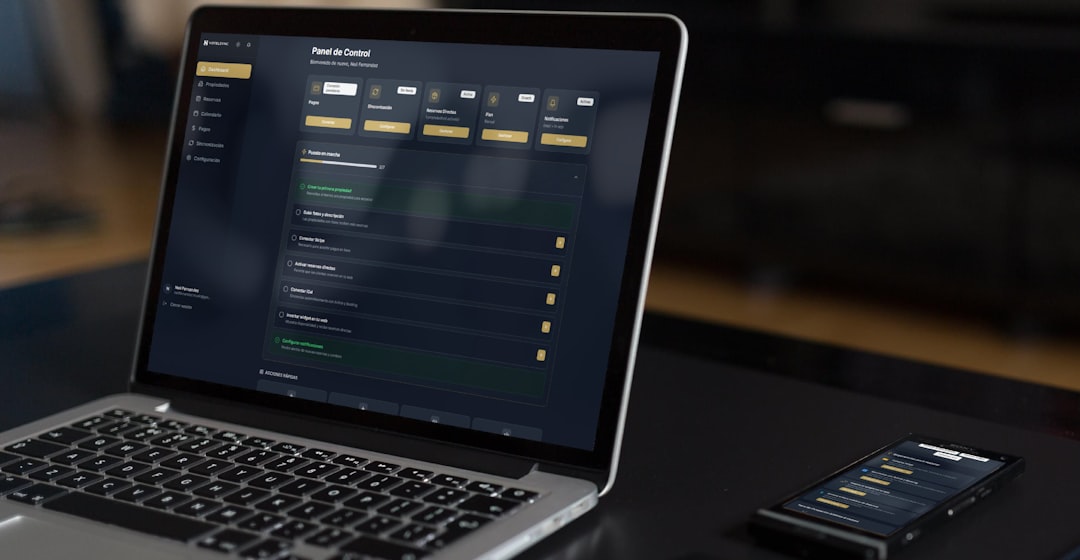

So, you’re an HVAC contractor, and you’ve heard the buzz about Field Service Management (FSM) software. What is it, really, and does it actually help in the trenches, day-to-day grind of keeping folks cool in the summer and warm in the winter? In a nutshell, yes, it can be a game-changer. Think of it as a smart assistant that helps you organize your jobs, manage your team, track your inventory, and communicate with your customers, all from your phone, tablet, or computer. It’s not just about fancy tech; it’s about making your business run smoother, more efficiently, and ultimately, more profitably. Let’s break down what this FSM stuff actually means for you.
Think of FSM software as the digital hub for your entire operation. It’s designed specifically for businesses that have staff working out in the field – like your technicians – and need a way to manage all the moving parts. For an HVAC business, this means everything from booking appointments to dispatching the right technician, tracking their work on-site, managing parts and inventory, invoicing, and even customer communication.
More Than Just an App: A Centralized System
It might sound like just another app for your phone, but FSM software is a comprehensive system. It connects all the dots. Instead of juggling paper invoices, sticky notes, and frantic phone calls, everything lives in one place. This makes it much easier to see what’s going on at any given moment, from the office to the van.
Key Components You’ll Actually Use
You’ll find various features in FSM software, but the ones that make a real difference for HVAC contractors usually include:
- Scheduling and Dispatching: This is the heart of it. Easily see who’s available, what jobs are coming up, and assign them to the best technician based on skills, location, or existing customer relationships.
- Mobile Work Orders: Technicians get all the job details on their device – customer info, equipment history, service notes, and can update everything in real-time as they work.
- Customer Management (CRM): A good FSM system often includes basic CRM features. This means easily accessing customer contact details, their service history, and any specific notes or preferences.
- Inventory Management: Track what parts you have in stock, what’s on your trucks, and when you need to reorder.
- Invoicing and Payments: Generate invoices directly from the completed work order, often allowing for on-site payment collection.
- Reporting and Analytics: Get insights into your business performance, technician productivity, and common issues.
It’s about bringing order to the chaos that can sometimes come with running a mobile service business.
How Does FSM Software Actually Help Your HVAC Business Run Better?
Alright, the million-dollar question. How does this software translate into real-world improvements for your day-to-day operations? It’s not about magic; it’s about tangible benefits that cut down on wasted time and missed opportunities.
Streamlining Your Scheduling and Dispatching Process
This is often the first big win for HVAC businesses. Imagine this: a customer calls with a broken AC on a scorching day. Instead of rifling through paper schedules or trying to remember who’s where, you can instantly see which technicians are closest, have the right expertise, and are free.
- Real-time Visibility: See your entire team’s schedule at a glance. No more “who’s free?” phone tag.
- Optimized Assignments: Assign jobs based on technician skill, location, and even the specific equipment they’re familiar with. This means faster response times and better-qualified service.
- Reduced Travel Time: By dispatching technicians strategically, you can minimize unnecessary driving, saving fuel and extending the number of calls they can handle in a day.
- Handling Emergencies: Quickly identify and dispatch technicians for urgent service requests without disrupting ongoing appointments.
This alone can significantly boost your capacity and customer satisfaction.
Empowering Your Technicians in the Field
Your technicians are the face of your business. Giving them the right tools makes them more effective and efficient. FSM software on their mobile devices is a game-changer for them.
- Digital Work Orders: No more deciphering scribbled notes or lost paperwork. Technicians have all the job details – customer history, notes, service manuals, even photos of the issue – right on their tablet or phone.
- Real-time Updates: They can log their start and end times, detail the work performed, parts used, and add notes, all in real-time. This information is instantly available at the office.
- Access to Equipment History: Before even touching a unit, they can see its service history, common problems, and past repairs, which is invaluable for accurate diagnostics.
- Improved Diagnostics with Resources: Access to product manuals, troubleshooting guides, or even video tutorials directly from the app can help less experienced technicians solve problems efficiently.
- On-Site Invoicing and Payment: Many systems allow technicians to generate invoices and process payments (credit card, mobile check) right there on the spot. This means faster cash flow and happier customers who don’t have to wait for a bill.
- Customer Signature Capture: Get signed approval for work completed directly on the device.
This empowers them to do their job better, faster, and with more confidence, while also ensuring accurate record-keeping.
Improving Customer Communication and Satisfaction
Happy customers are repeat customers, and good communication is key. FSM software helps you stay connected.
- Automated Notifications: Send automated appointment reminders to customers via SMS or email, reducing no-shows.
- Real-time Technician Tracking: Some systems offer customer-facing portals where clients can see (if you choose to enable it) the technician’s estimated arrival time, similar to ride-sharing apps, which drastically reduces “where are you?” calls.
- Clearer Invoicing: Digital invoices are professional and easy for customers to understand, detailing all services performed and charges.
- Prompt Follow-ups: Easily schedule follow-up calls or service reminders based on previous work.
- Centralized Customer History: When a customer calls with a question, anyone in the office can quickly pull up their entire service history, giving them a consistent and informed experience.
This level of transparency and responsiveness builds trust and loyalty.
Better Inventory and Parts Management
Running out of a crucial part mid-job is a nightmare. FSM software can help prevent this.
- Track Parts on Trucks: Know exactly what parts are in each technician’s van, preventing them from having to drive back to the shop for supplies.
- Real-time Stock Levels: Maintain an accurate count of inventory in your warehouse and on vehicles.
- Automated Reorder Alerts: Set up alerts when stock levels drop below a certain point, ensuring you never run out of commonly used parts.
- Job Costing Accuracy: When parts are assigned to a work order in the system, it automatically links them, making job costing more precise and reducing errors.
- Reduce Waste and Loss: By having a clear picture of your inventory, you can better manage stock, reduce overstocking, and minimize potential loss or spoilage.
This directly impacts your profitability by ensuring you have what you need when you need it and by accurately tracking all job-related expenses.
Common Objections and How FSM Software Addresses Them

It’s natural to have reservations. Switching to new software can seem daunting. Let’s tackle some common concerns you might have.
“It’s too expensive.”
This is a valid concern for any business, especially smaller ones. However, FSM software often pays for itself surprisingly quickly.
- Reduced Labor Costs: More efficient scheduling and dispatching means technicians can complete more jobs per day without working longer hours. Less time spent driving between jobs adds up.
- Fewer Missed Appointments: Automated reminders significantly cut down on costly no-shows.
- Improved First-Time Fix Rates: With access to customer history and resources, technicians are more likely to fix issues on the first visit, reducing callbacks and repeat service calls (which are often at a reduced or no charge).
- Faster Payments: On-site payment processing speeds up cash flow, reducing the time you have to wait for invoices to be paid.
- Reduced Paperwork and Administrative Overhead: Less time spent on manual data entry, filing, and chasing invoices frees up office staff for more revenue-generating activities.
Many providers offer tiered pricing, so you can often start with a plan that fits your budget and scale up as your business grows.
“My team won’t use it.”
This is a common fear, especially if your team is used to traditional methods. However, the key is choosing the right software and providing proper training.
- User-Friendly Interfaces: Most modern FSM solutions are designed with the field technician in mind. They have intuitive interfaces that are easy to learn and navigate, even for those who aren’t tech-savvy.
- Demonstrable Benefits for Technicians: When technicians see how the software makes their job easier – less administrative hassle, better information access, faster payment collection – they are more likely to adopt it. It’s about making their lives simpler, not harder.
- Comprehensive Training: Invest in initial training for your team. This doesn’t have to be a huge undertaking. Many providers offer online tutorials, webinars, or even on-site training.
- Phased Rollout: Consider introducing the software in stages. Start with core features like mobile work orders and scheduling, and gradually introduce more advanced functionalities.
- Lead by Example: As a business owner or manager, actively use the system and demonstrate its value.
Change can be tough, but the long-term efficiency gains and reduced frustration for your team are usually worth the initial effort.
“It’s too complicated to set up.”
The complexity of setup can vary depending on the software and your business structure.
- Cloud-Based Solutions: Most FSM software today is cloud-based, meaning there’s no complex server setup or IT infrastructure required on your end. You typically just sign up and start using it.
- Onboarding Support: Reputable FSM providers will offer onboarding assistance to help you get your data (customer lists, service items, etc.) into the system and configure it to your specific needs.
- Customizable Fields: Many systems allow you to customize fields to match your existing service checklists, service agreements, and billing processes, making the transition smoother.
- Integration Capabilities: If you have other software you rely on (like accounting software), check if the FSM system can integrate with it. This can further simplify data management.
While there’s an initial effort involved in migrating data and setting up preferences, it’s usually a manageable process, especially with the support of your chosen provider.
Key Features to Look for in an HVAC FSM Solution

Not all FSM software is created equal. When you’re shopping around, here’s what you should prioritize for your HVAC business.
Mobile Accessibility and Offline Capabilities
Your technicians are out in areas with spotty or no internet. This is non-negotiable.
- Robust Mobile Apps: Ensure the software has dedicated apps for iOS and Android that are stable and easy to use in the field.
- Offline Mode: Technicians must be able to access work orders, record notes, and even create new entries even when they have no internet connection. The data should sync automatically once they regain connectivity.
- Real-time Syncing: As soon as a connection is available, all field data should seamlessly sync back to the office system.
This ensures productivity isn’t halted by poor signal.
Customer Relationship Management (CRM) Integration
While you might have a separate CRM, having basic CRM functions within your FSM can be incredibly convenient.
- Customer Contact Information: Easy access to phone numbers, addresses, email, and any key contact people.
- Service History Tracking: A detailed log of all past services performed for each customer, including dates, technician notes, and equipment serviced.
- Equipment Details: Store information about the specific HVAC units at a customer’s property (make, model, serial number, installation date). This is gold for troubleshooting and preventative maintenance.
- Notes and Preferences: Ability to record specific customer preferences, like “dogs in the yard” or “only schedule Tuesdays.”
This allows anyone in your business to provide informed and personalized service.
Inventory Management that Works for Mobile Teams
This goes beyond just knowing what’s in your warehouse.
- Parts Tracking per Technician/Vehicle: Assign specific parts that are currently in a technician’s van.
- Real-time Inventory Updates: When a part is used on a job, it’s automatically deducted from inventory.
- Low Stock Alerts: Proactive notifications when stock levels for critical parts are running low, either in the warehouse or on specific trucks.
- Purchase Order Management: Tools to create and track purchase orders for restocking inventory.
This prevents delays and ensures your team has the right components on hand.
Invoicing and Payment Features for Efficiency
Getting paid quickly and accurately is vital for cash flow.
- Invoice Generation from Work Orders: Create professional invoices directly from completed service calls.
- Customizable Invoice Templates: Include your company logo, branding, and specific service terms.
- On-Site Payment Options: Support for credit card payments (often with mobile card readers or via a secure online portal), checks, or even digital payment apps.
- Payment Tracking: Easily see which invoices have been paid and which are outstanding.
This streamlines your billing and gets revenue into your accounts faster.
Reporting and Analytics for Business Insights
Data is power. Good FSM software gives you visibility into your business performance.
- Technician Productivity Reports: Track time spent on jobs, travel time, and completion rates.
- Job Profitability Analysis: Understand the cost and revenue associated with each service call, including labor and parts.
- Customer Service Metrics: Analyze repeat business rates, customer satisfaction trends (if you collect feedback), and common equipment issues.
- Inventory Usage Reports: See which parts are used most frequently and identify potential waste or overstocking.
These insights help you make informed decisions to improve efficiency and profitability.
Choosing the Right FSM Software for Your HVAC Business
| Features | Benefits |
|---|---|
| Work order management | Efficient scheduling and tracking of service jobs |
| Dispatching | Real-time assignment of tasks to technicians |
| Inventory management | Optimized stock levels and reduced inventory costs |
| Mobile access | Technicians can access information on the go |
| Customer portal | Enhanced communication and transparency with clients |
The market is full of FSM solutions, and picking the right one can feel overwhelming. Here’s a practical approach to narrowing down your options.
Define Your Core Needs First
Before you even start looking at vendors, sit down and identify your biggest pain points.
- Are you struggling with scheduling and dispatch?
- Is your invoicing process slow and prone to errors?
- Are your technicians constantly running out of parts?
- Is customer communication a challenge?
Prioritizing these will help you focus on software that offers solutions for your specific problems, rather than getting distracted by features you don’t need.
Involve Your Team in the Decision Process
Your technicians and office staff are the ones who will be using the software daily. Their input is invaluable.
- Gather Feedback on Current Processes: Ask them what’s working and what’s not.
- Test Drive Potential Software: If possible, have a few key team members participate in demos or trials of different FSM systems. Their user experience and comfort level with the interface are crucial.
- Understand Their Challenges: What information do they wish they had at their fingertips? What tasks do they find most time-consuming?
A system that resonates with your team is far more likely to be adopted successfully.
Look for Industry-Specific Features (or Adaptability)
While many FSM platforms are general, some offer features tailored to HVAC or the service industry.
- HVAC-Specific Service Forms: Pre-built checklists or forms for common HVAC tasks like tune-ups, installations, or repairs.
- Integration with HVAC Equipment Data: Some systems can pull in information from smart thermostats or diagnostic tools, though this is less common and often more advanced.
- Adaptability: If a system isn’t perfectly tailored, can it be customized with your own service items, pricing, and workflows? The ability to configure the software to your unique business model is key.
Don’t discount a general FSM if it’s highly customizable and meets your core needs.
Consider Pricing Models and Scalability
FSM software pricing can vary significantly. Understand what you’re paying for.
- Per User/Per Month: Most common model, where you pay for each active user.
- Tiered Plans: Different levels of features and support based on your business size and needs.
- Setup Fees and Hidden Costs: Be wary of significant upfront setup fees or charges for essential features. Ask for a clear breakdown of all costs.
- Scalability: Can the software grow with your business? If you plan to add more technicians or expand your service offerings, ensure the platform can accommodate that growth without requiring a complete switch.
Choose a solution that offers good value for the features you need and allows you to scale efficiently.
Don’t Skip the Demo and Trial Period
This is your chance to kick the tires before you commit.
- Live Demonstrations: Ask vendors to show you how their software handles your specific use cases (e.g., scheduling a complex installation, dispatching an emergency repair).
- Free Trials: Most reputable vendors offer free trial periods. Use this time extensively to test all critical functionalities with your team and real-world scenarios.
- Technical Support During Trial: See how responsive the vendor’s support team is during your trial period. This is a good indicator of their ongoing support quality.
A thorough evaluation process will significantly increase your chances of selecting an FSM solution that truly benefits your HVAC business.
In the end, Field Service Management software isn’t just an optional add-on; for many HVAC contractors, it’s becoming a necessity. It’s about working smarter, not just harder, and ensuring your business is set up for efficiency, accuracy, and sustainable growth in an increasingly competitive market.
