


HVAC field service software in 2026 needs to do more than just schedule appointments. It’s evolving quickly, so when you’re looking for a new system, you should prioritize features that streamline operations, empower technicians, and provide actionable insights. The best software will integrate seamlessly, automate routine tasks, and offer robust reporting, moving beyond basic dispatch to a comprehensive operational hub.
Understanding the Evolving Landscape for HVAC Service
The HVAC industry isn’t standing still. We’re seeing more complex systems, a greater emphasis on efficiency, and customers who expect instant gratification and transparent service. This shift means your software needs to keep pace. Gone are the days of paper forms and relying solely on a dispatcher’s memory. In 2026, your field service software should be a central nervous system for your business, connecting every piece of the puzzle from the first customer call to the final invoice. It’s about efficiency, yes, but also about improving customer satisfaction and empowering your team to do their best work.
Why Software Matters More Than Ever
Think about it: labor shortages are a real challenge, and the skilled technicians you do have need to be as productive as possible. Smart software frees them from administrative burdens, allowing them to focus on diagnostics and repairs. Plus, customers are savvier. They want updates, accurate quotes, and proof of work. Good software delivers all of this, building trust and repeat business. It’s not just a tool; it’s a competitive advantage that can help you stand out in a crowded market. Ignoring these technological advancements means falling behind, making it harder to attract and retain both customers and top talent.
Beyond Basic Scheduling
Many older systems or entry-level options do just one thing well: scheduling. While scheduling is fundamental, it’s a starting point, not the destination. In 2026, you need software that understands the entire service lifecycle. This includes pre-job preparation, on-site execution, and post-job follow-up. It’s about a continuous flow of information, not siloed tasks. Imagine a system where dispatchers see real-time technician availability, technicians have immediate access to customer history and equipment manuals, and office staff can process payments and generate reports without manual data entry. That’s the level of integration and automation you should be aiming for.
Core Operational Powerhouse Features
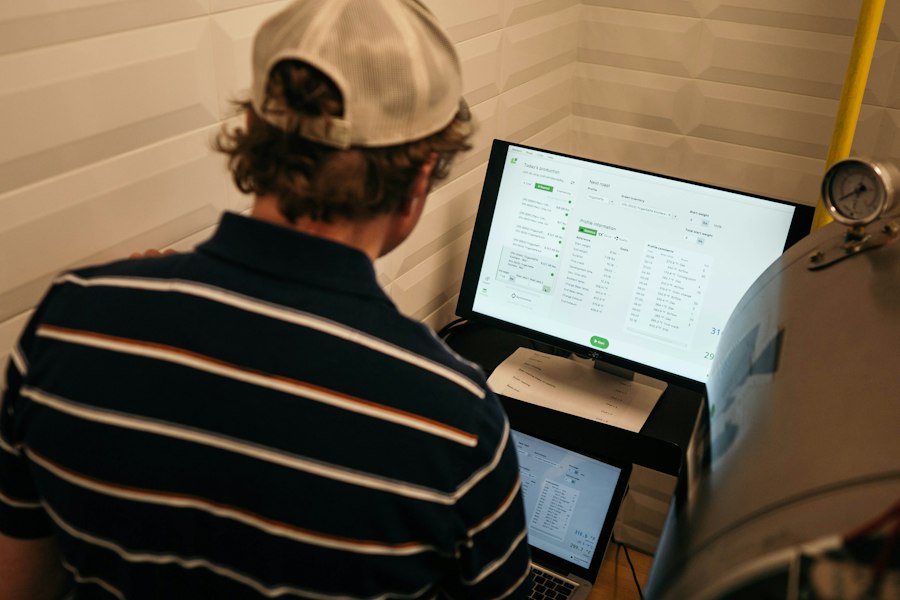
These are the non-negotiables, the foundational elements that good HVAC field service software absolutely must have in 2026. Without these, you’re essentially buying a fancy spreadsheet, not a comprehensive operational tool.
Intelligent Scheduling and Dispatching
This isn’t just about putting names on a calendar. Modern scheduling needs to be dynamic and proactive. Look for features that go beyond a simple drag-and-drop interface.
Real-time Technician Tracking and Status Updates
Your dispatchers should know exactly where every technician is, in real-time. This isn’t just for safety; it’s crucial for efficient dispatching. If a new urgent job comes in, you need to see who’s closest and most available. Technicians should also be able to update their job status (en route, arrived, working, completed) directly from their mobile device, keeping everyone in the loop without needing phone calls. This reduces back-and-forth communication and improves customer visibility.
Optimized Route Planning
Traffic, fuel costs, and technician availability are constantly changing. Your software should incorporate these factors to suggest the most efficient routes. This means less time on the road, lower fuel consumption, and more jobs completed per day. Some advanced systems even factor in technician skill sets and parts availability when optimizing routes and assignments, ensuring the right person with the right tools goes to the right job.
Dynamic Appointment Booking
Customers increasingly expect to book or request appointments online. Your software should facilitate this, allowing customers to choose preferred times based on actual technician availability, reducing manual coordination for your office staff. For internal scheduling, the system should allow for easy rescheduling, reassignments, and the ability to handle emergency calls without disrupting the entire day’s schedule.
Comprehensive Customer and Equipment Management
Your customer database should be a rich source of information, not just a contact list. This empowers technicians and improves the customer experience.
Detailed Customer History
When a technician arrives on-site, they should have immediate access to everything about that customer: previous service calls, installed equipment, repair history, notes from past technicians, and even preferred contact methods. This saves time, prevents redundant questions, and allows for a more personalized, informed service. It’s about knowing the customer’s story before you even knock on their door.
Asset and Equipment Tracking
For HVAC, tracking specific equipment installed at a customer’s location is critical. This includes serial numbers, installation dates, warranty information, and service history for that specific unit. This information is invaluable for preventative maintenance reminders, parts ordering, and diagnosing recurring issues. It also helps manage warranties effectively, ensuring you’re not doing unpaid work.
Service Agreement and Contract Management
Many HVAC businesses rely on service contracts. Your software should track these agreements, automatically schedule preventative maintenance visits, and alert you when contracts are nearing renewal. This ensures recurring revenue streams are managed efficiently and customers receive the proactive service they signed up for. It also helps in identifying upsell opportunities for expiring agreements.
Empowering Technicians in the Field
Your technicians are your frontline. Software should make their lives easier, not harder. The focus here is on mobile accessibility and giving them the tools they need to do their job right the first time.
Robust Mobile App Functionality
This is paramount. If your technicians can’t use the software easily on a tablet or smartphone, it’s a non-starter.
Offline Capabilities
HVAC technicians often work in basements, rural areas, or new constructions where internet access is spotty or non-existent. A good mobile app must work offline, allowing technicians to access customer data, complete forms, and record work, then sync everything once they regain connectivity. Without this, productivity grinds to a halt.
Digital Forms and Checklists
Say goodbye to paper forms. Technicians should be able to complete job safety analyses, service checklists, equipment inspection forms, and more, all digitally. These forms should be customizable to your specific needs and can include conditional logic (e.g., if “problem found” is selected, then “add details” field appears). This ensures consistency and reduces errors.
Access to Knowledge Bases and Manuals
Imagine a technician diagnosing a complex issue on a less common unit. Instead of calling the office or sifting through a physical manual in their truck, they can access a searchable knowledge base or equipment manual directly on their tablet. This speeds up diagnosis and improves first-time fix rates, a major boost to efficiency and customer satisfaction.
Integrated Quoting and Invoicing
Closing the loop on a service call quickly improves cash flow and customer experience.
On-site Quote Generation
Technicians should be able to generate accurate quotes for repairs or new installations directly from their mobile device. These quotes should pull from a standardized price book and allow for different options (e.g., good, better, best). Customers can then review and even electronically sign the quote on the spot.
Mobile Payment Processing
Allowing technicians to collect payment immediately after a job is completed significantly reduces accounts receivable days. This can involve credit card processing via a mobile reader, digital checks, or even linking to financing options. Providing multiple payment methods enhances customer convenience.
Automated Invoicing and Work Order Closure
Once a job is done and paid, the software should automatically generate an invoice and close out the work order, triggering any necessary follow-up tasks (like sending a thank-you email or scheduling a future check-up). This reduces administrative burden on office staff and ensures timely billing.
Back-Office Efficiency and Automation
Beyond the field, the software needs to streamline your internal operations, turning manual processes into automated workflows.
Inventory and Parts Management
This is often a hidden cost sink for HVAC businesses. Effective inventory management is crucial.
Real-time Stock Levels
Knowing what parts you have in the warehouse, in technicians’ trucks, and on order is critical. The software should provide real-time updates, preventing technicians from arriving at a job without a necessary part and reducing costly second trips. It should also alert you when stock levels are low for frequently used items.
Purchase Order Management
Generate purchase orders directly from the software, track orders, and manage vendor relationships. This integrates with your inventory, ensuring a smooth flow from identification of need to receiving the part. Some systems can even suggest optimal reorder points based on usage history.
Truck Stock Optimization
Help technicians manage their individual truck stock effectively. The system should track what parts are on each truck, facilitate transfers between trucks or to the warehouse, and prompt technicians to replenish frequently used items. This minimizes unnecessary trips to the supplier.
Reporting and Analytics for Business Insight
Data is gold. Your software needs to turn raw data into actionable insights that help you make better business decisions.
Performance Dashboards
Get a quick, visual overview of key metrics: technician productivity, first-time fix rates, average job time, revenue per technician, customer satisfaction scores, and more. Customizable dashboards allow you to focus on the metrics most important to your business.
Customizable Reports
Beyond dashboards, you need the ability to generate detailed reports. This could be anything from a breakdown of parts usage by equipment type to a profitability analysis of different service lines. The ability to export data to other tools (like spreadsheets or BI platforms) is also valuable for deeper analysis.
Trend Analysis and Predictive Insights
The most advanced software uses historical data to identify trends. For example, which equipment brands require the most repairs? Are certain technicians consistently underperforming or overperforming? Some systems can even offer predictive insights, like forecasting parts demand or identifying equipment likely to fail based on its service history. This moves you from reactive to proactive management.
Seamless Integrations
Your field service software doesn’t operate in a vacuum. It needs to play nice with other essential business tools.
Accounting Software Integration
This is non-negotiable. Your field service software should seamlessly integrate with your accounting platform (e.g., QuickBooks, Xero, Sage). This means invoices, payments, and expenses flow directly into your accounting system, eliminating manual data entry, reducing errors, and speeding up financial reconciliation.
CRM Integration
While some field service software has basic CRM capabilities, deeper integration with a dedicated CRM can provide a more holistic view of the customer journey, from initial lead generation to ongoing service and support. This helps in understanding sales opportunities and customer loyalty.
Communication Tools
Integration with email and SMS platforms allows for automated customer notifications (e.g., “Technician is en route!”), marketing campaigns, and internal team communication. Some systems even integrate with internal chat tools or VoIP phone systems for streamlined communication.
Future-Proofing and Advanced Capabilities
| Feature | Description | Benefit | Importance Level |
|---|---|---|---|
| Real-Time Scheduling & Dispatch | Allows dynamic assignment and rescheduling of field technicians based on real-time data. | Improves response time and optimizes technician utilization. | High |
| Mobile Access & Offline Mode | Enables technicians to access job details and update status via mobile devices, even without internet. | Ensures continuous workflow and accurate data capture in the field. | High |
| Inventory Management | Tracks parts and equipment usage, stock levels, and reorder alerts. | Reduces downtime and prevents stockouts during service calls. | Medium |
| Customer Relationship Management (CRM) | Maintains customer history, preferences, and communication logs. | Enhances customer satisfaction and repeat business. | Medium |
| Automated Invoicing & Payment Processing | Generates invoices and processes payments directly from the software. | Speeds up cash flow and reduces administrative errors. | High |
| IoT Integration | Connects with HVAC equipment sensors for predictive maintenance and diagnostics. | Minimizes equipment downtime and extends asset life. | Emerging |
| Analytics & Reporting | Provides insights on technician performance, job completion rates, and customer feedback. | Supports data-driven decision making and continuous improvement. | High |
| Compliance & Safety Management | Tracks certifications, safety protocols, and regulatory compliance. | Ensures legal adherence and reduces workplace incidents. | Medium |
| Integration with Accounting Software | Seamlessly connects field service data with accounting platforms. | Streamlines financial management and reduces manual entry. | Medium |
| AI-Powered Scheduling Optimization | Uses artificial intelligence to optimize routes and job assignments. | Increases efficiency and reduces travel time. | Emerging |
Looking ahead to 2026 and beyond, certain features will set leading software apart, offering a competitive edge and preparing your business for future challenges.
Customer Self-Service Portal
Empowering customers reduces calls to your office and improves their experience.
Online Appointment Requests and Scheduling
As mentioned earlier, customers expect to be able to interact with your business online. A self-service portal allows them to request new appointments, view upcoming scheduled services, and even reschedule existing ones within defined parameters. This is convenient for them and reduces the load on your administrative staff.
Service History Access
Allowing customers to view their past service history, invoices, and installed equipment details provides transparency and a sense of control. They can access this information 24/7 without needing to call during business hours.
Payment Management
Customers should be able to view outstanding invoices, make payments online, and manage their payment methods through the portal. This simplifies the payment process for both parties.
Enhanced Collaboration Tools
Communication within your team is vital for efficiency.
Internal Chat and Messaging
Technicians, dispatchers, and office staff should be able to communicate securely and efficiently within the software itself. This keeps job-related conversations tied to the specific work order, rather than scattered across various personal messaging apps.
Task Management for Teams
Beyond just scheduling jobs, the software should allow for the assignment and tracking of internal tasks, such as follow-up calls, parts ordering, or administrative duties related to specific jobs. This ensures nothing falls through the cracks.
Shared File and Document Management
All relevant documents for a job – permits, blueprints, warranty documents, photos – should be accessible and shareable within the work order. This ensures everyone has the most current information.
AI and Machine Learning Insights
This is where software moves from reactive to truly predictive and intelligent.
Predictive Maintenance Scheduling
Leveraging data from IoT-connected HVAC units (if applicable) and historical service data, AI can predict when equipment is likely to fail or when maintenance is truly needed, moving beyond time-based scheduling to condition-based maintenance. This maximizes equipment uptime and reduces emergency calls.
Smart Resource Allocation
AI can analyze technician skill sets, historical performance, travel times, and customer preferences to suggest the absolute best technician for each job, optimizing for factors like first-time fix rates, customer satisfaction, or cost efficiency.
Demand Forecasting
By analyzing historical demand patterns, weather data, and other external factors, AI can help forecast future service demand, allowing you to staff appropriately and proactively manage inventory, especially for seasonal surges in HVAC work.
When evaluating HVAC field service software for 2026, think beyond just fixing immediate problems. Look for a solution that acts as a strategic partner, empowering your team, delighting your customers, and providing the insights you need to grow your business effectively and efficiently. The right software isn’t just a cost; it’s an investment in your future success.
