
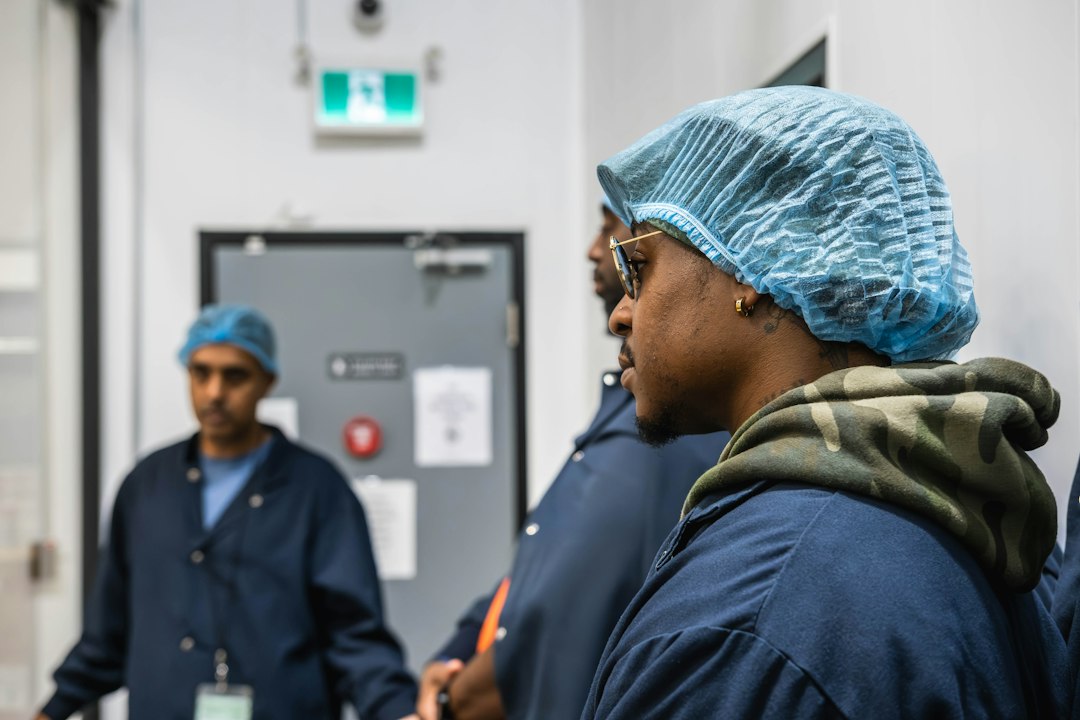

It’s a common scene in many technical teams: technicians, tools in hand, looking around, waiting. Waiting for the next step, waiting for clarification, waiting for someone to tell them what to do. If this sounds familiar, the short answer is yes, your technicians probably are spending more time waiting for instructions than they should be, and it’s likely costing your business time, money, and potentially even staff morale. This isn’t about blaming anyone; it’s about recognizing a systemic inefficiency and understanding the practical steps you can take to foster a more proactive and productive environment.
The Hidden Costs of Constant Waiting
The immediate thought when technicians are waiting is often about lost productivity. While that’s true, it’s just the tip of the iceberg. The ripple effects of this inefficiency can touch almost every aspect of your operations, leading to much larger, often overlooked costs.
Direct Productivity Drain
This is the most obvious cost. Every minute a skilled technician stands idle, waiting for instructions, is a minute of their valuable time that isn’t being spent on revenue-generating or problem-solving tasks. If you pay your technicians by the hour, you’re literally paying them to do nothing. Even if they’re salaried, that’s time they could be using to complete more jobs, perform preventive maintenance, or learn new skills. Over a week, a month, or a year, these small pockets of waiting time accumulate into significant wasted labor costs. For example, if a team of five technicians each waits 30 minutes a day for instructions, that’s 2.5 hours of lost productivity daily. Multiplied by an average hourly rate and working days, this quickly amounts to thousands of dollars annually.
Project Delays and Missed Deadlines
When technicians are constantly stalled, the overall timeline of a project stretches. What might have been a two-day job could easily become a three-day ordeal if a significant portion of each day is spent waiting for the next directive. These delays don’t just affect the current project; they can have a domino effect, pushing back subsequent projects, impacting client relationships, and potentially incurring penalties for missed deadlines. In industries with tight schedules, like manufacturing or construction, even minor delays can cause significant disruptions to the entire production chain.
Reduced Service Quality and Customer Satisfaction
Customers expect timely and efficient service. If technicians are frequently waiting for instructions, it directly translates to longer service times. This can be particularly frustrating for customers who are already experiencing a problem or waiting for an installation. Extended service calls not only impact the customer’s immediate experience but can also lead to a perception of incompetence or disorganization on your part, ultimately harming your brand reputation and making customer retention more challenging. Slow service can also lead to increased customer complaints, tying up additional resources in customer support.
Decreased Technician Morale and Engagement
Imagine being a skilled professional, ready to work, but constantly being held back because you’re not empowered to proceed. This can be incredibly frustrating and demoralizing for technicians. It signals a lack of trust, restricts their autonomy, and can make them feel like mere cogs in a machine rather than valuable contributors. Over time, this can lead to disengagement, a decline in job satisfaction, and even higher rates of employee turnover. Talented technicians want to use their skills; if they’re consistently prevented from doing so, they’ll likely seek opportunities elsewhere.
Increased Supervisory Burden
If technicians are always waiting for instructions, it means supervisors or team leads are constantly interrupted and tasked with providing granular guidance. This diverts their attention from strategic planning, complex problem-solving, training, and other higher-level responsibilities. Instead of managing, they end up micromanaging, which is an inefficient use of their expertise and salary. This constant reactive instruction-giving creates a bottleneck, as the flow of work is dependent on the supervisor’s availability and ability to respond quickly to every query.
Identifying the Root Causes

Before you can fix the problem, you need to understand why it’s happening. The issue of technicians waiting isn’t usually due to a single fault but a combination of systemic issues that create a dependency on external instruction.
Vague or Incomplete Work Orders
One of the most common culprits is poorly constructed work orders or job assignments. If a work order lacks crucial details – such as the exact location of the fault, specific parts required, necessary tools, or a clear sequence of steps – technicians will inevitably have to pause and seek clarification. A work order that simply states “fix machine” is virtually useless. It leaves too much to interpretation and requires the technician to spend time gathering basic information that should have been provided upfront.
Lack of Standardized Operating Procedures (SOPs)
Without clear, well-documented SOPs, technicians are often left to guess the correct process, especially for less common or complex tasks. This leads to inconsistencies in how tasks are performed and increases the likelihood of errors, which then require rework and further instruction. When each technician approaches a similar problem in a slightly different way, efficiency suffers, and quality control becomes much harder. SOPs provide a baseline for expected performance and decision-making.
Insufficient Training and Skill Gaps
If technicians lack the necessary skills or knowledge to handle specific tasks independently, they will naturally defer to supervisors for guidance. This isn’t a fault of the technician but a reflection of inadequate training programs. If they haven’t been trained on a new piece of equipment, a specific diagnostic method, or a particular software system, they won’t feel confident proceeding without explicit instructions. Skill gaps can also arise when new technologies are introduced without corresponding training updates.
Poor Communication Channels
Sometimes, the information exists, but it’s not effectively communicated or easily accessible. This could mean:
- Information silos: Data is held by individuals or departments and not shared across the team.
- Lack of a centralized knowledge base: Technicians have no single go-to place for common problems, past solutions, or technical specifications.
- Ineffective handovers: Information isn’t clearly passed from one shift or team member to another.
- Cumbersome approval processes: Simple decisions require multiple layers of approval, slowing down progress.
If a technician has to physically track down a supervisor, send multiple emails, or call different departments just to get a simple piece of information, it creates significant delays.
A Culture of Micromanagement
In some environments, management inadvertently fosters a culture where technicians are discouraged from making decisions or taking initiative. If every step needs to be approved, or if mistakes are heavily penalized rather than viewed as learning opportunities, technicians will quickly learn that it’s safer to wait for explicit instructions than to risk making an independent decision. This erodes autonomy and breeds dependency. Such a culture stifles innovation and prevents technicians from growing into more self-sufficient roles.
Empowering Your Technicians: Practical Strategies

Addressing the waiting game requires a multifaceted approach that focuses on clarity, accessibility, and empowerment. It’s about building a system where technicians have what they need to succeed without constant oversight.
Streamline and Standardize Workflows
This is foundational. Consistency and clarity in how work is assigned and executed are crucial.
Detailed Work Orders and Checklists
Transform your work orders from vague requests into comprehensive guides. Every work order should include:
- Clear objective: What needs to be achieved?
- Detailed scope: What specifically is involved?
- Location and asset information: Where exactly is the work to be done, and on what equipment?
- Required tools and parts: List everything needed to avoid return trips.
- Safety considerations: Any specific safety protocols or PPE.
- Step-by-step instructions (if necessary): For complex or unfamiliar tasks.
- Reference materials: Links to diagrams, manuals, or previous similar jobs.
- Expected completion time: A realistic estimate.
Consider implementing digital work order systems that allow for easy attachment of photos, diagrams, and notes, and provide fields for technicians to add their observations and completed steps. Checklists can also be invaluable for ensuring all critical steps are followed and nothing is overlooked.
Robust Standard Operating Procedures (SOPs)
Develop clear, concise, and accessible SOPs for all recurring tasks and common issues. These shouldn’t be dusty manuals stored in a forgotten cabinet. They need to be:
- Easy to understand: Use clear language, diagrams, and flowcharts.
- Up-to-date: Regularly review and revise SOPs as processes or equipment change.
- Readily accessible: Store them in a centralized digital knowledge base that technicians can access from their mobile devices in the field.
- Action-oriented: Focus on how to do the task, not just what needs to be done.
Involve your experienced technicians in developing and reviewing SOPs. Their practical insights are invaluable for creating procedures that are truly effective and user-friendly.
Invest in Continuous Training and Skill Development
Knowledge is power, and well-trained technicians are confident technicians.
Targeted Training Programs
Identify common skill gaps or areas where technicians frequently seek instructions. Then, develop targeted training programs to address these. This could include:
- Manufacturer-specific training: For new equipment or systems.
- Troubleshooting workshops: To enhance diagnostic skills.
- Safety refreshers: Ensuring everyone is up-to-date on protocols.
- Soft skills training: Improving communication with customers or team members.
Consider different training formats: in-person workshops, online modules, webinars, or even peer-to-peer mentoring programs. The goal is to equip technicians with the confidence to tackle a wider range of issues independently.
Cross-Training Initiatives
Encourage technicians to learn skills outside their primary specialization. Cross-training not only makes your team more versatile and resilient to staff absences but also allows technicians to better understand the broader context of their work. This can reduce bottlenecks if a specialist isn’t available and empowers technicians to pick up tasks they might otherwise wait for someone else to handle.
Mentorship and Coaching
Pair less experienced technicians with seasoned veterans. A mentorship program provides a safe space for newer team members to ask questions, learn best practices, and gain confidence without feeling like they are constantly bothering a supervisor. Experienced technicians can share their institutional knowledge and practical tips that aren’t always found in manuals.
Optimize Information Accessibility
Having information isn’t enough; it needs to be where technicians can easily find it, when they need it.
Centralized Knowledge Base
Implement a digital knowledge base that serves as a single source of truth for all technical information. This could include:
- SOPs and checklists.
- Equipment manuals and schematics.
- Troubleshooting guides and FAQs.
- Past work orders and solutions to common problems.
- Supplier contact information and part numbers.
The knowledge base should be searchable, intuitive, and accessible from mobile devices, allowing technicians to find answers on the go without having to return to the office or call a supervisor.
Digital Tools and Mobile Access
Equip your technicians with tablets or smartphones that provide instant access to the knowledge base, digital work orders, communication platforms, and diagnostic tools. Mobile access means they can consult information, update job statuses, order parts, and communicate with the office or other technicians directly from the field, minimizing delays.
Visual Aids and QR Codes
For physical assets, consider using QR codes. When scanned with a mobile device, a QR code attached to a piece of equipment can instantly pull up its maintenance history, manuals, troubleshooting guides, or relevant SOPs. This provides immediate, context-specific information right where it’s needed. Visual aids, such as diagrams, photos, and short video tutorials, can also be much more effective than lengthy text descriptions for conveying complex information.
Foster a Culture of Autonomy and Ownership
Ultimately, the goal is to empower technicians to think, decide, and act independently within their scope of expertise.
Encourage Proactive Problem-Solving
Shift the mindset from “wait for instructions” to “how can I solve this?” Encourage technicians to use their training and available resources to diagnose issues and propose solutions. Provide them with a degree of latitude for independent decision-making on routine matters. For example, give them a defined budget for small parts purchases without requiring immediate supervisory approval.
Promote Open Communication and Feedback
Create an environment where technicians feel comfortable asking questions, flagging issues, and suggesting improvements without fear of reprisal. Regularly solicit their feedback on processes, tools, and training. They are on the front lines and often have the best insights into what’s working and what’s not. Implement regular team meetings or debriefs where issues can be discussed and solutions collaboratively developed.
Delegate Authority Responsibly
Gradually delegate more decision-making authority to experienced technicians. This could involve allowing them to:
- Approve minor parts requisitions.
- Prioritize urgent tasks within their assignment.
- Make on-the-spot diagnostic decisions.
- Train new team members.
Start with smaller delegations and increase responsibility as technicians demonstrate competence and sound judgment. This builds trust and confidence, leading to a more engaged and self-reliant workforce.
Measuring Success and Sustaining Improvements
Implementing changes is one thing; ensuring they stick and deliver tangible benefits is another. Regular evaluation and ongoing commitment are key.
Key Performance Indicators (KPIs) to Track
To truly understand if your efforts are paying off, you need to measure the impact. Some relevant KPIs include:
- Average time to complete a work order: A decrease here indicates improved efficiency.
- Number of technician calls/emails for clarification: A reduction signifies better instruction and accessibility.
- First-time fix rate: An increase suggests technicians are better equipped to resolve issues without return visits or additional help.
- Customer satisfaction scores: Improved service speed and quality should reflect positively here.
- Technician utilization rate: A higher rate means less idle time.
- Supervisor time spent on reactive instruction: A decrease frees up supervisors for higher-level tasks.
- Employee turnover rate for technical staff: Improved morale and empowerment can lead to higher retention.
Regularly review these metrics. Set benchmarks and track progress over time. This data will provide concrete evidence of the improvements made and highlight areas that still need attention.
Gathering Feedback and Iterating
Don’t just rely on numbers. Actively seek feedback from your technicians. Conduct regular surveys, one-on-one check-ins, or anonymous suggestion boxes. Ask specific questions:
- “What information do you frequently find yourself waiting for?”
- “What tools or resources would help you work more independently?”
- “Are the SOPs clear and easy to follow?”
- “Do you feel empowered to make decisions within your role?”
Use this qualitative feedback to identify pain points and refine your strategies. Improvement is an ongoing process, not a one-time fix. Be prepared to iterate on your training programs, adjust your SOPs, and enhance your knowledge base based on real-world experiences.
Sustaining the Change
Culture change takes time and consistent effort. To ensure improvements are sustained:
- Champion the changes from the top: Leadership needs to visibly support and reinforce the new way of working.
- Regularly review and update resources: Knowledge bases, SOPs, and training materials must be kept current.
- Celebrate successes: Acknowledge and reward technicians who demonstrate initiative and proactive problem-solving. This reinforces desired behaviors.
- Address resistance: Understand why some might be resistant to change and address their concerns through further training or explanation.
- Continuously look for opportunities for further empowerment: As technicians become more proficient, identify new areas where they can take on more responsibility.
By proactively addressing the reasons why your technicians might be waiting for instructions, you’re not just improving efficiency; you’re building a more capable, confident, and satisfied technical team. This leads to better service, happier customers, and ultimately, a stronger, more resilient business.
