

What Dispatch Software Does for Your Plumbing Business
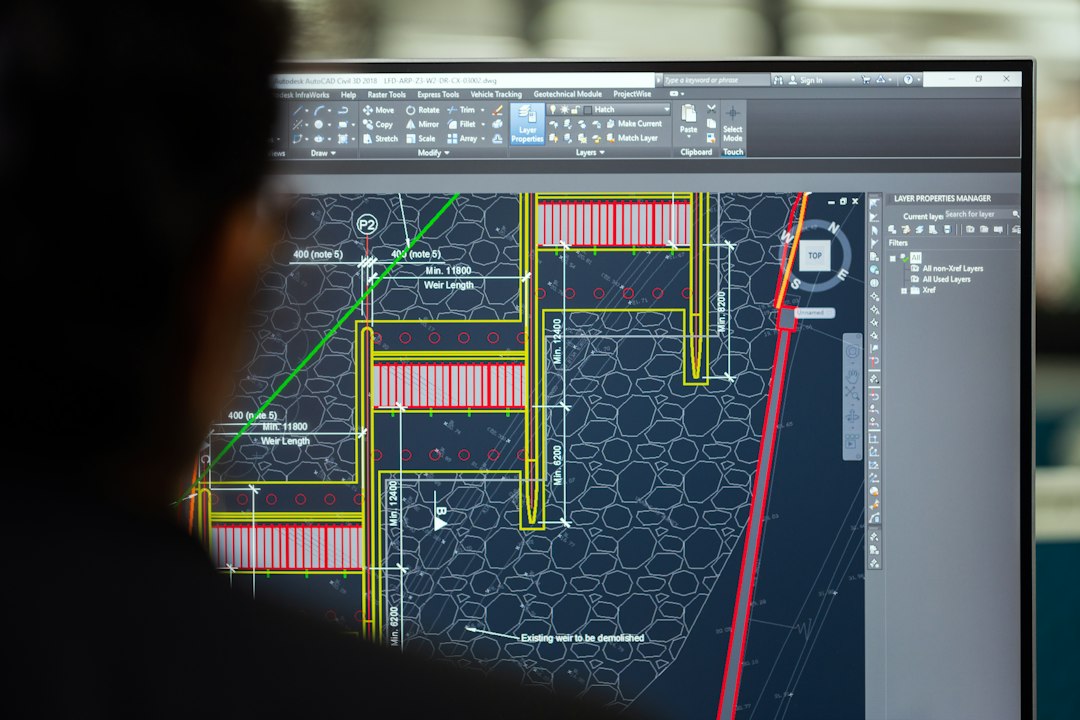
So, you’re wondering what dispatch software actually does for a plumbing company. In a nutshell, it’s a digital nerve center that helps you manage your field operations more efficiently. Think of it as upgrading from a complicated patchwork of whiteboards, paper schedules, and frantic phone calls to a streamlined system that keeps your technicians on track, your customers happy, and your business running smoothly. It brings all your scheduling, communication, job tracking, and even invoicing into one place, making everything from the moment a customer calls to the moment payment is received significantly easier. This isn’t just about looking tech-savvy; it’s about saving time, reducing errors, and ultimately, boosting your bottom line.
Why Your Plumbing Business Needs Dispatch Software

Let’s be honest, running a plumbing business involves a lot more than just fixing pipes. You’re juggling schedules, managing technicians, ordering parts, communicating with customers, and trying to make a profit. Without a solid system in place, things can get messy fast. That’s where dispatch software comes in, offering a suite of tools designed to tackle these everyday challenges head-on.
Streamlining Scheduling and Dispatching
This is probably the most immediate and impactful benefit you’ll notice. Manually scheduling jobs can be a nightmare, especially when you have multiple technicians and emergency calls popping up.
Efficient Job Assignment
Dispatch software allows you to see all your available technicians, their current locations (if integrated with GPS), and their skill sets at a glance. You can then assign jobs based on proximity, expertise, and availability. No more calling around to find out who’s free or sending a water heater specialist to unclog a drain. This means faster response times and more efficient use of your team’s skills.
Real-time Schedule Adjustments
Life happens, and plumbing schedules are rarely set in stone. A job takes longer than expected, a technician calls in sick, or an emergency burst pipe needs immediate attention. Dispatch software lets you instantly reassign jobs, notify technicians of changes, and update customers, all without a ripple of chaos. This flexibility is crucial for maintaining customer satisfaction and keeping your operations flowing.
Enhancing Communication
Poor communication is a common source of frustration for both your team and your customers. Dispatch software tackles this on multiple fronts.
Internal Team Communication
Gone are the days of endless phone calls or scattered text messages trying to get updates from technicians in the field. Dispatch software often includes built-in messaging features that allow your office staff to communicate directly with technicians about job details, customer notes, or unexpected issues. Technicians can also easily send updates back to the office, eliminating the need for them to juggle calls while on a job.
Customer Communication
Keeping customers informed is key to a good experience. Many dispatch systems offer automated notifications that can be sent to customers via text or email, letting them know when a technician is on the way, providing an estimated arrival time, or confirming a completed job. This proactive communication reduces inbound calls asking for updates and builds trust.
Improving Field Operations
Your technicians are the backbone of your business, and giving them the right tools can make a huge difference in their productivity and job satisfaction.
Mobile Access for Technicians
Most dispatch software comes with a mobile app for technicians. This means they have all the information they need right on their smartphone or tablet: job details, customer history, specific instructions, equipment lists, and even mapping to the next location. They can also update job status, record notes, take photos, and collect signatures directly from the field.
Access to Job History and Customer Information
Imagine a technician arriving at a customer’s home and knowing immediately what services were performed last time, what issues were addressed, and even what specific parts were installed. This kind of historical data, easily accessible through the software, allows for more informed service, quicker diagnostics, and a more professional customer experience. It also helps in upselling relevant services based on past work.
Core Features to Look For
When you’re evaluating dispatch software, it’s easy to get overwhelmed by all the options. Focusing on a few core features that are most beneficial to plumbing companies will help you narrow down your choices.
Scheduling and Dispatching Functionality
This is the bread and butter of dispatch software, and it needs to be robust and intuitive.
Drag-and-Drop Scheduler
A visual scheduler where you can easily drag and drop jobs onto a technician’s calendar is incredibly helpful. It allows your dispatchers to quickly see who is available, reassign jobs, and make adjustments on the fly, similar to how you might move events around in a personal digital calendar. This visual representation reduces errors and improves overall efficiency.
Technician Tracking (GPS)
Knowing where your technicians are in real-time isn’t about micromanagement; it’s about efficiency and safety. GPS tracking allows you to dispatch the closest available technician to an emergency, provide accurate ETAs to customers, and even verify job site arrivals and departures. It also contributes to better route planning.
Automated Reminders and Notifications
For both customers and technicians, automated reminders are a lifesaver. Customers appreciate a text or email reminding them of an upcoming appointment or letting them know their technician is en route. Technicians can also receive reminders for upcoming jobs or notifications about changes to their schedule, reducing no-shows and missed appointments.
Mobile App for Technicians
The technician’s mobile experience is paramount. If the app is clunky or difficult to use, your team won’t adopt it, and the investment will be wasted.
Offline Capabilities
Plumbers often work in basements, crawl spaces, or rural areas where internet connectivity might be spotty or non-existent. A good mobile app needs to function offline, allowing technicians to access job details, record notes, and complete forms even without a signal, syncing the data once they’re back online.
Job Details and Checklists
The app should provide technicians with all the necessary information for each job: customer contact details, service address, job description, specific instructions, and even a checklist of tasks to ensure nothing is overlooked. This helps maintain consistency and quality across your team.
Photo and Signature Capture
Being able to take photos before and after a job can be invaluable for documentation, dispute resolution, and even showcasing quality work to customers. Capturing customer signatures on estimates or completed job forms directly on the device streamlines the approval and completion process.
Customer Relationship Management (CRM)
A good dispatch system often includes CRM features to help you keep track of your customer interactions and build stronger relationships.
Customer History and Notes
Having a comprehensive record of every customer’s past services, preferences, notes from previous visits, and even details about their plumbing system helps your technicians provide more personalized and efficient service. It also aids in identifying potential issues or recommending preventative maintenance.
Communication Logs
Keeping a clear record of all communications with a customer – emails, texts, phone calls – within the system helps everyone in your team stay on the same page. If a different dispatcher or technician interacts with the customer, they can quickly review past conversations.
Invoicing and Payment Processing
Integrating financial aspects into your dispatch software can significantly speed up your billing cycle and improve cash flow.
On-site Invoicing
The ability for technicians to generate and present invoices to customers directly from their mobile device at the job site is a game-changer. This means no more waiting for invoices to be created back at the office, reducing delays and improving accuracy.
Mobile Payment Options
Allowing customers to pay immediately via credit card, debit card, or even digital wallet right there on the technician’s device is convenient for them and ensures you get paid faster. Many systems integrate with popular payment processors.
Reporting and Analytics
Understanding your business performance is crucial for making informed decisions and identifying areas for improvement.
Performance Metrics
Good dispatch software will offer reports on key performance indicators (KPIs) such as technician utilization rates, average job completion times, first-time fix rates, and emergency response times. This data helps you assess efficiency and identify training needs.
Financial Reports
Beyond just invoicing, the software can provide reports on revenue per job, per technician, and overall profitability. This insight is vital for budgeting, pricing strategies, and understanding where your business is making money.
Implementing Dispatch Software: A Practical Approach
Adopting new software can feel like a big undertaking, but with a practical approach, it doesn’t have to be overwhelming. It’s about taking it step by step and focusing on what makes the biggest difference first.
Assessment and Selection
Don’t just jump on the first recommendation. Take some time to figure out what you really need.
Identify Your Current Pain Points
Before you even look at software, sit down with your team – office staff, dispatchers, and technicians – and list out all the problems you currently face. Is it missed appointments? Difficulty scheduling emergency calls? Technicians forgetting to collect signatures? High administrative burden? Understanding your pain points will guide your feature requirements.
Define Your Requirements
Based on your pain points, create a list of must-have features, nice-to-have features, and features you don’t necessarily need. For example, if you rarely do complex estimates, an advanced estimation module might be a nice-to-have, but not a deal-breaker. Prioritizing these will help you compare different software options.
Research and Demo Different Solutions
Once you have your requirements, start researching software providers. Look for reviews from other plumbing companies. Most reputable providers offer free demos or trials. Take advantage of these to see the software in action and get your team’s feedback. Pay close attention to ease of use, especially for the mobile app.
Data Migration and Setup
This is where you bring your existing information into the new system. It can be time-consuming, but doing it right saves headaches later.
Importing Customer Data
You’ll likely have an existing customer database. The software provider should offer tools or support to help you import this data – names, addresses, contact information, service history. Clean up your data beforehand to avoid importing errors.
Setting Up Services and Pricing
Input all your standard plumbing services, their descriptions, and your pricing structures. If you use flat-rate pricing, ensure the software supports this. This is also a good time to review and standardize your service offerings.
Configuring User Accounts and Permissions
Set up accounts for all your office staff and technicians. Assign appropriate permissions – who can schedule, who can invoice, who can only view their own jobs. This ensures data security and role-based access.
Training Your Team
Even the most intuitive software requires some training. Don’t skip this step; it’s critical for successful adoption.
Phased Training Approach
Instead of a single, long training session, consider a phased approach. Start with office staff on scheduling and dispatching, then move to technicians for the mobile app. Provide hands-on practice opportunities.
Designate Power Users
Identify a few tech-savvy members of your team who can become “power users.” These individuals can then act as internal resources and troubleshooters for their colleagues, reducing the burden on you or the software vendor’s support.
Ongoing Support and Resources
Ensure your team knows where to go for help – whether it’s an internal power user, the software vendor’s customer support, or online knowledge bases. Regular check-ins after implementation can also address lingering questions or inefficiencies.
Common Pitfalls to Avoid
| Metric | Description | Typical Value / Range | Importance for Plumbing Companies |
|---|---|---|---|
| Job Scheduling Efficiency | Percentage of jobs scheduled without conflicts or overlaps | 85% – 95% | High – Ensures optimal use of workforce and timely service delivery |
| Dispatch Response Time | Average time taken to assign a technician after a service request | 5 – 15 minutes | High – Faster dispatch improves customer satisfaction and reduces downtime |
| Technician Utilization Rate | Percentage of working hours spent on billable jobs | 70% – 85% | Medium – Maximizes productivity and profitability |
| Customer Satisfaction Score | Rating based on customer feedback post-service | 4.0 – 5.0 (out of 5) | High – Reflects quality of service and impacts repeat business |
| First-Time Fix Rate | Percentage of jobs completed successfully on the first visit | 75% – 90% | High – Reduces costs and improves customer trust |
| Inventory Accuracy | Accuracy of parts and materials tracking in dispatch software | 90% – 98% | Medium – Prevents delays due to missing parts and controls costs |
| Mobile Access Availability | Availability of dispatch software on mobile devices for technicians | Yes / No | High – Enables real-time updates and communication in the field |
| Integration Capability | Ability to integrate with accounting, CRM, and other business tools | Yes / No | Medium – Streamlines operations and data management |
Implementing new technology always comes with potential bumps in the road. Being aware of common pitfalls can help you navigate them more smoothly.
Overcomplicating the Rollout
Trying to implement every single feature and integrate everything on day one is a recipe for overwhelm. Start with the core functionalities that address your biggest pain points (scheduling, dispatching, job tracking) and get your team comfortable with those. You can always introduce more advanced features later.
Neglecting Technician Buy-in
If your technicians don’t see the value or find the mobile app difficult to use, they won’t adopt it. Involve them early in the selection process, listen to their feedback during demos, and make sure their training is practical and addresses how the software will make their jobs easier. Their enthusiasm (or lack thereof) can make or break the implementation.
Inadequate Training
As mentioned before, simply showing someone how to click a few buttons isn’t enough. Provide comprehensive, hands-on training that addresses real-world scenarios. Offer ongoing support and encourage questions. People need time to adjust to new workflows.
Underestimating Data Entry and Cleanup
Migrating existing customer data or setting up your service catalog takes time and effort. Don’t underestimate this phase. Dedicate specific resources and time to ensure your data is accurate and complete before going live. Bad data in equals bad data out.
Ignoring Integration Possibilities
While it’s good to start simple, don’t completely ignore the potential for integrations down the line. Does the software integrate with your accounting system (like QuickBooks)? Your current phone system? Your supplier catalogs? Even if you don’t use these integrations immediately, knowing the capability exists can save you from having to switch platforms later.
The Future of Dispatch for Plumbing Businesses
Dispatch software isn’t static; it’s continuously evolving. Keeping an eye on emerging trends can help you stay ahead and ensure your investment remains valuable in the long run.
Artificial Intelligence and Predictive Analytics
Imagine a system that not only schedules jobs but predicts when equipment in a customer’s home might fail based on service history and typical lifespan, allowing you to proactively offer maintenance. Or AI optimizing routes not just for distance, but for traffic patterns, technician skill sets, and even customer preferences. This predictive capability could revolutionize preventative maintenance and scheduling efficiency.
Enhanced Customer Self-Service Portals
More and more, customers expect to be able to manage their services online. Future dispatch systems will likely offer more robust customer portals where they can schedule appointments, track their technician’s location, view service history, pay invoices, and even communicate directly with your office, reducing inbound call volume.
Deeper Integrations with IoT and Smart Home Devices
As homes become smarter, plumbing companies will need to adapt. Dispatch software could integrate with IoT sensors in water heaters, leak detectors, or smart irrigation systems, automatically alerting your team to potential issues before they become major problems, or even triggering service requests directly. This moves plumbing from reactive repair to proactive, smart maintenance.
Implementing dispatch software is a significant step for any plumbing company, but the benefits in terms of efficiency, customer satisfaction, and profitability are well worth the effort. By understanding what it does, knowing what features to look for, and approaching implementation strategically, you can transform your operations and position your business for future growth.
