


Choosing the right field service software felt like staring into a vast, complex universe. Every day, my team and I are out there, juggling appointments, diagnosing issues, and ensuring our customers are happy. But the sheer volume of administrative tasks, the constant back-and-forth with the office, and the struggle to keep everyone on the same page was starting to feel like a runaway train. I knew something had to change. That’s when the idea of implementing field service software took root. But the sheer number of options felt overwhelming. How was I supposed to navigate this labyrinth and find the perfect fit for us? This article is the result of that journey, an honest exploration of how I went about comparing field service software and what I learned along the way.
The first hurdle was simply understanding what field service software actually is. It’s more than just a glorified calendar or a digital clipboard. It’s a comprehensive system designed to streamline and optimize every aspect of field operations. I started by trying to define our core needs. What were the biggest pain points we were experiencing? For us, it was the lack of real-time visibility into job status, the manual creation of invoices, and the difficulty in tracking technician performance and inventory. Once I had a clearer picture of our internal struggles, I began to research the different types of software available.
Understanding the Core Functionalities
It quickly became apparent that not all field service software is created equal. Some are built for very specific industries, while others are more general-purpose. I focused on identifying the fundamental features that I believed would make the biggest impact on our daily operations.
Scheduling and Dispatching: The Heartbeat of Operations
This was non-negotiable. The ability to efficiently schedule appointments, assign technicians based on skills and location, and dispatch them with all the necessary information was paramount. I looked for features like drag-and-drop scheduling, intelligent route optimization, and real-time status updates to know exactly where my team was and what they were working on. The thought of replacing our current chaotic system of phone calls and scribbled notes with a streamlined, digital process was incredibly appealing.
Work Order Management: From Creation to Completion
I needed a system that could transform our paper-based work orders into something digital and dynamic. This meant features that allowed for the creation of detailed service requests, the ability to attach photos and notes, and the option to capture customer signatures upon completion. The reduction in paperwork alone felt like a massive win.
Mobile Accessibility: Empowering the Field Team
My team lives on their mobile devices. Therefore, a robust and user-friendly mobile app was crucial. I needed to ensure that technicians could access all the information they needed, update job statuses, and even complete forms directly from their phones or tablets. This would not only improve efficiency but also reduce the administrative burden on them.
Customer Management (CRM): Building Stronger Relationships
While not always the primary focus of field service software, I saw the value in integrated CRM capabilities. The ability to access customer history, previous service records, and contact information directly from the field would allow for more personalized and informed service. It’s about more than just fixing a problem; it’s about building loyalty.
Reporting and Analytics: Driving Data-Driven Decisions
I wanted to move beyond gut feelings and make informed decisions based on data. This meant looking for software that offered comprehensive reporting on key metrics like job completion rates, technician efficiency, customer satisfaction, and revenue generated. This would be invaluable for identifying areas for improvement and for proving the ROI of any new software.
Laying the Groundwork: Defining Our Specific Needs
With a general understanding of the landscape, I realized that a generic comparison wouldn’t cut it. I needed to get specific about our business. This involved a deep dive into our current workflows and identifying the non-negotiables and the nice-to-haves.
Deconstructing Our Existing Workflow
I sat down with my team leads and even some of the technicians themselves. We mapped out every step of our service process, from the initial customer inquiry to the final invoice. This was an eye-opening exercise. We uncovered redundancies, bottlenecks, and areas where manual effort was creating delays and errors.
Identifying Pain Points
We listed our biggest frustrations:
- Lost paperwork: So many instances of forms going missing or being illegible.
- Delayed communication: Technicians waiting for information from the office, or vice versa.
- Inaccurate invoicing: Manual data entry leading to mistakes and disputes.
- Lack of visibility: Not knowing where technicians were or the status of urgent jobs.
- Inefficient scheduling: Spending too much time on the phone trying to fit everyone in.
- Poor inventory tracking: Running out of parts or having to make extra trips.
Prioritizing Features for Our Business
Based on these pain points, I created a prioritized list of features. Scheduling, work order management, and mobile accessibility were at the very top. Customer management and reporting were also high on the list, but perhaps not as immediately critical as the core operational functions.
Considering Our Industry and Scale
It’s crucial to remember that what works for a small plumbing company might not work for a large HVAC installation business. Our industry has specific needs. For instance, we deal with complex equipment requiring detailed service logs. This meant looking for software that could accommodate these specific requirements.
Industry-Specific Solutions vs. General Purpose
I explored both. Were there specialized field service software platforms tailored to our industry? If so, what were their advantages and disadvantages compared to more general solutions? The industry-specific ones often had deeper features relevant to our niche, but sometimes came with a higher price tag or less flexibility. General-purpose solutions offered broader functionality but might have required more customization to fit our specific needs.
The Impact of Company Size
As a growing company, scalability was a key consideration. I needed a solution that could grow with us, handling an increasing number of technicians, customers, and job volumes without becoming a bottleneck. I also looked at pricing models – were they per user, per feature, or a tiered system?
The Deep Dive: Evaluating Specific Software Solutions
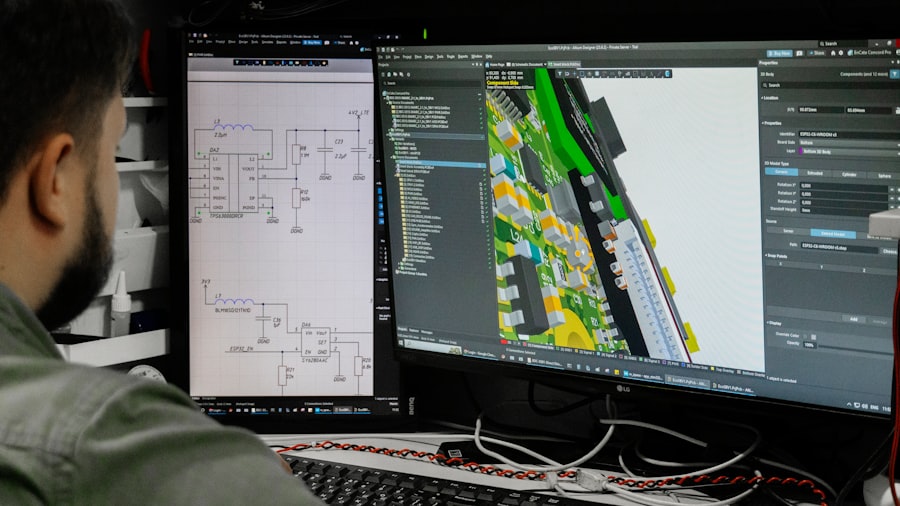
Once I had a solid understanding of our needs, it was time to roll up my sleeves and actually look at the software. This was the most time-consuming part, but also the most rewarding as I started to see potential solutions emerge.
Creating a Shortlist of Contenders
I began by browsing online review sites, industry publications, and even asking colleagues in similar businesses for recommendations. This helped me generate an initial list of potential candidates. I then started to narrow it down based on their advertised features and pricing.
Researching Key Players
I focused on well-established companies with good reputations. This generally meant looking for software with a significant customer base and positive online reviews. I paid attention to companies that offered demos and free trials, as this was essential for hands-on evaluation.
Understanding Pricing Models
Understanding how each software was priced was critical for budgeting. I looked for transparency and avoided companies that were cagey about their pricing. I wanted to know exactly what I was paying for and if there were any hidden fees.
Hands-On Evaluation: Demos and Free Trials
This is where the rubber meets the road. Reading about features is one thing, but actually using them is entirely another. I scheduled demos with sales representatives and, whenever possible, signed up for free trials.
The Demo Experience: Asking the Right Questions
During demos, I came prepared with a list of specific questions related to our pain points and prioritized features. I didn’t just passively listen; I asked them to demonstrate how their software would solve our specific problems. I also paid attention to the responsiveness and knowledge of the sales team.
The Free Trial Sandbox: Real-World Testing
The free trial period was my opportunity to get my hands dirty. I encouraged my team leads to also test the software, as they would be the ones using it most intensively on a daily basis. We tried to replicate our real-world scenarios as closely as possible.
User Interface and Ease of Use: A Critical Factor
This was a huge consideration. If the software was clunky, difficult to navigate, or required extensive training, it simply wouldn’t be adopted by my team. I looked for intuitive interfaces and a logical workflow.
Making the Cut: Key Comparison Criteria
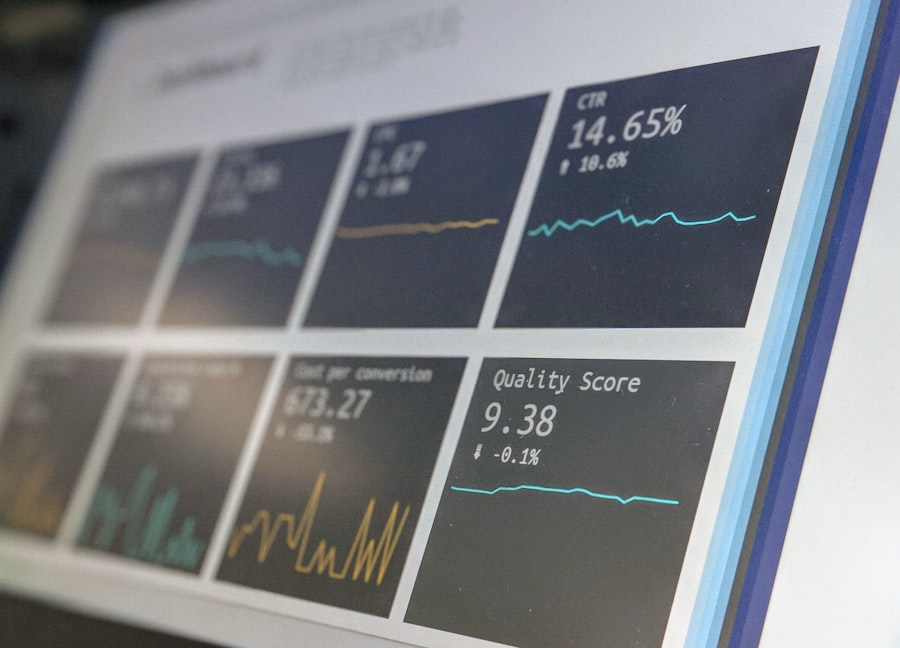
As I evaluated each software, I developed a set of criteria to ensure I was making an objective comparison. This helped me avoid getting swayed by flashy marketing or a charming salesperson.
Functionality Match: Does it Solve Our Problems?
This was the most important criterion. Did the software’s features directly address our identified pain points? I created a simple checklist where I scored each software on how well it met each of our prioritized needs.
Core Feature Competency
I assessed how well each software handled scheduling, work order management, mobile access, and customer data. Were these features robust, or were they basic and limited?
Customization and Flexibility
Could the software be adapted to our specific workflows and terminology? Some software offered more out-of-the-box solutions, while others allowed for deep customization. This was a trade-off I had to consider.
Integration Capabilities: Playing Nicely with Others
We already had some existing systems in place, like our accounting software. I needed to ensure that the new field service software could integrate seamlessly, avoiding duplicate data entry and creating a more unified ecosystem.
Accounting Software Integration
This was a high priority. The ability to push completed job data and invoices directly to our accounting system would save a significant amount of time and reduce errors.
Other Software Connections
Were there integrations with other tools we used, such as our inventory management system or our communication platforms?
Support and Training: The Lifeline After Implementation
Even the best software can have a learning curve. I looked at the level of support offered, including their response times, availability (24/7 vs. business hours), and the quality of their training resources.
Onboarding and Initial Training
How comprehensive was their onboarding process? Did they offer live training sessions, webinars, or detailed documentation?
Ongoing Customer Support
What was their track record for customer support? Were they known for being responsive and helpful? This was crucial for long-term success.
Cost and Value: Beyond Just the Sticker Price
The price was obviously a factor, but I was looking for the best value for our investment. This meant considering not just the subscription fee but also the potential return on investment through increased efficiency and reduced costs.
Total Cost of Ownership (TCO)
This included not only the subscription fees but also any setup costs, training fees, and potential customization expenses.
Return on Investment (ROI) Projections
I tried to estimate the potential savings and revenue increases that implementing the software could bring. This helped justify the investment to myself and to the management.
The Final Decision: Choosing the Best Fit for Us
| Field Service Software | Features | Pricing | Mobile Access | Integration |
|---|---|---|---|---|
| Software A | Job scheduling, Invoicing, Reporting | Starting at 50/month | Yes | QuickBooks, Salesforce |
| Software B | Dispatching, Inventory Management, GPS Tracking | Custom pricing | Yes | Xero, Zendesk |
| Software C | Work order management, Customer portal, Route optimization | Starting at 80/month | Yes | Microsoft Dynamics, SAP |
After countless hours of research, demos, and trials, the time came to make a decision. It wasn’t easy, and there were a few strong contenders.
Weighing the Pros and Cons
I created a final comparison matrix, scoring each shortlisted software against my established criteria. This visual representation helped highlight the strengths and weaknesses of each option.
Objective Scoring
I assigned numerical scores to each criterion for each software. This forced me to be objective and avoid emotional attachments to a particular platform.
Subjective Considerations
While objective scoring was important, I also took into account subjective factors like the overall “feel” of the software and the perceived ease of use for my team.
Communicating the Decision to the Team
Once I made my choice, it was crucial to communicate the decision to the team effectively. I explained the rationale behind the selection, highlighted the benefits they could expect, and reassured them about the training and support that would be provided.
Highlighting the Benefits for the Field Team
I focused on how the new software would directly improve their daily work lives, reducing frustration and making their jobs easier.
Addressing Concerns and Providing Reassurance
I acknowledged that any change can be met with resistance and was prepared to address any concerns or anxieties the team might have.
The Journey Ahead: Implementation and Beyond
Choosing the software was just the first step. The real work began with implementation and ongoing optimization.
The Implementation Process: A Collaborative Effort
Successful implementation requires careful planning and execution. I worked closely with the chosen software provider to ensure a smooth rollout.
Data Migration
This was a critical and often complex step. Ensuring that our existing customer and job data was accurately migrated to the new system was paramount.
System Configuration and Customization
Tailoring the software to our specific workflows and business rules was essential for maximizing its effectiveness.
User Training and Adoption
This is an ongoing process. Providing comprehensive training and ongoing support is crucial for ensuring that the software is fully utilized and beneficial.
Embracing Continuous Improvement: Maximizing the Software’s Potential
The introduction of field service software is not a one-time event. It’s an ongoing journey of optimization and continuous improvement.
Regular Review of Performance Metrics
I constantly monitored the reports and analytics generated by the software to identify areas where we could improve our efficiency and customer service.
Adapting to Evolving Needs
As our business evolves, so too will our needs. I committed to regularly re-evaluating our use of the software and exploring any new features or updates that could further enhance our operations.
The process of comparing field service software was challenging, but ultimately incredibly rewarding. By taking a structured, needs-based approach, I was able to navigate the vast landscape of options and find a solution that has truly transformed our operations. It’s not just about technology; it’s about empowering my team, improving customer satisfaction, and driving our business forward. The universe of field service software is vast, but with the right roadmap, finding your perfect star system is absolutely achievable.
