


Historically, organizations have relied on manual processes for a multitude of tasks, leading to bottlenecks, human error, and suboptimal resource utilization. The advent of workflow automation platforms offers a significant paradigm shift, enabling organizations to streamline operations, reduce operational costs, and enhance overall productivity. This article explores the concept of maximizing efficiency through the strategic implementation of such platforms, detailing their functionalities, benefits, and practical considerations for deployment.
At its core, a workflow automation platform is a software solution designed to define, execute, and manage a series of interconnected tasks without human intervention. Imagine it as a digital conductor, orchestrating various instruments (tasks) in a symphony (workflow) to produce a harmonious outcome. These platforms move beyond simple task automation, offering comprehensive solutions for complex, multi-step processes.
Core Components and Capabilities
A typical workflow automation platform comprises several key components that facilitate its operation:
- Process Modeling Tools: These tools allow users to visually design workflows using drag-and-drop interfaces. This graphical representation, often utilizing Business Process Model and Notation (BPMN), provides clarity and consensus on process steps.
- Workflow Engine: This is the operational heart of the platform, responsible for executing the defined processes. It manages task transitions, assigns responsibilities, and enforces rules, ensuring adherence to the intended sequence.
- Integration Connectors: Modern organizations utilize a diverse array of software applications. Integration connectors bridge the gap between the automation platform and these disparate systems, enabling data exchange and seamless interaction. Without effective integration, the platform’s utility would be severely limited, like trying to navigate a complex city without roads connecting its various districts.
- Rule Engine: This component allows for the definition of conditional logic within a workflow. For instance, a document might be routed to a specific approver based on its value or type.
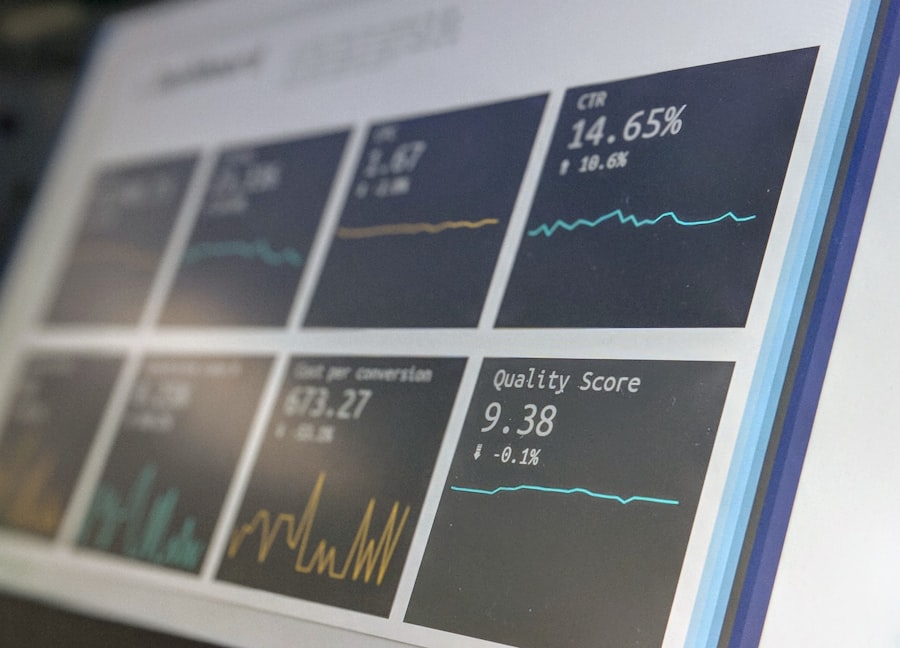
- Monitoring and Analytics Dashboards: These features provide real-time visibility into process execution. Users can track key performance indicators (KPIs), identify bottlenecks, and gain insights for continuous improvement. This is akin to a control tower providing a panoramic view of air traffic, allowing operators to identify and address potential issues.
- Form Builders: Many workflows involve data collection. Form builders allow for the creation of digital forms to capture necessary information at various stages of a process.
Types of Workflows Automated
Workflow automation platforms are versatile and can be applied to a broad spectrum of organizational processes, including:
- Transactional Workflows: These often involve requests and approvals, such as expense claims, leave requests, or purchase orders.
- Sequential Workflows: Processes that follow a predefined linear path, for example, onboarding new employees or processing customer complaints.
- State-Machine Workflows: These workflows are characterized by a series of states, with transitions triggered by specific events or actions. Think of a software development lifecycle, moving from “development” to “testing” to “production.”
- Parallel Workflows: Tasks that can be executed concurrently, speeding up overall process completion.
Benefits of Workflow Automation
The deployment of a workflow automation platform can yield substantial benefits for an organization, impacting various facets of its operations.
Enhanced Operational Efficiency
By automating repetitive and rule-based tasks, organizations can significantly reduce the time and resources expended on these activities. This allows employees to focus on higher-value work requiring critical thinking and problem-solving, rather than acting as human routing machines. The platform acts as a tireless, accurate, and always-available assistant for routine operations.
Reduced Costs
Automation inherently leads to cost savings. These can manifest in several ways:
- Lower Labor Costs: By reducing the need for manual execution, organizations can optimize staffing levels or reallocate personnel to more strategic roles.
- Elimination of Errors: Manual processes are prone to human error. Automation, when configured correctly, virtually eliminates these errors, reducing rework and associated costs. A single data entry mistake can ripple through an entire system, creating multiple points of correction and expense.
- Reduced Processing Times: Faster process completion translates to quicker service delivery, improved customer satisfaction, and potentially increased revenue.
Improved Compliance and Auditability
Workflow automation platforms create a digital trail for every processed item. This inherent traceability is invaluable for compliance, regulatory adherence, and internal audits. Every action, approval, and data change is recorded, providing a clear and verifiable history. This is akin to a meticulously kept ledger, offering undeniable proof of every transaction.
Greater Visibility and Control
With comprehensive dashboards and reporting features, managers gain real-time insights into the status of ongoing processes. They can identify bottlenecks, measure performance against established KPIs, and proactively address issues. This increased transparency empowers informed decision-making and continuous process improvement. You are no longer navigating blindfolded but with a clear operational map.
Increased Agility and Adaptability
Business environments are dynamic. Workflow automation platforms allow organizations to quickly adapt to changing requirements by modifying existing workflows or creating new ones. This agility is crucial for responding to market shifts, new regulations, or evolving customer demands.
Strategic Implementation of Workflow Automation
Maximizing the efficiency gains from a workflow automation platform requires a methodical and strategic approach, not simply a hurried deployment.
Identifying Automation Opportunities
The first step involves a comprehensive analysis of existing business processes to identify suitable candidates for automation. Look for processes that exhibit the following characteristics:
- Repetitive and High Volume: Tasks that are performed frequently and consistently.
- Rule-Based: Processes with clear, unambiguous decision points and logic.
- Time-Sensitive: Workflows where delays can have significant negative consequences.
- Prone to Human Error: Processes where manual execution frequently results in mistakes.
- Labor-Intensive: Tasks that consume a significant amount of human effort.
Conducting workshops with stakeholders from various departments can be invaluable in unearthing these opportunities.
Process Analysis and Optimization
Before automating a process, it is critical to analyze and optimize it. Automating an inefficient process will only amplify its flaws. Think of it as building a highway on a poorly designed road; the speed increases, but the inherent issues remain. This involves:
- Mapping Current State: Documenting the “as-is” process, including all steps, stakeholders, and data touchpoints.
- Identifying Bottlenecks and Redundancies: Pinpointing areas where delays occur or unnecessary steps exist.
- Designing Future State: Creating an optimized “to-be” process, eliminating waste and streamlining flows. This may involve re-engineering the process entirely, not just a direct translation of the old manual steps.
Platform Selection and Integration
Choosing the right workflow automation platform is a critical decision. Consider factors such as:
- Scalability: Can the platform grow with your organization’s needs?
- Integration Capabilities: How well does it connect with your existing IT infrastructure and applications?
- Ease of Use: Is the platform user-friendly for process designers and end-users?
- Security: Does it meet your organization’s security requirements and industry regulations?
- Vendor Support: What level of technical support and training does the vendor provide?
- Cost: Licensing, implementation, and ongoing maintenance expenses.
Integration specialists may be required to ensure seamless communication between the automation platform and other enterprise systems.
Pilot Programs and Phased Rollout
Starting with a small-scale pilot project allows organizations to test the platform, gather feedback, and refine processes before a full-scale deployment. This minimizes risk and allows for iterative improvements. A phased rollout, gradually expanding the use of the platform across departments or processes, is generally more successful than an abrupt, organization-wide implementation.
Training and Change Management
Successful adoption of new technology hinges on adequate training and effective change management. Employees need to understand how the new system benefits them, how to use it proficiently, and how their roles may evolve. Address concerns, communicate benefits clearly, and provide ongoing support to facilitate a smooth transition. Resistance to change is a natural human reaction; proactive communication and education are crucial in overcoming it.
Measuring Success and Continuous Improvement

Implementing a workflow automation platform is not a one-time project but an ongoing journey of optimization.
Defining Key Performance Indicators (KPIs)
Before deployment, establish clear KPIs to measure the effectiveness of the automation initiative. These might include:
- Process Cycle Time: The time taken to complete a workflow from start to finish.
- Error Rates: The reduction in mistakes and rework.
- Cost Savings: Quantifiable financial benefits derived from automation.
- Employee Productivity: Measures of increased output or capacity.
- Compliance Adherence: The rate at which processes meet regulatory requirements.
- User Adoption Rate: The percentage of employees successfully utilizing the new system.
These KPIs act as your compass, guiding you in assessing the impact and directing future efforts.
Monitoring and Analysis
Regularly monitor the performance of automated workflows using the platform’s reporting and analytics capabilities. Identify any deviations from expected performance, pinpoint bottlenecks that may have emerged, or discover opportunities for further optimization. This is an iterative process, much like a scientist refining an experiment based on observed results.
Feedback Loops and Iteration
Establish mechanisms for gathering feedback from users and stakeholders. Their insights are invaluable for identifying pain points, suggesting improvements, and ensuring the platform continues to meet evolving business needs. Use this feedback to iterate on existing workflows, introduce new automations, and continuously refine the platform’s configuration.
Expanding Automation Scope
As the organization gains experience and confidence with the platform, look for new opportunities to expand the scope of automation. This could involve automating more complex processes, integrating with additional systems, or leveraging advanced features like artificial intelligence (AI) and machine learning (ML) for predictive analytics and intelligent decision-making within workflows.
The strategic adoption and continuous refinement of a workflow automation platform can fundamentally transform an organization’s operational landscape. By moving beyond manual constraints, businesses can achieve unparalleled levels of efficiency, cost-effectiveness, and adaptability, positioning them for sustained success in dynamic market conditions. This is not merely about digitizing old processes but about reimagining and reconstructing how work gets done, leading to a more agile, resilient, and productive enterprise.
